Overview
Welcome to The Burn Book 👋
This book will help you get started with the Burn deep learning framework, whether you are an advanced user or a beginner. We have crafted some sections for you:
-
Basic Workflow: From Training to Inference: We'll start with the fundamentals, guiding you through the entire workflow, from training your models to deploying them for inference. This section lays the groundwork for your Burn expertise.
-
Building Blocks: Dive deeper into Burn's core components, understanding how they fit together. This knowledge forms the basis for more advanced usage and customization.
-
Performance - Good Practices: Tips for writing models and training code that make the most of hardware resources while avoiding common pitfalls that can slow down execution.
-
Custom Training Loop: Gain the power to customize your training loops, fine-tuning your models to meet your specific requirements. This section empowers you to harness Burn's flexibility to its fullest.
-
Saving & Loading Models: Learn how to save and load your trained models, including importing weights from PyTorch and SafeTensors formats.
-
ONNX Import: Learn how to import ONNX models using the burn-onnx crate.
-
Models & Pre-Trained Weights: Get started quickly with ready-to-use models and pre-trained weights.
-
Advanced: Finally, venture into advanced topics, exploring Burn's capabilities at their peak. This section caters to those who want to push the boundaries of what's possible with Burn.
Throughout the book, we assume a basic understanding of deep learning concepts, but we may refer to additional material when it seems appropriate.
Why Burn?
Why bother with the effort of creating an entirely new deep learning framework from scratch when PyTorch, TensorFlow, and other frameworks already exist? Spoiler alert: Burn isn't merely a replication of PyTorch or TensorFlow in Rust. It represents a novel approach, placing significant emphasis on making the right compromises in the right areas to facilitate exceptional flexibility, high performance, and a seamless developer experience. Burn isn’t a framework specialized for only one type of application, it is designed to serve as a versatile framework suitable for a wide range of research and production uses. The foundation of Burn's design revolves around three key user profiles:
Machine Learning Researchers require tools to construct and execute experiments efficiently. It’s essential for them to iterate quickly on their ideas and design testable experiments which can help them discover new findings. The framework should facilitate the swift implementation of cutting-edge research while ensuring fast execution for testing.
Machine Learning Engineers are another important demographic to keep in mind. Their focus leans less on swift implementation and more on establishing robustness, seamless deployment, and cost-effective operations. They seek dependable, economical models capable of achieving objectives without excessive expense. The whole machine learning workflow —from training to inference— must be as efficient as possible with minimal unpredictable behavior.
Low level Software Engineers working with hardware vendors want their processing units to run models as fast as possible to gain competitive advantage. This endeavor involves harnessing hardware-specific features such as Tensor Core for Nvidia. Since they are mostly working at a system level, they want to have absolute control over how the computation will be executed.
The goal of Burn is to satisfy all of those personas!
Getting Started
Burn is a deep learning framework in the Rust programming language. Therefore, it goes without saying that one must understand the basic notions of Rust. Reading the first chapters of the Rust Book is recommended, but don't worry if you're just starting out. We'll try to provide as much context and reference to external resources when required. Just look out for the 🦀 Rust Note indicators.
Installing Rust
For installation instructions, please refer to the installation page. It explains in details the most convenient way for you to install Rust on your computer, which is the very first thing to do to start using Burn.
Creating a Burn application
Once Rust is correctly installed, create a new Rust application by using Rust's build system and package manager Cargo. It is automatically installed with Rust.
🦀 Cargo Cheat Sheet
Cargo is a very useful tool to manage Rust projects because it handles a lot of tasks. More precisely, it is used to compile your code, download the libraries/packages your code depends on, and build said libraries.
Below is a quick cheat sheet of the main cargo commands you might use throughout this guide.
| Command | Description |
|---|---|
cargo new path | Create a new Cargo package in the given directory. |
cargo add crate | Add dependencies to the Cargo.toml manifest file. |
cargo build | Compile the local package and all of its dependencies (in debug mode, use -r for release). |
cargo check | Check the local package for compilation errors (much faster). |
cargo run | Run the local package binary. |
For more information, check out Hello, Cargo! in the Rust Book.
In the directory of your choice, run the following:
cargo new my_burn_app
This will initialize the my_burn_app project directory with a Cargo.toml file and a src
directory with an auto-generated main.rs file inside. Head inside the directory to check:
cd my_burn_app
Then, add Burn as a dependency:
cargo add burn --features wgpu
Burn does not enable an execution backend by default. The wgpu feature selects GPU
execution; use --features flex instead for the pure-Rust CPU backend.
Finally, compile the local package by executing the following:
cargo build
That's it, you're ready to start! You have a project configured with Burn and the WGPU backend, which allows to execute low-level operations on any platform using the GPU.
Writing a code snippet
The src/main.rs was automatically generated by Cargo, so let's replace its content with the
following:
use burn::tensor::{Device, Tensor};

fn main() {
    let device = Device::wgpu(Default::default());
    // Creation of two tensors, the first with explicit values and the second one with ones, with the same shape as the first
    let tensor_1 = Tensor::<2>::from_data([[2., 3.], [4., 5.]], &device);
    let tensor_2 = Tensor::<2>::ones_like(&tensor_1);

    // Print the element-wise addition (done with the WGPU backend) of the two tensors.
    println!("{}", tensor_1 + tensor_2);
}
🦀 Use Declarations
To bring any of the Burn module or item into scope, a use declaration is added.
In the example above, we wanted to bring the Tensor and Device structs into scope with the
following:
use burn::tensor::{Device, Tensor};This is pretty self-explanatory in this case. But, the same declaration could be written as a shortcut to simultaneously binding of multiple paths with a common prefix:
use burn::tensor::{Device, Tensor};In this example, the common prefix is pretty short and there are only two items to bind locally.
Therefore, the first usage with two use declarations might be preferred. But know that both
examples are valid. For more details on the use keyword, take a look at
this section
of the Rust Book or the
Rust reference.
🦀 Generic Data Types
If you're new to Rust, you're probably wondering why we had to use Tensor::<2>::....
That's because the Tensor struct is generic
over multiple concrete data types. More specifically, a Tensor has two generic parameters: the number of dimensions (rank) and the
tensor kind (which defaults to Float). Here, we only specify the rank. For more details on the Tensor struct, take a look at
this section.
Most of the time when generics are involved, the compiler can infer the generic parameters
automatically. In this case, the compiler needs a little help. This can usually be done in one of
two ways: providing a type annotation or binding the generic parameter via the turbofish ::<>
syntax. In the example above we used the so-called turbofish syntax, but we could have used type
annotations instead like this:
let tensor_1: Tensor<2> = Tensor::from_data([[2., 3.], [4., 5.]], &device);
let tensor_2 = Tensor::ones_like(&tensor_1);
You probably noticed that we provided a type annotation for the first tensor only and yet this
example still works. That's because the compiler (correctly) inferred that tensor_2 had the same
generic parameters. The same could have been done in the original example, but specifying the
parameters for both is more explicit.
By running cargo run, you should now see the result of the addition:
Tensor {
  data:
[[3.0, 4.0],
 [5.0, 6.0]],
  shape:  [2, 2],
  device:  DefaultDevice,
  backend:  "wgpu",
  kind:  "Float",
  dtype:  "f32",
}
While the previous example is somewhat trivial, the upcoming basic workflow section will walk you through a much more relevant example for deep learning applications.
Using prelude
Burn comes with a variety of things in its core library. When creating a new model or using an existing one for inference, you may need to import every single component you used, which could be a little verbose.
To address it, a prelude module is provided, allowing you to easily import commonly used structs
and macros as a group:
use burn::prelude::*;which is equal to:
use burn::{
    config::Config,
    module::Module,
    nn,
    tensor::{
        Bool, Device, DeviceIndex, DeviceKind, ElementConversion, Float, Int, Shape, SliceArg,
        Tensor, TensorData, cast::ToElement, s,
    },
};
For the sake of simplicity, the subsequent chapters of this book will all use this form of importing except in the Building Blocks chapter, as explicit importing aids users in grasping the usage of particular structures and macros.
Examples
In the next chapter you'll have the opportunity to implement the whole Burn
guide example yourself in a step by step manner.
Many additional Burn examples are available in the examples directory. Burn examples are organized as library crates with one or more examples that are executable binaries. An example can then be executed using the following cargo command line in the root of the example's directory:
cargo run --release --example <example name>
From the repository root the package has to be named too. A root invocation with no -p selects
every workspace member and unifies their features, which builds backends the example never asked
for:
cargo run -p <package name> --release --example <example name>
To learn more about crates and examples, read the Rust section below.
🦀 About Rust crates
Each Burn example is a package, which is a subdirectory of the examples directory. A package
is composed of one or more crates.
A package is a bundle of one or more crates that provides a set of functionality. A package contains
a Cargo.toml file that describes how to build those crates.
A crate is a compilation unit in Rust. It could be a single file, but it is often easier to split up crates into multiple modules.
A module lets us organize code within a crate for readability and easy reuse. Modules also allow us
to control the privacy of items. For instance the pub(crate) keyword is employed to make a
module publicly available inside the crate. In the snippet below there are four modules declared,
two of them are public and visible to the users of the crates, one of them is public inside the
crate only and crate users cannot see it, at last one is private when there is no keyword. These
modules can be single files or a directory with a mod.rs file inside.
pub mod data;
pub mod inference;
pub(crate) mod model;
mod training;
A crate can come in one of two forms: a binary crate or a library crate. When compiling a
crate, the compiler first looks in the crate root file (src/lib.rs for a library crate and
src/main.rs for a binary crate). Any module declared in the crate root file will be inserted in
the crate for compilation.
All Burn examples are library crates and they can contain one or more executable examples that use the library. We even have some Burn examples that use the library crate of other examples.
The examples are unique files under the examples directory. Each file produces an executable file
with the same name. Each example can then be executed with cargo run --example <executable name>.
Below is a file tree of a typical Burn example package:
examples/burn-example
├── Cargo.toml
├── examples
│   ├── example1.rs      ---> compiled to example1 binary
│   ├── example2.rs      ---> compiled to example2 binary
│   └── ...
└── src
    ├── lib.rs           ---> this is the root file for a library
    ├── module1.rs
    ├── module2.rs
    └── ...
The following additional examples are currently available if you want to check them out:
| Example | Description |
|---|---|
| Custom CSV Dataset | Implements a dataset to parse CSV data for a regression task. |
| Regression | Trains a simple MLP on the California Housing dataset to predict the median house value for a district. |
| Custom Image Dataset | Trains a simple CNN on custom image dataset following a simple folder structure. |
| Custom Renderer | Implements a custom renderer to display the Learner progress. |
| Image Classification Web | Image classification web browser demo using Burn, WGPU and WebAssembly. |
| MNIST Inference on Web | An interactive MNIST inference demo in the browser. |
| MNIST Training | Demonstrates how to train a custom Module (MLP) with the Learner configured to log metrics and keep training checkpoints. |
| ONNX Import Inference | Imports an ONNX model pre-trained on MNIST to perform inference on a sample image with Burn. |
| PyTorch Import Inference | Imports a PyTorch model pre-trained on MNIST to perform inference on a sample image with Burn. |
| Text Classification | Trains a text classification transformer model on the AG News or DbPedia datasets. The trained model can then be used to classify a text sample. |
| Text Generation | Trains a text generation transformer model on the DbPedia dataset. |
| Wasserstein GAN MNIST | Trains a WGAN model to generate new handwritten digits based on MNIST. |
For more information on each example, see their respective README.md file. Be sure to check out
the examples directory for an up-to-date
list.
Note that some examples use the
datasets library by HuggingFace to download the
datasets required in the examples. This is a Python library, which means that you will need to
install Python before running these examples. This requirement will be clearly indicated in the
example's README when applicable.
Migrating to Burn 0.22
Burn 0.22 selects backends at runtime through Device. Tensor operations follow Tensor → Bridge →
Dispatch → Backend; ordinary models and tensor functions no longer carry a backend type parameter.
Backend implementations and extensions still use low-level backend traits.
Cargo features and toolchain
The minimum supported Rust version is 1.95. NdArray and LibTorch are deprecated, the Candle backend
is removed, and backend tracing requires the opt-in tracing feature. Enable a feature for each
backend constructor you use; burn has no default execution backend.
| 0.21 | 0.22 |
|---|---|
server | remote-server |
remote (WebSocket) | remote (Iroh); add remote-websocket for WebSocket |
sqlite through dataset or train | sqlite, enabled explicitly (sqlite-bundled is an alias) |
Linear algebra in burn::tensor::linalg | linalg feature; burn::linalg extension traits |
Signal processing in burn::tensor::signal | signal feature; burn::signal or burn::tensor::signal. See Signal Processing Functions |
burn-store dependency for SafeTensors and PyTorch | safetensors and pytorch features (imply store) |
candle, candle-cuda, candle-metal | Removed |
router, dispatch, distributed, collective, record-item-custom-serde | Removed; runtime dispatch and burn::tensor::distributed are built in |
With default-features = false, enable optim explicitly if you use burn::optim or
burn::lr_scheduler; train also enables it.
Reinforcement learning is opt-in. Enable the rl feature on burn to use burn::rl and the RL
learner in burn::train. If you depend on burn-train directly, rl is no longer one of its
default features.
Types and devices
| Previous API | 0.22 API |
|---|---|
Tensor<B, D> / Tensor<B, D, Int> | Tensor<D> / Tensor<D, Int> |
Model<B>, Linear<B>, Module<B> | Model, Linear, Module |
B::Device | burn::tensor::Device |
| A backend type alias at the application entry point | A constructor such as Device::wgpu(...), Device::cuda(0), or Device::flex() |
Autodiff<B> as the application's backend | device.autodiff() before model/input initialization |
| Backend element type parameters | Device dtype defaults, explicit creation dtypes, and tensor.cast(...) |
tensor.into_scalar() | tensor.into_scalar::<f32>(), or an inferred element type |
| Backend-generic optimizers | ModuleOptimizer, returned by optimizer configuration init() |
burn::module::Initializer | burn::nn::Initializer |
Device-level operations previously called through B: Backend, such as seeding and synchronization,
are now methods on Device. See Using a Device.
Device::flush() returns Result<(), ExecutionError>: it fails when the buffered operations cannot
be dispatched, e.g. on a poisoned device. Propagate the error with ? or handle it.
When upgrading a model, remove its backend parameter and the corresponding parameters on fields and methods. The rank and kind remain part of the tensor type:
use burn::{
    module::Module,
    nn::{Linear, LinearConfig},
    tensor::{Device, Tensor},
};

#[derive(Module, Debug)]
struct Model {
    linear: Linear,
}

impl Model {
    fn new(device: &Device) -> Self {
        Self { linear: LinearConfig::new(4, 2).init(device) }
    }

    fn forward(&self, input: Tensor<2>) -> Tensor<2> {
        self.linear.forward(input)
    }
}

// Requires the flex and autodiff features.
let device = Device::flex().autodiff();
let model = Model::new(&device);
let input = Tensor::<2>::ones([8, 4], &device);
let gradients = model.forward(input).sum().backward();
assert!(model.linear.weight.grad(&gradients).is_some());
Configure device dtype defaults before creating tensors. Configuration is shared by the compute device and can only be initialized once. See Backend and Device.
get_device_settings no longer initializes or locks defaults. Use
burn_backend::get_or_init_device_settings to preserve the 0.21 behavior, or device.settings() to
query settings in application code. Tensor creation still locks defaults, even with an explicit
dtype.
Prefer explicit device constructors during migration. Device::default() chooses from compiled-in
backends, not from available hardware. Enabling an additional backend through Cargo feature
unification can therefore change the default. This also affects implicit device selection by
Tensor::from(...) and dataloaders without set_device(...).
Autodiff is runtime state
Removing B: AutodiffBackend moves precondition checks to runtime. Enabling autodiff permits graph
recording; it does not make every tensor require gradients.
| Question | API |
|---|---|
| Does this tensor have autodiff enabled? | is_autodiff() |
| Does it participate in a graph? | is_tracked() on float tensors |
| Will its gradient be retained? | is_require_grad() on float tensors |
| Which checkpointing strategy does it carry? | gradient_checkpointing_strategy() |
Call require_grad() on source leaves before computing the output. Calling it on a plain float
tensor or tracked intermediate panics. Derived tensors can be tracked without retaining their own
gradient. set_require_grad(false) cuts the graph, while detach() cuts the graph and preserves a
leaf's retention setting. Use without_autodiff() to remove the association entirely; inner()
remains an alias. autodiff() is the clearer spelling of from_inner(...).
backward() consumes reachable graph steps even though it borrows the output. Clones share the
tape; is_tracked() remains true after consumption. Recompute a forward pass for another backward,
or combine losses sharing intermediates before backward. See
Autodiff.
Moving tensors and switching module state
to_device() preserves a tensor's source autodiff and checkpointing context. Moving a plain tensor
to an autodiff device does not enable autodiff; moving an autodiff tensor to a plain device does not
disable it. Device equality ignores those settings.
For initialized module parameters, to_device() preserves gradient connections to source
parameters. Its tracked output parameters are intermediates that cannot themselves be optimized. An
uninitialized, unshared parameter instead initializes directly on the destination and remains a
leaf. Cloning a lazy parameter shares its initialization state; moving a shared parameter
initializes it on the source first. Use fork(&destination) for independent destination leaves
regardless of initialization state. Starting from a plain or validation module, use
model.train().fork(&destination) to enable training explicitly.
AutodiffModule has been merged into Module. Replace its imports and bounds with Module;
replace module from_inner(module) calls with module.train(). Tensor from_inner remains
available. A Module bound does not establish that a value is currently training. valid() and
train() return the same type. valid() disables autodiff and training flags in a snapshot;
train() restores configured trainability and flags. Explicit no_grad() and freeze() settings
persist. freeze() also disables module-owned training flags, whereas no_grad() only changes
parameter gradients.
Keep the original training model when using model.valid() for validation. The snapshot discards
tensor checkpointing strategies, which train() does not restore.
Dropout additionally checks its input tensor's autodiff context, so create model inputs on the training device even when their gradients are not needed. See Module.
Migrating checkpoints
Records now use burnpack and ModuleRecord; the old Recorder, PrecisionSettings, generated
record types, and #[derive(Record)] are removed. Burn 0.22 cannot directly load their MessagePack
(.mpk), binary (.bin), or JSON files, including compressed variants. Renaming a file to .bpk
does not convert it.
For burnpack checkpoints, loading and saving no longer require a recorder. Weights are loaded onto the model's devices.
| Previous API | 0.22 API |
|---|---|
model.load_file(path, &recorder, &device)? | model.try_load_file(path)? |
model.save_file(path, &recorder)? | model.save_file(path)? |
Use try_load_file to handle loading errors; load_file now panics on failure.
Loaded weights retain the checkpoint's dtype by default. To use the model's dtype instead, load a
ModuleRecord and call cast_to_module_dtype() before applying it. See
Saving and Loading Models.
To migrate model weights, load the checkpoint in an older Burn project that can read it, using the
original model definition, recorder, and precision settings. Export the loaded model through
burn-store, then import those weights into the corresponding 0.22 model.
For example, for a checkpoint readable by Burn 0.21, add burn-store = "0.21" to that project's
dependencies. After initializing the original model and device, load and export its parameters:
// Run in the Burn 0.21 project.
use burn::{
    module::Module,
    record::{FullPrecisionSettings, NamedMpkFileRecorder},
};
use burn_store::{ModuleSnapshot, SafetensorsStore};

// Match the recorder and precision settings used to save the checkpoint.
// This example reads model.mpk; load_file adds the recorder's extension.
let recorder = NamedMpkFileRecorder::<FullPrecisionSettings>::default();
let model = model.load_file("model", &recorder, &device)?;

let mut store = SafetensorsStore::from_file("model.safetensors");
model.save_into(&mut store)?;
If the checkpoint was saved with CompactRecorder, use HalfPrecisionSettings instead. For other
formats, use the corresponding recorder. Checkpoints from earlier releases may require an
intermediate migration before 0.21 can read them.
In the Burn 0.22 project, add burn-store = "0.22", initialize the migrated model, and load the
exported weights:
// Run in the Burn 0.22 project, with an initialized mutable model.
use burn_store::{ModuleSnapshot, SafetensorsStore};

let mut store = SafetensorsStore::from_file("model.safetensors");
model.load_from(&mut store)?;
Burn-produced SafeTensors files need no PyTorch adapter. Keep parameter paths and shapes consistent between the models, check the loaded dtypes, and compare outputs on the same input after conversion. See Saving and Loading Models for key remapping and other loading options.
If you already exported weights through burn-store, use SafetensorsStore or BurnpackStore for
the corresponding format. Burnpack exports from 0.21 use compatible tensor metadata, but this does
not guarantee compatibility with every earlier .bpk file: older releases may encode dtypes
differently.
This procedure transfers model parameters. It does not migrate legacy optimizer or learning rate scheduler records, so it does not resume the full training checkpoint. Start with new optimizer and scheduler state, or implement a separate conversion if preserving that state is required. See Record for the 0.22 record APIs.
LSTM
Lstm::forget_gate is now Option<GateController>: Some(gate) for an uncoupled LSTM and None
when input_forget is true. This also applies to BiLstm::forward.forget_gate and
BiLstm::reverse.forget_gate. Update direct access to use as_ref() or as_mut(), and wrap
replacement gates in Some(gate).
Set input_forget through LstmConfig::with_input_forget(...) or
BiLstmConfig::with_input_forget(...) before calling .init(), matching the setting used during
training. Initialization now determines whether the separate forget gate is created; changing the
field afterward does not add or remove its parameters.
Older coupled checkpoints contain redundant forget-gate tensors. For a burnpack checkpoint, allow these unused tensors when loading, then save the module again to omit them:
use burn::{module::Module, nn::LstmConfig, store::ModuleRecord};

// Match the original model's dimensions, bias, and other configuration settings.
let lstm = LstmConfig::new(d_input, d_hidden, bias)
    .with_input_forget(true)
    .init(&device);
let record = ModuleRecord::load("lstm.bpk")?.allow_unused(true);
let lstm = lstm.try_load_record(record)?;
lstm.save_file("lstm-migrated.bpk")?;
The same loading procedure applies to BiLSTM. Uncoupled checkpoints keep the same parameter paths
and do not require allow_unused(true). For older recorder formats, first follow
Migrating checkpoints to convert the file format.
Datasets and dataloaders
Dataset access is now fallible. Update custom datasets and training loops to handle these return types:
| API | Previous | 0.22 |
|---|---|---|
Dataset::get | Option<I> | Result<I, E> |
| Dataset iterator item | I | Result<I, E> |
| Dataloader iterator item | Batch | Result<Batch, DatasetError> |
In custom datasets, return Ok(item) on success and Err(error) for retrieval failures.
Out-of-bounds access must panic. The error type E defaults to DatasetError.
In custom training loops, handle each batch's result before using it, for example with
let batch = batch?;. See Dataset for examples and dataloader
compatibility with custom error types.
For specialized dataset APIs:
- Windows:
window()returnsResult<Option<Vec<I>>, DatasetError>. Handle the error before checking whether a window fits. Window iterator items are also wrapped inResult. - Images: replace
Vec<PixelDepth>withPixelDatawhen constructingImageDatasetItem. Match itsU8,U16, orF32variant for the packed values, or useimage.iter()for individualPixelDepthvalues. See Images. - SQLite: enable
sqliteexplicitly. Update error matches:SqliteDatasetError::Sqlwrapsturso::Error, andRowandDeserializeare new variants.
Training
Update your training configuration:
| Previous API | 0.22 API |
|---|---|
with_file_checkpointer(CompactRecorder::new()) | with_default_checkpointers() |
renderer(renderer) | renderer(Box::new(renderer)) |
AurocMetric::new() | AurocMetric::binary(), AurocMetric::multiclass(reduction), or AurocMetric::multilabel(reduction) |
AurocInput | ClassificationOutput or MultiLabelClassificationOutput |
evaluator.eval(..) returning the renderer | EvaluationResult; read its renderer field |
Default checkpointers save the model, optimizer, and scheduler as burnpack files. AUROC's multiclass
and multilabel constructors take a ClassReduction. See Learner for
training configuration.
Training and evaluation now stop instead of panicking when a metric cannot read its tensors, a
dataloader fails, a checkpointer fails, or a multi-device worker panics. LearningResult,
RLResult, and EvaluationResult report the reason for an early stopping:
error: theTrainingErrorthat stopped it.TrainingError::is_device_poisoned()tells whether the device is poisoned and, consequentially, if the process needs to be restarted.interrupted: theInterruptionrequested throughInterrupter::stop, if the run stopped without an error.
Check error after launch or eval to detect a failed run. If you destructure these results or
build them with struct literals, add the two fields.
Review configurations and numerical baselines affected by these behavior changes:
- Cosine annealing: cycles no longer restart abruptly.
num_itersspecifies the descent to the minimum, after which the rate rises along the cosine curve. Update schedules that relied on warm restarts. See Cosine annealing. - Padding: cross-entropy loss and accuracy exclude padded targets from their denominators, including the weight sum for weighted loss. An entirely padded cross-entropy batch returns NaN.
Tensor data and numeric semantics
Replace the deprecated TensorData vector methods and handle their errors:
| Previous API | 0.22 API |
|---|---|
data.to_vec::<E>() | data.try_to_vec::<E>() |
data.into_vec::<E>() | data.try_into_vec::<E>() |
These methods return Result<Vec<E>, DataError> and require E to match the stored dtype. For
conversion, use try_to_vec_as::<E>() or try_into_vec_as::<E>() on TensorData or Tensor.
Update error matches for the revised DataError variants and Tensor::try_into_scalar's
TensorReadError.
ExecutionError has a new DevicePoisoned variant for faults the device cannot recover from, such
as an illegal memory access; add it to exhaustive matches. ExecutionError::is_device_poisoned()
detects it.
TensorData fields are private, so its byte length always matches its shape and dtype (quantized
data is not checked yet). Replace field access with the accessors:
| Previous API | 0.22 API |
|---|---|
data.shape | data.shape() (returns &Shape) |
data.dtype | data.dtype() |
data.bytes (borrowed) | data.bytes() or data.as_bytes() |
data.bytes (moved) | data.into_bytes(), or data.into_parts() for all three |
&mut data.bytes | TensorData::with_bytes_mut(..) (length must not change) |
TensorData { bytes, shape, dtype } | TensorData::try_from_bytes(bytes, shape, dtype)? |
TensorData::from_bytes and from_bytes_vec now panic when the byte length does not match the
shape and dtype. Use try_from_bytes or try_from_bytes_vec for untrusted input; they return
DataError::InvalidByteLength, the same check deserialization applies.
Other source changes:
-
Dimensions: negative indices are supported. Annotate untyped empty inputs, such as
flip([] as [isize; 0])orsqueeze_dims(&[] as &[isize]). -
Convolution:
ConvOptions::paddingstores(before, after)pairs. KeepConvOptions::new(..)for symmetric padding; replace deprecatedPaddedConvOptionswithConvOptions::new_with_padding(..)for asymmetric padding. -
Interpolation:
module::interpolate(x, output_size, options)is nowmodule::interpolate(x, options). Set the size withoptions.with_output_size([h, w]), or useoptions.with_scale_factor([sh, sw])to scale the input size. -
Pooling: the functional
max_pool1d,max_pool2d,avg_pool1d,avg_pool2d, and their_with_indicesvariants takeMaxPoolOptionsorAvgPoolOptionsinstead of positional arguments. Only the kernel size is required; stride defaults to the kernel size, padding to 0, dilation to 1,ceil_modeto false, andcount_include_padto true. 1D options use single-element arrays. Usewith_padding_pairs(..)for asymmetric padding:// Before max_pool2d(x, [3, 3], [2, 2], [1, 1], [1, 1], false); avg_pool1d(x, 3, 1, 1, false, false); // After max_pool2d(x, MaxPoolOptions::new([3, 3]).with_stride([2, 2]).with_padding([1, 1])); avg_pool1d( x, AvgPoolOptions::new([3]) .with_stride([1]) .with_padding([1]) .with_count_include_pad(false), ); -
Quantization: replace
with_level(..)andwith_param(..)withper_tensor(ScaleDtype)orper_block(block, ScaleDtype). See Quantization. -
Softplus: use
SoftplusConfig::new().with_beta(beta).with_threshold(threshold)instead of struct literals to account for the newthresholdfield (default: 20).
Update numerical expectations for these cases:
| Case | 0.22 behavior |
|---|---|
NaN in a max, min, or max_abs reduction | Returns NaN |
NaN in an argmax or argmin reduction | Returns the first NaN's index |
NaN in cummax or cummin | Returns NaN from that position onward |
| Reducing a zero-length axis | sum: 0; prod: 1; any: false; all: true; float mean: NaN; max/min: panic |
Empty axes in max_abs_dims or *_norm_dims | Applies the elementwise transformation without reducing |
Positive shift in roll or roll_dim | Moves elements toward higher indices, matching torch.roll; 0.21 moved them lower |
Custom integrations
The following sections apply when you implement Burn traits yourself or use lower-level APIs. Skip them if your project only uses the built-in modules, optimizers, metrics, and stores.
Modules
For handwritten implementations, consult the Module trait documentation for the required methods;
#[derive(Module)] generates them automatically.
Other module API changes:
BatchNormandDropoutnow includeParam<Flag>training controls; use their config builders instead of struct literals.- Replace
ParamId::serialize()/deserialize()withDisplay/FromStr. - Replace
Reinitializerwithburn::nn::Initializerfor new parameters or aModuleMapperfor existing ones. UseParam::mapto preserve IDs and configured trainability, and keep trainable tensors as gradient-retaining leaves. See the mapper example.
Parameter is sealed through ParameterValue. Replace custom Param<T> types with tensor
parameters, Param<Flag> for training controls, or ordinary module fields for other state.
Optimizers and schedulers
Replace SimpleOptimizer / OptimizerAdaptor with the per-tensor Optimizer trait and its
ModuleOptimizer wrapper. Use RecordState and the new record types instead of #[derive(Record)]
for optimizer and scheduler state. See Optimizer.
For custom LrScheduler implementations, remove the associated Record type and backend-generic
record methods. Implement:
to_record(&self) -> LrSchedulerRecordload_record(&mut self, record: LrSchedulerRecord)— loading now mutates the scheduler.
Derive Clone to obtain the blanket LrSchedulerClone implementation.
Custom metrics
Update the metric lifecycle:
- Implement
Metric::compute(&mut self)to compute the epoch value after per-batch updates. - Return
Option<NumericEntry>fromNumeric::value()andrunning_value(). UseNonewhen the metric is only defined at the end of an epoch. - Return the computed epoch value from
final_value(). - Return
Result<SerializedEntry, TensorReadError>fromupdateandcompute. Read tensors withtry_into_data()ortry_into_scalar()and propagate errors with?; wrap other return values inOk(..).ConfusionStatsState::compute_updatealso returns aResult.
Custom training outputs implement ItemLazy::sync(self) -> Result<Self, ExecutionError>: propagate
device.flush()? and wrap the returned output in Ok(..). When an output cannot be synced, the
event processor reports it once, as a EventProcessorFailure::Sync, and no metric processes that event.
See Custom Metric for an implementation example.
Renderers and event processors
Implement TrainingProgressLogger and EvaluationProgressLogger for custom MetricsRenderer
types. Move progress handling from the removed render_train, render_valid, and render_test
methods to logger callbacks. The old TrainingProgress, EvaluationProgress, and ProgressType
types are removed.
Update custom event matches:
| Event | Required change |
|---|---|
LearnerEvent::Start | Match struct fields total_epochs and starting_epoch |
EvaluatorEvent::Start | Match struct field total_tests |
LearnerEvent::StartSplit / EndSplit | Handle the new split lifecycle events |
EvaluatorEvent::StartTest / EndTest | Handle the new test lifecycle events |
Event processor methods return Result<(), EventProcessorError>: process_train, process_valid,
flush, and process_test. A EventProcessorError lists every failure: a metric that failed
(EventProcessorFailure::Metric, with its name and split) or an event that could not be synced
(EventProcessorFailure::Sync). EventProcessorEvaluation gains a flush method with a default implementation. Custom
processors return Ok(()) on success.
In a custom SupervisedLearningStrategy, handle each processor result: pass it to
interrupter.fail_on_error(..) to stop training cleanly, or call unwrap() to panic as before.
Report dataset errors with interrupter.fail(err) rather than interrupter.stop(..), so the run
reports them as errors. MultiDevicesTrainStep::step returns MultiDeviceStepError instead of
DatasetError.
Distributed training
Remove the distributed and collective feature flags and the burn-collective dependency.
Collective operations are available through burn::tensor::distributed.
- Replace
DistributedSession/DistributedRuntimewithDistributedContext. - Construct DDP strategies with
ExecutionStrategy::ddp(devices, DistributedConfig { .. }). - Call
.into_vec()onDevice::enumerate(..)when aVec<Device>is required.
Check runtime support before using collectives: CubeCL all-reduce currently requires CUDA, including on remote servers. See Distributed Computing.
Remote backend
A remote device is a Device, connected through a RemoteHost that names its server. Connecting
returns a Result, and a server returns a ServeError instead of panicking:
| 0.21 API | 0.22 API |
|---|---|
RemoteDevice::new("ws://host:3000") | Device::remote_options(&RemoteHost::websocket("ws://host:3000")).init()? |
| Listing a server's devices | Device::enumerate(DeviceType::Remote(host)), or host.devices()? to handle the error |
burn::server::start_websocket::<B>(device, port) | RemoteServer::new([device]).serve(WebSocketTransport::new(port))? |
start_websocket_async::<B>(device, port).await | RemoteServer::new([device]).serve_async(WebSocketTransport::new(port)).await? |
serve installs the server's logging and handles Ctrl+C and SIGTERM. serve_async does neither:
the application owns its subscriber and its signals, and dropping the future stops the server.
Iroh, now the default transport, reaches a server by its id across any network:
RemoteHost::iroh(server_id) on the client, and
IrohTransport::new(IrohIdentity::load_or_create(path)?) on the server. A server hosts exactly the
devices it is given, and a backend outside Burn's own serves through
burn_remote::server::BackendServer::<B>. See
Distributed Computing.
Storage adapters and checkpointers
Update custom burn-store integrations:
| Previous API | 0.22 API |
|---|---|
TensorSnapshot | burn_pack::Tensor, including in collect and apply |
get_snapshot | get_tensor |
get_all_snapshots | get_all_tensors |
ModuleAdapter::adapt now takes a burn_pack::Tensor and ModuleContext<'_>, and returns the
tensor. Remove the burnpack feature flag; support is always enabled. PyTorch readers now use the
pytorch-reader crate. See Saving and Loading Models.
For custom training checkpoints, pass implementations of these traits to
SupervisedTraining::with_custom_checkpointers(..):
Checkpointer<ModuleRecord>Checkpointer<OptimizerRecord>Checkpointer<LrSchedulerRecord>
Backend extensions
To migrate custom operations:
- Enable
extensionfor low-level access throughburn::backend. - Annotate your backend trait with
#[backend_extension(...)]and implement it on the supported backends. Use theCubeselector for CubeCL runtimes such as WGPU and CUDA. - Expose a
Tensor<D>wrapper usingDispatchandinto_dispatch()/from_dispatch().
The macro generates routing. Custom derivatives still need an autodiff implementation. See Backend Extension for a complete example and Fusion requirements.
Update low-level tensor access:
- Specify the backend when constructing a tensor:
Tensor::from_primitive::<B>(primitive). - Replace
into_primitivewithtry_into_primitive::<B>()and handle backend mismatches. Shared CubeCL backend aliases do not establish which runtime the tensor uses. - Remove backend parameters from
TensorKindbounds. The trait is sealed and itsPrimitiveassociated type is removed; use the conversion methods above for primitives andKINDto inspect the tensor kind. - Use accessors for the now-private
AutodiffTensorfields.
Out-of-tree backends are not supported in Burn 0.22. #[backend_extension] adds operations to
Burn's supported backends; it does not currently allow registering new backends.
Guide
This guide will walk you through the process of creating a custom model built with Burn. We will train a simple convolutional neural network model on the MNIST dataset and prepare it for inference.
For clarity, we sometimes omit imports in our code snippets. For more details, please refer to the
corresponding code in the examples/guide directory.
The model, batching, training, and inference snippets are included directly from that example's
source files, with named regions selecting each step of the tutorial. It is recommended to use the
capabilities of your IDE or text editor to
automatically add the missing imports as you add the code snippets to your code.
Be sure to checkout the git branch corresponding to the version of Burn you are using to follow this guide.
The current version of Burn is 0.22 and the corresponding branch to checkout is release/0.22.
The code for this demo can be executed from Burn's base directory using the command:
cargo run -p guide --release --example guide
Key Learnings
- Creating a project
- Creating neural network models
- Importing and preparing datasets
- Training models on data
- Choosing a backend
- Using a model for inference
Model
The first step is to create a project and add the different Burn dependencies. Start by creating a new project with Cargo:
cargo new guide
As mentioned previously, this will initialize
your guide project directory with a Cargo.toml and a src/main.rs file.
In the Cargo.toml file, add the burn dependency with train, vision and wgpu features. The
default features automatically enable tui (for the dashboard), fusion and autotune for wgpu,
among other defaults. Then run cargo build to build the project and import all the dependencies.
[package]
name = "guide"
version = "0.1.0"
edition = "2024"

[dependencies]
burn = { version = "~0.22", features = ["train", "vision", "wgpu"] }
Our goal will be to create a basic convolutional neural network used for image classification. We will keep the model simple by using two convolution layers followed by two linear layers, some pooling and ReLU activations. We will also use dropout to improve training performance.
Let us start by defining our model struct in a new file src/model.rs.
use burn::{
    nn::{
        Dropout, DropoutConfig, Linear, LinearConfig, Relu,
        conv::{Conv2d, Conv2dConfig},
        pool::{AdaptiveAvgPool2d, AdaptiveAvgPool2dConfig},
    },
    prelude::*,
};

#[derive(Module, Debug)]
pub struct Model {
    conv1: Conv2d,
    conv2: Conv2d,
    pool: AdaptiveAvgPool2d,
    dropout: Dropout,
    linear1: Linear,
    linear2: Linear,
    activation: Relu,
}
There are two major things going on in this code sample.
-
You can create a deep learning module with the
#[derive(Module)]attribute on top of a struct. This will generate the necessary code so that the struct implements theModuletrait. This trait will make your module both trainable and (de)serializable while adding related functionalities. Like other attributes often used in Rust, such asClone,PartialEqorDebug, each field within the struct must also implement theModuletrait.🦀 Trait
Traits are a powerful and flexible Rust language feature. They provide a way to define shared behavior for a particular type, which can be shared with other types.
A type's behavior consists of the methods called on that type. Since all
Modules should implement the same functionality, it is defined as a trait. Implementing a trait on a particular type usually requires the user to implement the defined behaviors of the trait for their types, though that is not the case here as explained above with thederiveattribute. Check out the explainer below to learn why.For more details on traits, take a look at the associated chapter in the Rust Book.
🦀 Derive Macro
The
deriveattribute allows traits to be implemented easily by generating code that will implement a trait with its own default implementation on the type that was annotated with thederivesyntax.This is accomplished through a feature of Rust called procedural macros, which allow us to run code at compile time that operates over Rust syntax, both consuming and producing Rust syntax. Using the attribute
#[my_macro], you can effectively extend the provided code. You will see that the derive macro is very frequently employed to recursively implement traits, where the implementation consists of the composition of all fields.In this example, we want to derive the
ModuleandDebugtraits.#[derive(Module, Debug)] pub struct MyCustomModule { linear1: Linear, linear2: Linear, activation: Relu, }The basic
Debugimplementation is provided by the compiler to format a value using the{:?}formatter. For ease of use, theModuletrait implementation is automatically handled by Burn so you don't have to do anything special. It essentially acts as parameter container.For more details on derivable traits, take a look at the Rust appendix, reference or example.
-
The model and its layers don't have a backend type parameter. Tensors carry a runtime
Device, and Burn routes their operations through its Tensor → Bridge → Dispatch → Backend execution stack. This keeps models portable across backends without exposing backend generics in the user API. The device used to initialize the parameters determines where the model starts executing.
Note that each time you create a new file in the src directory you also need to explicitly add
this module to the main.rs file. For instance after creating the model.rs, you need to add the
following at the top of the main file:
mod model;

fn main() {
}
Next, we need to instantiate the model for training.
#[derive(Config, Debug)]
pub struct ModelConfig {
    num_classes: usize,
    hidden_size: usize,
    #[config(default = "0.5")]
    dropout: f64,
}

impl ModelConfig {
    /// Returns the initialized model.
    pub fn init(&self, device: &Device) -> Model {
        Model {
            conv1: Conv2dConfig::new([1, 8], [3, 3]).init(device),
            conv2: Conv2dConfig::new([8, 16], [3, 3]).init(device),
            pool: AdaptiveAvgPool2dConfig::new([8, 8]).init(),
            activation: Relu::new(),
            linear1: LinearConfig::new(16 * 8 * 8, self.hidden_size).init(device),
            linear2: LinearConfig::new(self.hidden_size, self.num_classes).init(device),
            dropout: DropoutConfig::new(self.dropout).init(),
        }
    }
}
At a glance, you can view the model configuration by printing the model instance:
mod model;

use crate::model::ModelConfig;
use burn::tensor::Device;

fn main() {
    let device = Device::wgpu(Default::default());
    let model = ModelConfig::new(10, 512).init(&device);

    println!("{model}");
}
Output:
Model {
  conv1: Conv2d {ch_in: 1, ch_out: 8, stride: [1, 1], kernel_size: [3, 3], dilation: [1, 1], groups: 1, padding: Valid, params: 80}
  conv2: Conv2d {ch_in: 8, ch_out: 16, stride: [1, 1], kernel_size: [3, 3], dilation: [1, 1], groups: 1, padding: Valid, params: 1168}
  pool: AdaptiveAvgPool2d {output_size: [8, 8]}
  dropout: Dropout {prob: 0.5}
  linear1: Linear {d_input: 1024, d_output: 512, bias: true, params: 524800}
  linear2: Linear {d_input: 512, d_output: 10, bias: true, params: 5130}
  activation: Relu
  params: 531178
}
🦀 References
In the previous example, the init() method signature uses & to indicate that the parameter types
are references: &self, a reference to the current receiver (ModelConfig), and device: &Device,
a reference to the runtime device.
pub fn init(&self, device: &Device) -> Model {
    Model {
        // ...
    }
}
References in Rust allow us to point to a resource to access its data without owning it. The idea of ownership is quite core to Rust and is worth reading up on.
In a language like C, memory management is explicit and up to the programmer, which means it is easy to make mistakes. In a language like Java or Python, memory management is automatic with the help of a garbage collector. This is very safe and straightforward, but also incurs a runtime cost.
In Rust, memory management is rather unique. Aside from simple types that implement
Copy (e.g.,
primitives like integers, floats,
booleans and char), every value is owned by some variable called the owner. Ownership can be
transferred from one variable to another and sometimes a value can be borrowed. Once the owner
variable goes out of scope, the value is dropped, which means that any memory it allocated can be
freed safely.
Because the method does not own the self and device variables, the values the references point
to will not be dropped when the reference stops being used (i.e., the scope of the method).
For more information on references and borrowing, be sure to read the corresponding chapter in the Rust Book.
When creating a custom neural network module, it is often a good idea to create a config alongside
the model struct. This allows you to define default values for your network, thanks to the Config
attribute. The benefit of this attribute is that it makes the configuration serializable, enabling
you to painlessly save your model hyperparameters, enhancing your experimentation process. Note that
a constructor will automatically be generated for your configuration, which will take in as input
values the parameters which do not have default values:
let config = ModelConfig::new(num_classes, hidden_size);. The default values can be overridden
easily with builder-like methods: (e.g config.with_dropout(0.2);)
The first implementation block is related to the initialization method. As we can see, all fields are set using the configuration of the corresponding neural network's underlying module. In this specific case, we have chosen to expand the tensor channels from 1 to 8 with the first layer, then from 8 to 16 with the second layer, using a kernel size of 3 on all dimensions. We also use the adaptive average pooling module to reduce the dimensionality of the images to an 8 by 8 matrix, which we will flatten in the forward pass to have a 1024 (16 × 8 × 8) resulting tensor.
Now let's see how the forward pass is defined.
impl Model {
    /// # Shapes
    ///   - Images [batch_size, height, width]
    ///   - Output [batch_size, class_prob]
    pub fn forward(&self, images: Tensor<3>) -> Tensor<2> {
        let [batch_size, height, width] = images.dims();

        // Create a channel.
        let x = images.reshape([batch_size, 1, height, width]);

        let x = self.conv1.forward(x); // [batch_size, 8, _, _]
        let x = self.dropout.forward(x);
        let x = self.conv2.forward(x); // [batch_size, 16, _, _]
        let x = self.dropout.forward(x);
        let x = self.activation.forward(x);

        let x = self.pool.forward(x); // [batch_size, 16, 8, 8]
        let x = x.reshape([batch_size, 16 * 8 * 8]);
        let x = self.linear1.forward(x);
        let x = self.dropout.forward(x);
        let x = self.activation.forward(x);

        self.linear2.forward(x) // [batch_size, num_classes]
    }
}
For former PyTorch users, this might feel very intuitive, as each module is directly incorporated
into the code using an eager API. Note that no abstraction is imposed for the forward method. You
are free to define multiple forward functions with the names of your liking. Most of the neural
network modules already built with Burn use the forward nomenclature, simply because it is
standard in the field.
The Tensor struct takes its dimensionality and, optionally, its
kind as generic arguments:
Tensor<3> // Float tensor (default)
Tensor<3, Float> // Float tensor (explicit)
Tensor<3, Int> // Int tensor
Tensor<3, Bool> // Bool tensor
The concrete element type, such as f16 or f32, is a runtime property that is specified in tensor
creation operations. The default delement types can be configured per-device.
Data
Typically, one trains a model on some dataset. Burn provides a library of very useful dataset
sources and transformations, such as Hugging Face dataset utilities that allow to download and store
data into an SQLite database for extremely efficient data streaming and storage. For this guide
though, we will use the MNIST dataset from burn::data::dataset::vision which requires no external
dependency.
To iterate over a dataset efficiently, we will define a struct which will implement the Batcher
trait. The goal of a batcher is to map individual dataset items into a batched tensor that can be
used as input to our previously defined model.
Let us start by defining our dataset functionalities in a file src/data.rs. The snippets below are
included from the maintained
guide example.
use burn::{
    data::{dataloader::batcher::Batcher, dataset::vision::MnistItem},
    prelude::*,
};

#[derive(Clone, Default)]
pub struct MnistBatcher {}
This batcher is pretty straightforward, as it only defines a struct that will implement the
Batcher trait. Its batching method receives Burn's runtime Device, so the tensors it creates are
placed on the device selected by the caller.
Next, we need to actually implement the batching logic.
#[derive(Clone, Debug)]
pub struct MnistBatch {
    pub images: Tensor<3>,
    pub targets: Tensor<1, Int>,
}

impl Batcher<MnistItem, MnistBatch> for MnistBatcher {
    fn batch(&self, items: Vec<MnistItem>, device: &Device) -> MnistBatch {
        let images = items
            .iter()
            .map(|item| TensorData::from(item.image))
            .map(|data| Tensor::<2>::from_data(data, device))
            .map(|tensor| tensor.reshape([1, 28, 28]))
            // Normalize: scale between [0,1] and make the mean=0 and std=1
            // values mean=0.1307,std=0.3081 are from the PyTorch MNIST example
            // https://github.com/pytorch/examples/blob/54f4572509891883a947411fd7239237dd2a39c3/mnist/main.py#L122
            .map(|tensor| ((tensor / 255) - 0.1307) / 0.3081)
            .collect();

        let targets = items
            .iter()
            .map(|item| Tensor::<1, Int>::from_data([item.label as i64], device))
            .collect();

        let images = Tensor::cat(images, 0);
        let targets = Tensor::cat(targets, 0);

        MnistBatch { images, targets }
    }
}
🦀 Iterators and Closures
The iterator pattern allows you to perform some tasks on a sequence of items in turn.
In this example, an iterator is created over the MnistItems in the vector items by calling the
iter method.
Iterator adaptors are methods defined on the Iterator trait that produce different iterators by
changing some aspect of the original iterator. Here, the map method is called in a chain to
transform the original data before consuming the final iterator with collect to obtain the
images and targets vectors. Both vectors are then concatenated into a single tensor for the
current batch.
You probably noticed that each call to map is different, as it defines a function to execute on
the iterator items at each step. These anonymous functions are called
closures in Rust. They're easy to
recognize due to their syntax which uses vertical bars ||. The vertical bars capture the input
variables (if applicable) while the rest of the expression defines the function to execute.
If we go back to the example, we can break down and comment the expression used to process the images.
let images = items                                                       // take items Vec<MnistItem>
    .iter()                                                              // create an iterator over it
    .map(|item| TensorData::from(item.image))                         // for each item, create tensor data
    .map(|data| Tensor::<2>::from_data(data, device))                 // for each data struct, create a tensor on the device
    .map(|tensor| tensor.reshape([1, 28, 28]))                           // for each tensor, reshape to the image dimensions [C, H, W]
    .map(|tensor| ((tensor / 255) - 0.1307) / 0.3081)                    // for each image tensor, apply normalization
    .collect();                                                          // consume the resulting iterator & collect the values into a new vector
For more information on iterators and closures, be sure to check out the corresponding chapter in the Rust Book.
In the previous example, we implement the Batcher trait with a list of MnistItem as input and a
single MnistBatch as output. The batch contains the images in the form of a 3D tensor, along with
a targets tensor that contains the indexes of the correct digit class. The first step is to parse
the image array into a TensorData struct. Burn provides the TensorData struct to encapsulate
tensor storage information without being specific to a backend. When creating a tensor,
Tensor::from_data converts the data to the kind and dtype requested by the device.
Training
We are now ready to write the necessary code to train our model on the MNIST dataset. We shall
define the code for this training section in the file: src/training.rs.
Instead of a simple tensor, the model should output an item that can be understood by the learner, a struct whose responsibility is to apply an optimizer to the model. The output struct is used for all metrics calculated during the training. Therefore it should include all the necessary information to calculate any metric that you want for a task.
Burn provides two basic output types: ClassificationOutput and RegressionOutput. They implement
the necessary trait to be used with metrics. It is possible to create your own item, but it is
beyond the scope of this guide.
Since the MNIST task is a classification problem, we will use the ClassificationOutput type.
impl Model {
    pub fn forward_classification(
        &self,
        images: Tensor<3>,
        targets: Tensor<1, Int>,
    ) -> ClassificationOutput {
        let output = self.forward(images);
        let loss = CrossEntropyLossConfig::new()
            .init(&output.device())
            .forward(output.clone(), targets.clone());

        ClassificationOutput::new(loss, output, targets)
    }
}
As evident from the preceding code block, we employ the cross-entropy loss module for loss calculation, without the inclusion of any padding token. We then return the classification output containing the loss, the output tensor with all logits and the targets.
Please take note that tensor operations receive owned tensors as input. For reusing a tensor
multiple times, you need to use the clone() function. There's no need to worry; this process won't
involve actual copying of the tensor data. Instead, it will simply indicate that the tensor is
employed in multiple instances, implying that certain operations won't be performed in place. In
summary, our API has been designed with owned tensors to optimize performance.
Moving forward, we will proceed with the implementation of both the training and validation steps for our model.
impl TrainStep for Model {
    type Input = MnistBatch;
    type Output = ClassificationOutput;

    fn step(&self, batch: MnistBatch) -> TrainOutput<ClassificationOutput> {
        let item = self.forward_classification(batch.images, batch.targets);

        TrainOutput::new(self, item.loss.backward(), item)
    }
}

impl InferenceStep for Model {
    type Input = MnistBatch;
    type Output = ClassificationOutput;

    fn step(&self, batch: MnistBatch) -> ClassificationOutput {
        self.forward_classification(batch.images, batch.targets)
    }
}
Here we define the Input and Output associated types of TrainStep and InferenceStep as
MnistBatch and ClassificationOutput. In the training step, the computation of gradients is
straightforward, necessitating a simple invocation of backward() on the loss. Note that contrary
to PyTorch, gradients are not stored alongside each tensor parameter, but are rather returned by the
backward pass, as such: let gradients = loss.backward();. The gradient of a parameter can be
obtained with the grad function: let grad = tensor.grad(&gradients);. Although it is not necessary
when using the learner struct and the optimizers, it can prove to be quite useful when debugging or
writing custom training loops. One difference between training and validation is the device mode:
training uses an autodiff-enabled device so backward records and traverses the graph.
🦀 Associated Types in Trait Implementations
Although generic data types, trait and trait bounds were already introduced in previous sections of this guide, the previous code snippet might be a lot to take in at first.
In the example above, we implement the TrainStep and InferenceStep trait for our Model struct,
which contains runtime-dispatched tensors as covered before. These traits are provided by
burn::train and define a common step method that should be implemented for all structs. Since
traits declare associated types, each implementation specifies type Input and type Output. Here
those types are MnistBatch and ClassificationOutput. The step method signature uses these
concrete types.
For more details, see the associated types section of the Rust Book.
Let us move on to establishing the practical training configuration.
#[derive(Config, Debug)]
pub struct TrainingConfig {
    pub model: ModelConfig,
    pub optimizer: AdamConfig,
    #[config(default = 10)]
    pub num_epochs: usize,
    #[config(default = 64)]
    pub batch_size: usize,
    #[config(default = 4)]
    pub num_workers: usize,
    #[config(default = 42)]
    pub seed: u64,
    #[config(default = 1.0e-4)]
    pub learning_rate: f64,
}

fn create_artifact_dir(artifact_dir: &str) {
    std::fs::remove_file(PathBuf::from(artifact_dir).join("experiment.log")).ok();
    std::fs::create_dir_all(artifact_dir).ok();
}

pub fn train(artifact_dir: &str, config: TrainingConfig, device: impl Into<Device>) {
    create_artifact_dir(artifact_dir);
    config
        .save(format!("{artifact_dir}/config.json"))
        .expect("Config should be saved successfully");

    let device = device.into();
    device.seed(config.seed);
    let autodiff_device = device.autodiff();

    let batcher = MnistBatcher::default();

    let dataloader_train = DataLoaderBuilder::new(batcher.clone())
        .batch_size(config.batch_size)
        .shuffle(config.seed)
        .num_workers(config.num_workers)
        .build(MnistDataset::train());

    let dataloader_test = DataLoaderBuilder::new(batcher)
        .batch_size(config.batch_size)
        .shuffle(config.seed)
        .num_workers(config.num_workers)
        .build(MnistDataset::test());

    let training = SupervisedTraining::new(artifact_dir, dataloader_train, dataloader_test)
        .metrics((AccuracyMetric::new(), LossMetric::new()))
        .with_default_checkpointers()
        .num_epochs(config.num_epochs)
        .summary();

    let model = config.model.init(&autodiff_device);
    let result = training.launch(Learner::new(
        model,
        config.optimizer.init(),
        config.learning_rate,
    ));

    result
        .model
        .into_record()
        .save(format!("{artifact_dir}/model"))
        .expect("Trained model should be saved successfully");
}
It is a good practice to use the Config derive to create the experiment configuration. In the
train function, the first thing we are doing is making sure the artifact_dir exists, using the
standard rust library for file manipulation. All checkpoints, logging and metrics will be stored
under this directory. We initialize the dataloaders using the previously created batcher. The
selected runtime device is cloned and switched to autodiff mode before the model is initialized.
Next, we create a supervised training runner with the dataloaders for training and validation and we
register the accuracy and loss metric on both training and validation steps. We also enable
checkpointing with with_default_checkpointers(), which periodically saves the model, optimizer,
and learning rate scheduler state to burnpack files under the experiment directory so training can
be resumed.
For the sake of simplicity in this example, we employ the test set as the validation set; however, we do not recommend this practice for actual usage.
We create the learner containing the model, the optimizer and the learning rate. Notably, the third
argument of the learner's new function should actually be a learning rate scheduler. When
provided with a float as in our example, it is automatically transformed into a constant learning
rate scheduler. The learning rate is not part of the optimizer config as it is often done in other
frameworks, but rather passed as a parameter when executing the optimizer step. This avoids having
to mutate the state of the optimizer and is therefore more functional. It makes no difference when
using the learner struct, but it will be an essential nuance to grasp if you implement your own
training loop.
Once the learner and supervised training instance are created, we can call training.launch and
provide the learner.
Finally, the trained model is returned by the launch method. The trained weights are then saved by
taking a record with into_record() and calling save, which writes a burnpack (.bpk) file. A
record holds plain tensor data, so any backend, regardless of precision, can load recorded weights
of any kind.
Backend
We have effectively written most of the necessary code to train our model. However, we have not
explicitly designated the backend to be used at any point. This will be defined in the main
entrypoint of our program, namely the main function defined in src/main.rs.
Burn's default Cargo features do not include an execution backend. Applications select one explicitly, for example WGPU:
burn = { version = "0.22", features = ["wgpu"] }
mod data;
mod model;
mod training;

use crate::{model::ModelConfig, training::TrainingConfig};
use burn::{
    prelude::*,
    data::dataset::Dataset,
    optim::AdamConfig,
};

fn main() {
    // Create a default Wgpu-backed device.
    let device = Device::wgpu(Default::default());

    // All the training artifacts will be saved in this directory
    let artifact_dir = "target/guide";
    crate::training::train(
        artifact_dir,
        TrainingConfig::new(ModelConfig::new(10, 512), AdamConfig::new()),
        device.clone(),
    );
}
In this code snippet, we select a WGPU device, which uses an available graphics API on the platform. For other options, see the backend and device table. The model itself remains backend-agnostic: tensor operations are dispatched according to their device. The training function creates an autodiff-enabled device internally.
We call the train function defined earlier with a directory for artifacts, the configuration of
the model (the number of digit classes is 10 and the hidden dimension is 512), the optimizer
configuration which in our case will be the default Adam configuration, and the device which can be
obtained from the backend.
You can now train your freshly created model with the command:
cargo run --release
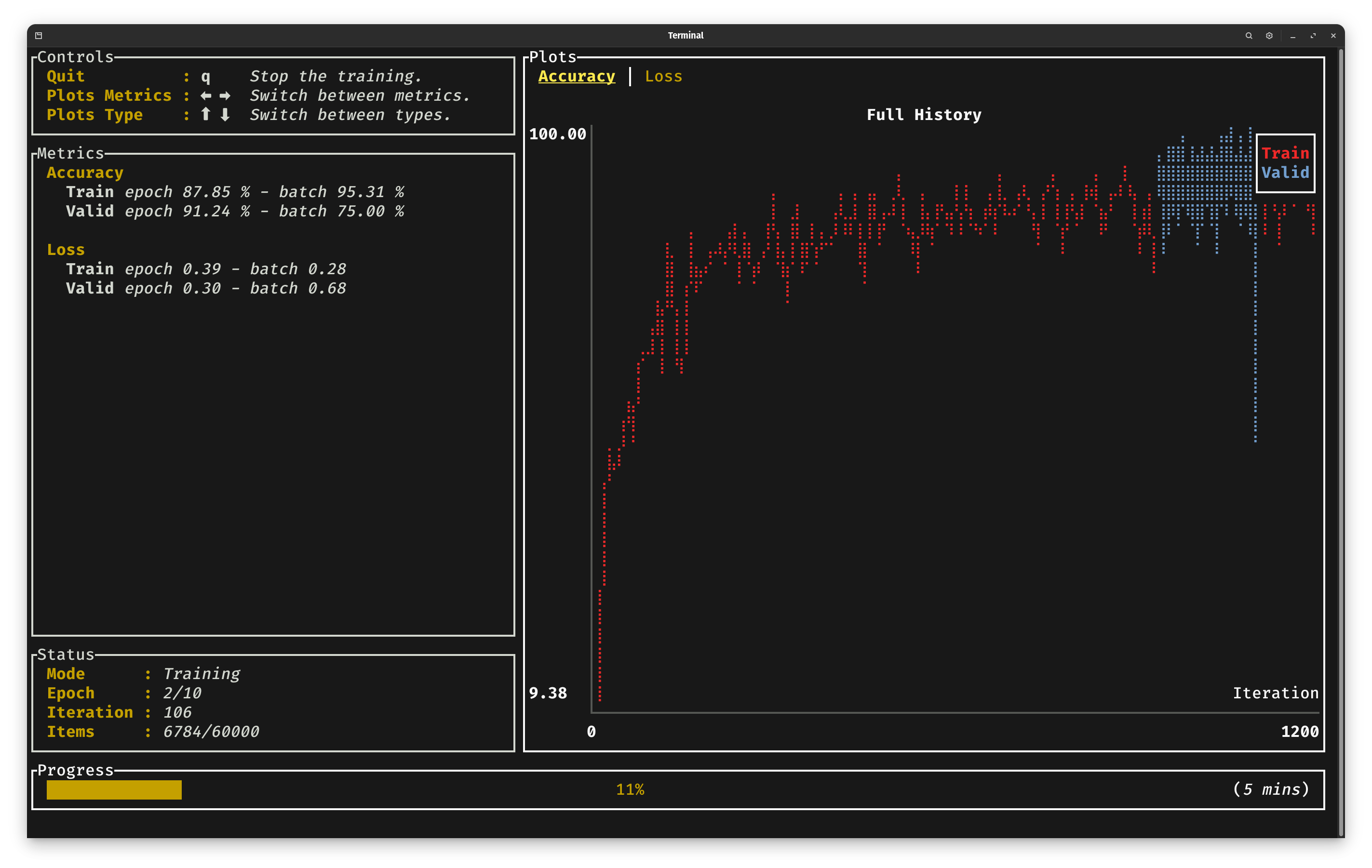
When running your project with the command above, you should see the training progression through a basic CLI dashboard:
Inference
Now that we have trained our model, the next natural step is to use it for inference.
You need two things in order to load weights for a model: the model's record and the model's config.
Since parameters in Burn are lazy initialized, no allocation and GPU/CPU kernels are executed by the
ModelConfig::init function. The weights are initialized when used for the first time, therefore
you can safely use config.init(device).load_record(record) without any meaningful performance
cost. Let's create a simple infer method in a new file src/inference.rs which we will use to
load our trained model.
use crate::{data::MnistBatcher, training::TrainingConfig};
use burn::{
    data::{dataloader::batcher::Batcher, dataset::vision::MnistItem},
    prelude::*,
    store::ModuleRecord,
};

pub fn infer(artifact_dir: &str, device: impl Into<Device>, item: MnistItem) {
    let device = device.into();
    let config = TrainingConfig::load(format!("{artifact_dir}/config.json"))
        .expect("Config should exist for the model; run train first");
    let record = ModuleRecord::load(format!("{artifact_dir}/model"))
        .expect("Trained model should exist; run train first");

    let model = config.model.init(&device).load_record(record);

    let label = item.label;
    let batcher = MnistBatcher::default();
    let batch = batcher.batch(vec![item], &device);
    let output = model.forward(batch.images);
    let predicted: u8 = output.argmax(1).flatten::<1>(0, 1).into_scalar();

    println!("Predicted {predicted} Expected {label}");
}
The first step is to load the configuration of the training to fetch the correct model configuration. Then we can load the saved record from its burnpack file. Finally we can init the model with the configuration and apply the record. For simplicity we can use the same batcher used during the training to pass from a MnistItem to a tensor.
By running the infer function, you should see the predictions of your model!
Add the call to infer to the main.rs file after the train function call:
mod data;
mod inference;
mod model;
mod training;

use burn::{data::dataset::Dataset, optim::AdamConfig, prelude::*};
use crate::{model::ModelConfig, training::TrainingConfig};

fn main() {
    let device = Device::wgpu(Default::default());
    let artifact_dir = "target/guide";
    crate::training::train(
        artifact_dir,
        TrainingConfig::new(ModelConfig::new(10, 512), AdamConfig::new()),
        device.clone(),
    );
    crate::inference::infer(
        artifact_dir,
        device,
        burn::data::dataset::vision::MnistDataset::test()
            .get(42)
            .unwrap(),
    );
}
The number 42 is the index of the image in the MNIST dataset. You can explore and verify them
using this MNIST viewer.
In this short guide, we've introduced you to the fundamental building blocks for getting started with Burn. While there's still plenty to explore, our goal has been to provide you with the essential knowledge to kickstart your productivity within the framework.
Building Blocks
In this section, we'll guide you through the core elements that make up Burn. We'll walk you through the key components that serve as the building blocks of the framework and your future projects.
As you explore Burn, you might notice that we occasionally draw comparisons to PyTorch. We believe it can provide a smoother learning curve and help you grasp the nuances more effectively.
Backend and Device
Burn's user-facing API is centered on Tensor, Module, and Device. These types are not generic
over a backend. Instead, every tensor carries a runtime Device that identifies where and how its
operations execute.
use burn::tensor::{Device, Tensor};

let device = Device::wgpu(Default::default());
let tensor = Tensor::<2>::ones([2, 3], &device);

// The same model and tensor API can target another backend.
let other_device = Device::cuda(0);
let tensor = tensor.to_device(&other_device);
The corresponding Cargo feature must be enabled for each device constructor. For example, the wgpu
and cuda features make Device::wgpu and Device::cuda available.
Selecting a Device
Device provides constructors for the backends enabled in your build. Multiple backend features can
be enabled together; the device chooses where operations execute.
| Device constructor | Cargo feature | Execution |
|---|---|---|
Device::wgpu(Default::default()) | wgpu | Graphics API selected at runtime; WGSL, or native SPIR-V/MSL when enabled and supported |
Device::vulkan(Default::default()) | vulkan | Vulkan through WGPU; native SPIR-V when supported, with WGSL fallback |
Device::metal(Default::default()) | metal | Metal through WGPU with native MSL; initialization panics if native MSL is unavailable |
Device::webgpu(Default::default()) | webgpu | Browser WebGPU with WGSL |
Device::cuda(0) | cuda | NVIDIA GPU through CubeCL's CUDA runtime |
Device::rocm(0) | rocm | AMD GPU through CubeCL's HIP runtime |
Device::cpu() | cpu | CPU through CubeCL's CPU runtime (LLVM JIT, supports fusion) |
Device::flex() | flex | CPU through the pure-Rust Flex backend (eager, supports no_std and Wasm) |
Device::ndarray() | ndarray | CPU through NdArray (deprecated) |
Device::libtorch() | tch | CPU through LibTorch (deprecated) |
Device::libtorch_cuda(0) | tch | CUDA GPU through LibTorch (deprecated) |
Device::libtorch_mps() | tch | Apple GPU through Metal Performance Shaders (deprecated) |
Device::libtorch_vulkan() | tch | Vulkan through LibTorch (deprecated) |
The vulkan, metal, and webgpu features also enable wgpu. Enabling a feature makes that
option available; it does not force Device::wgpu to use it. Automatic devices retain WGSL fallback
even with native compiler features enabled. The explicit constructors pin the graphics API, so
Device::vulkan cannot fall back to a different API even when it uses WGSL instead of SPIR-V.
For example, one build can support both automatic selection and explicit Metal selection:
burn = { version = "0.22", features = ["vulkan", "metal"] }
use burn::tensor::Device;

let automatic = Device::wgpu(Default::default());
let metal = Device::metal(Default::default());
The explicit Metal device requires an available Metal adapter with native MSL support. The automatic device selects an available graphics API and compiler for the platform.
Indexed devices accept either an integer or DeviceIndex. WGPU-family constructors accept a
DeviceKind, which can select a discrete, integrated, or virtual GPU, a CPU adapter, or the best
available device:
use burn::tensor::{Device, DeviceIndex, DeviceKind};

let default_wgpu = Device::wgpu(Default::default());
let discrete_wgpu = Device::wgpu(DeviceKind::DiscreteGpu(0));
let integrated_wgpu = Device::wgpu(DeviceKind::IntegratedGpu(0));
let default_cuda = Device::cuda(DeviceIndex::Default);
let second_cuda = Device::cuda(1);
Burn also supports remote devices, hosted by a Burn server in another process on this machine or
another, with the remote feature.
Device::remote_options(&host).init() connects one, where a RemoteHost names the server: see
Distributed Computing.
Using a Device
Tensor creation methods take &Device. Modules receive the same device when their parameters are
initialized:
let device = Device::cuda(0);
let input = Tensor::<2>::zeros([32, 128], &device);
let model = ModelConfig::new().init(&device);
let output = model.forward(input);
Use Tensor::to_device or Module::to_device to move existing values. Operations involving
multiple tensors require compatible devices, so move them explicitly before combining them.
let cpu = Device::flex();
let gpu = Device::cuda(0);

let tensor = Tensor::<2>::ones([2, 3], &cpu);
let tensor = tensor.to_device(&gpu);
let model = model.to_device(&gpu);
To move a trainable module and optimize its parameters on the destination, use Module::fork.
Module::to_device preserves connections to the source parameters instead. See the
module transfer semantics.
Autodiff and Execution
Devices provide the autodiff and checkpointing defaults for newly created tensors. Each tensor
carries its own context and can later change it independently. Tensor::to_device preserves the
source tensor's context, regardless of the destination's defaults. Calling autodiff returns a
device whose newly created tensors have autodiff enabled:
let device = Device::wgpu(Default::default());
let training_device = device.autodiff();

assert!(training_device.is_autodiff());
let inference_device = training_device.without_autodiff();
assert!(!inference_device.is_autodiff());
autodiff() and without_autodiff() are idempotent. The historical inner() method is equivalent
to without_autodiff(). Chain autodiff().gradient_checkpointing() to enable autodiff with the
balanced checkpointing strategy. Repeating autodiff() doesn't enable higher-order differentiation;
Burn currently supports first-order autodiff only.
Device equality compares compute resources and ignores autodiff and checkpointing settings. Use
tensor.is_autodiff() to inspect a tensor's association; equality with an autodiff device does not
establish that the tensor has autodiff enabled.
The following methods are also useful when coordinating execution:
seed(seed)seeds random operations on the device.sync()waits for queued work and reports an execution error if one occurred.flush()submits queued work without waiting for completion.is_autodiff()reports whether autodiff is associated with the device.gradient_checkpointing_strategy()returns the active strategy, orNonewithout autodiff.supports_dtype(dtype)reports whether the device supports a dtype.memory_cleanup()asks the backend to release unused cached allocations.
Device Settings
Each device has runtime settings, including its default float, integer, and boolean dtypes. Set them
with configure() before creating tensors or initializing model parameters, then inspect them with
settings():
use burn::tensor::{Device, DeviceConfig, FloatDType, IntDType};

let mut device = Device::cuda(0);
device.configure(
    DeviceConfig::default()
        .float_dtype(FloatDType::F16)
        .int_dtype(IntDType::I32),
)?;

let settings = device.settings();
Configure defaults before the first tensor operation on that device. Device settings are initialized
once; tensor creation locks them to the backend's defaults, even with an explicit dtype, and a later
configure() call returns DeviceError::AlreadyInitialized. Querying settings() does not lock
defaults: before initialization, it returns a snapshot of the backend defaults, which subsequent
configuration may change.
These settings choose defaults, not a single precision for every tensor on the device. You can still specify a supported float or integer dtype at creation or cast an existing tensor:
use burn::tensor::{DType, FloatDType, Tensor};

let tensor = Tensor::<2>::zeros([2, 3], (&device, DType::F32));
let tensor = tensor.cast(FloatDType::F16);
Neither choice changes the device's defaults.
Enumerating Devices
Device::enumerate discovers enabled devices matching a filter. This is useful for selecting
hardware dynamically or setting up multi-device training:
use burn::tensor::{Device, DeviceFilter, DeviceType};

let devices = Device::enumerate(
    DeviceFilter::new()
        .with(DeviceType::Cuda)
        .with(DeviceType::Wgpu),
);
let devices = devices.into_vec();
The exact DeviceType variants available depend on the backend features enabled for the
application.
A GPU can be reachable through more than one runtime: an NVIDIA card enumerates under
DeviceType::Cuda and again under DeviceType::Vulkan. Device::enumerate_physical lists each
card once, with every device that runs on it, and Device::identity says which card a device is on:
for gpu in Device::enumerate_physical() {
    let address = gpu.physical.pci_address.map(|address| address.to_string());
    println!("{} at {address:?}: {:?}", gpu.name, gpu.devices);
}
A card is recognized by its PCI address, which CUDA, ROCm and Vulkan report, or by its Windows LUID. A card that reports neither, such as an Apple GPU, is listed as a card of its own. The LUID changes when the machine restarts, so anything stored to recognize a card later should use the PCI address. Both calls open the devices they report on, so enumerate once and keep the answer.
Execution Stack
Under the hood, an operation flows through the Tensor → Bridge → Dispatch → Backend stack:
Tensorprovides the stable, backend-independent API used by applications.- A bridge converts tensor handles into dispatch values.
Dispatchselects the implementation associated with the tensor's device.- The backend executes the primitive operation.
This replaces the backend parameter in the former Tensor<B, D, K> API. Cargo features make
backends available, and devices select them at runtime, so one application can use several backends
with the same tensor and model types. The opaque bridge keeps their concrete implementation types
out of the public tensor representation.
The Backend and AutodiffBackend traits still define the low-level implementation contract, but
ordinary application code does not need bounds such as B: Backend. You will mainly encounter those
traits when implementing or extending a backend; see
Backend Extension.
For the responsibilities of each layer, the reason for the opaque bridge, and an operation walkthrough, see the contributor book's Tensor architecture chapter.
Tensor
As previously explained in the model section, Tensor has a const
generic for its dimensionality D and an optional tensor kind:
Tensor<D>           // Float tensor (default)
Tensor<D, Float>    // Explicit float tensor
Tensor<D, Int>      // Int tensor
Tensor<D, Bool>     // Bool tensor
Data types
A tensor has an element type, but unlike its Float/Int/Bool kind that type is a runtime
property rather than a generic parameter on Tensor. When a tensor is created without an explicit
dtype (for example with Tensor::zeros, Tensor::ones or from_floats), the element type comes
from a set of default data types that each device keeps. You can inspect the current defaults
with Device::settings:
use burn::tensor::Device;

let device = Device::wgpu(Default::default());
let settings = device.settings();
// settings.float_dtype, settings.int_dtype, settings.bool_dtype
To use a different default (e.g. f16 for floats), configure the device with
Device::configure before creating
any tensor on it:
use burn::tensor::{Device, FloatDType, IntDType};

let mut device = Device::wgpu(Default::default());
device.configure((FloatDType::F16, IntDType::I32))?;

// Float tensors created after this default to F16
let floats = Tensor::<2>::zeros([2, 3], &device);
Default data types lock on first use. A device's defaults can only be initialized once, and that initialization must happen before the first tensor operation on the device. The first tensor created on an unconfigured device permanently locks the defaults to the backend's values. Any later call to
configure(orset_default_dtypes) for that device returns aDeviceError::AlreadyInitializederror instead of silently changing (or ignoring) the width.
Because the default width is a per-device property, you cannot have two different default float
widths active on the same device within a single process. If you need values at more than one
precision, create the other tensors with an explicit dtype by passing a (&device, dtype) tuple as
the creation options (this tuple is just a convenient conversion into
TensorCreationOptions):
use burn::tensor::DType;

// device defaults to f32
let x = Tensor::<2>::zeros([2, 3], &device);                   // f32
let x_f64 = Tensor::<2>::zeros([2, 3], (&device, DType::F64)); // explicit f64
To convert an existing tensor to another element type, use
cast:
let x_f64 = x.cast(FloatDType::F64); // convert the f32 tensor above to f64Burn Tensors are defined by the number of dimensions D in their declaration as opposed to their shape. The actual shape of the tensor is inferred from its initialization. For example, a Tensor of size (5,) is initialized as below:
let floats = [1.0, 2.0, 3.0, 4.0, 5.0];

// Get the default device
let device = Default::default();

// correct: Tensor is 1-Dimensional with 5 elements
let tensor_1 = Tensor::<1>::from_floats(floats, &device);

// incorrect: let tensor_1 = Tensor::<5>::from_floats(floats, &device);
// this will lead to an error and is for creating a 5-D tensor
Initialization
Burn Tensors are primarily initialized using the from_data() method which takes the TensorData
struct as input. The TensorData fields are private: shape() and dtype() return the shape and
data type, and the values, stored as bytes, can be accessed via any of the following methods:
as_slice, as_mut_slice, try_to_vec, try_to_vec_as and iter. To retrieve the data from a
tensor, the method .to_data() should be employed when intending to reuse the tensor afterward.
Alternatively, .into_data() is recommended for one-time use. Let's look at a couple of examples
for initializing a tensor from different inputs.
// Initialization on the selected runtime device
let tensor_1 = Tensor::<1>::from_data([1.0, 2.0, 3.0], &device);

// Initialization from TensorData
let tensor_2 = Tensor::<1>::from_data(TensorData::from([1.0, 2.0, 3.0]), &device);

// Initialization using from_floats (Recommended for f32 ElementType)
// Will be converted to TensorData internally.
let tensor_3 = Tensor::<1>::from_floats([1.0, 2.0, 3.0], &device);

// Initialization of Int Tensor from array slices
let arr: [i32; 6] = [1, 2, 3, 4, 5, 6];
let tensor_4 = Tensor::<1, Int>::from_data(TensorData::from(&arr[0..3]), &device);

// Initialization from a custom type

struct BodyMetrics {
    age: i8,
    height: i16,
    weight: f32
}

let bmi = BodyMetrics{
        age: 25,
        height: 180,
        weight: 80.0
    };
let data  = TensorData::from([bmi.age as f32, bmi.height as f32, bmi.weight]);
let tensor_5 = Tensor::<1>::from_data(data, &device);
Reading a tensor's data is also where a failed computation surfaces. into_data() and to_data()
panic in that case; use try_into_data() or try_to_data() to handle the ExecutionError instead.
Ownership and Cloning
Almost all Burn operations take ownership of the input tensors. Therefore, reusing a tensor multiple times will necessitate cloning it. Let's look at an example to understand the ownership rules and cloning better. Suppose we want to do a simple min-max normalization of an input tensor.
let input = Tensor::<1>::from_floats([1.0, 2.0, 3.0, 4.0], &device);
let min = input.min();
let max = input.max();
let input = (input - min).div(max - min);
With PyTorch tensors, the above code would work as expected. However, Rust's strict ownership rules
will give an error and prevent using the input tensor after the first .min() operation. The
ownership of the input tensor is transferred to the variable min and the input tensor is no longer
available for further operations. Burn Tensors like most complex primitives do not implement the
Copy trait and therefore have to be cloned explicitly. Now let's rewrite a working example of
doing min-max normalization with cloning.
let input = Tensor::<1>::from_floats([1.0, 2.0, 3.0, 4.0], &device);
let min = input.clone().min();
let max = input.clone().max();
let input = (input.clone() - min.clone()).div(max - min);
println!("{}", input.to_data());// Success: [0.0, 0.33333334, 0.6666667, 1.0]

// Notice that max, min have been moved in last operation so
// the below print will give an error.
// If we want to use them for further operations,
// they will need to be cloned in similar fashion.
// println!("{:?}", min.to_data());
We don't need to be worried about memory overhead because with cloning, the tensor's buffer isn't copied, and only a reference to it is increased. This makes it possible to determine exactly how many times a tensor is used, which is very convenient for reusing tensor buffers or even fusing operations into a single kernel (burn-fusion). For that reason, we don't provide explicit inplace operations. If a tensor is used only one time, inplace operations will always be used when available.
Shape Assertions
The rank of a tensor is checked by the type system, and let [b, t, c] = x.dims(); names its axes.
To check the size of each axis, use the shape macros from the prelude:
let [batch_size, seq_length, _] = x.dims();
assert_shape!(x, [_, _, 80]);
assert_shape!(y, [batch_size, seq_length, 256]);
assert_shape!(flat, [batch_size * seq_length, 256]);
assert_shape!(w, [.., 256]); // any rank, last axis checked
debug_assert_shape!(z, [batch_size, _, 256]);
See Forward Contract for the slot syntax and guidance on which macro to use where.
Tensor Operations
Normally with PyTorch, explicit inplace operations aren't supported during the backward pass, making them useful only for data preprocessing or inference-only model implementations. With Burn, you can focus more on what the model should do, rather than on how to do it. We take the responsibility of making your code run as fast as possible during training as well as inference. The same principles apply to broadcasting; all operations support broadcasting unless specified otherwise.
Here, we provide a list of all supported operations along with their PyTorch equivalents. Note that for the sake of simplicity, we ignore type signatures. For more details, refer to the full documentation.
Basic Operations
Those operations are available for all tensor kinds: Int, Float, and Bool.
| Burn | PyTorch Equivalent |
|---|---|
Tensor::cat(tensors, dim) | torch.cat(tensors, dim) |
Tensor::empty(shape, options) | torch.empty(shape, device=device, dtype=dtype) |
tensor.empty_like() | torch.empty_like(tensor) |
Tensor::from_primitive(primitive) | N/A |
Tensor::stack(tensors, dim) | torch.stack(tensors, dim) |
tensor.all() | tensor.all() |
tensor.all_dim(dim) | tensor.all(dim) |
tensor.any() | tensor.any() |
tensor.any_dim(dim) | tensor.any(dim) |
tensor.chunk(num_chunks, dim) | tensor.chunk(num_chunks, dim) |
tensor.split(split_size, dim) | tensor.split(split_size, dim) |
tensor.split_with_sizes(split_sizes, dim) | tensor.split([split_sizes], dim) |
tensor.device() | tensor.device |
tensor.dtype() | tensor.dtype |
tensor.dims() | tensor.size() |
tensor.equal(other) | x == y |
tensor.equal_scalar(other) | tensor.eq(other) |
tensor.expand(shape) | tensor.expand(shape) |
tensor.flatten(start_dim, end_dim) | tensor.flatten(start_dim, end_dim) |
tensor.flip(axes) | tensor.flip(axes) |
tensor.full_like(fill_value) | torch.full_like(tensor, fill_value) |
tensor.gather(dim, indices) | torch.gather(tensor, dim, indices) |
tensor.into_data() | N/A |
tensor.try_into_primitive() | N/A |
tensor.into_scalar() | tensor.item() |
tensor.mask_fill(mask, value) | tensor.masked_fill(mask, value) |
tensor.mask_select(mask) | tensor.masked_select(mask) |
tensor.mask_where(mask, value_tensor) | torch.where(mask, value_tensor, tensor) |
tensor.movedim(src, dst) | tensor.movedim(src, dst) |
tensor.narrow(dim, start, length) | tensor.narrow(dim, start, length) |
tensor.not_equal(other) | x != y |
tensor.not_equal_scalar(scalar) | tensor.ne(scalar) |
tensor.ones_like() | torch.ones_like(tensor) |
tensor.permute(axes) | tensor.permute(axes) |
tensor.repeat_dim(dim, times) | tensor.repeat(*[times if i == dim else 1 for i in range(tensor.dim())]) |
tensor.repeat(sizes) | tensor.repeat(sizes) |
tensor.reshape(shape) | tensor.view(shape) |
tensor.roll(shifts, dims) | tensor.roll(shifts, dims) |
tensor.roll_dim(shift, dim) | tensor.roll([shift], [dim]) |
tensor.scatter(dim, indices, values, update) | tensor.scatter_add(dim, indices, values) |
tensor.scatter_nd(indices, values, update) | N/A |
tensor.gather_nd(indices) | N/A |
tensor.select(dim, indices) | tensor.index_select(dim, indices) |
tensor.select_assign(dim, indices, values, update) | tensor.index_add(dim, indices, values) |
tensor.shape() | tensor.shape |
tensor.slice(slices) | tensor[(*ranges,)] |
tensor.slice_assign(slices, values) | tensor[(*ranges,)] = values |
tensor.slice_fill(slices, value) | tensor[(*ranges,)] = value |
tensor.slice_dim(dim, slice) | N/A |
tensor.select_dim(dim, index) | torch.select(tensor, dim, index) |
tensor.squeeze() | tensor.squeeze() |
tensor.squeeze_dim(dim) | tensor.squeeze(dim) |
tensor.squeeze_dims(dims) | tensor.squeeze(dims) where dims is a tuple of ints |
tensor.swap_dims(dim1, dim2) | tensor.transpose(dim1, dim2) |
tensor.take(dim, indices) | numpy.take(tensor, indices, dim) |
tensor.to_data() | N/A |
tensor.to_device(device) | tensor.to(device) |
tensor.transpose() | tensor.T |
tensor.t() | tensor.T |
tensor.unsqueeze() | N/A |
tensor.unsqueeze_dim(dim) | tensor.unsqueeze(dim) |
tensor.unsqueeze_dims(dims) | N/A |
tensor.zeros_like() | torch.zeros_like(tensor) |
Tensor::full(shape, fill_value, options) | torch.full(shape, fill_value, device=device, dtype=dtype) |
Tensor::ones(shape, options) | torch.ones(shape, device=device, dtype=dtype) |
Tensor::zeros(shape, options) | torch.zeros(shape, device=device, dtype=dtype) |
Numeric Operations
Those operations are available for numeric tensor kinds: Float and Int.
| Burn | PyTorch Equivalent |
|---|---|
tensor.abs() | torch.abs(tensor) |
tensor.add(other) or tensor + other | tensor + other |
tensor.add_scalar(scalar) or tensor + scalar | tensor + scalar |
tensor.all_close(other, atol, rtol) | torch.allclose(tensor, other, atol, rtol) |
tensor.argmax(dim) | tensor.argmax(dim) |
tensor.argmin(dim) | tensor.argmin(dim) |
tensor.argsort(dim) | tensor.argsort(dim) |
tensor.argsort_descending(dim) | tensor.argsort(dim, descending=True) |
tensor.argtopk(k, dim) | tensor.topk(k, dim).indices |
tensor.bool() | tensor.bool() |
tensor.clamp(min, max) | torch.clamp(tensor, min=min, max=max) |
tensor.clamp_max(max) | torch.clamp(tensor, max=max) |
tensor.clamp_min(min) | torch.clamp(tensor, min=min) |
tensor.cumsum(dim) | tensor.cumsum(dim) |
tensor.cumprod(dim) | tensor.cumprod(dim) |
tensor.cummin(dim) | tensor.cummin(dim) |
tensor.cummax(dim) | tensor.cummax(dim) |
tensor.div(other) or tensor / other | tensor / other |
tensor.div_scalar(scalar) or tensor / scalar | tensor / scalar |
tensor.dot(other) | torch.dot(tensor, other) |
tensor.greater(other) | tensor.gt(other) |
tensor.greater_scalar(scalar) | tensor.gt(scalar) |
tensor.greater_equal(other) | tensor.ge(other) |
tensor.greater_equal_scalar(scalar) | tensor.ge(scalar) |
tensor.lower(other) | tensor.lt(other) |
tensor.lower_scalar(scalar) | tensor.lt(scalar) |
tensor.lower_equal(other) | tensor.le(other) |
tensor.lower_equal_scalar(scalar) | tensor.le(scalar) |
tensor.max() | tensor.max() |
tensor.max_abs() | tensor.abs().max() |
tensor.max_abs_dim(dim) | tensor.abs().max(dim, keepdim=True) |
tensor.max_abs_dims(dims) | tensor.abs().max(dims, keepdim=True) |
tensor.max_dim(dim) | tensor.max(dim, keepdim=True) |
tensor.max_dims(dims) | tensor.max(dims, keepdim=True) |
tensor.max_dim_with_indices(dim) | N/A |
tensor.max_pair(other) | torch.Tensor.max(a,b) |
tensor.mean() | tensor.mean() |
tensor.mean_dim(dim) | tensor.mean(dim, keepdim=True) |
tensor.mean_dims(dims) | tensor.mean(dims, keepdim=True) |
tensor.min() | tensor.min() |
tensor.min_dim(dim) | tensor.min(dim, keepdim=True) |
tensor.min_dims(dims) | tensor.min(dims, keepdim=True) |
tensor.min_dim_with_indices(dim) | N/A |
tensor.min_pair(other) | torch.Tensor.min(a,b) |
tensor.mul(other) or tensor * other | tensor * other |
tensor.mul_scalar(scalar) or tensor * scalar | tensor * scalar |
tensor.neg() or -tensor | -tensor |
tensor.one_hot(num_classes) | torch.nn.functional.one_hot |
tensor.one_hot_fill(num_classes, on_value, off_value, axis) | N/A |
tensor.pad(pads, mode) | torch.nn.functional.pad(tensor, pads, mode) |
tensor.powf(other) or tensor.powi(intother) | tensor.pow(other) |
tensor.powf_scalar(scalar) or tensor.powi_scalar(intscalar) | tensor.pow(scalar) |
tensor.prod() | tensor.prod() |
tensor.prod_dim(dim) | tensor.prod(dim, keepdim=True) |
tensor.prod_dims(dims) | tensor.prod(dims, keepdim=True) |
tensor.rem(other) or tensor % other | tensor % other |
tensor.sign() | tensor.sign() |
tensor.sort(dim) | tensor.sort(dim).values |
tensor.sort_descending(dim) | tensor.sort(dim, descending=True).values |
tensor.sort_descending_with_indices(dim) | tensor.sort(dim, descending=True) |
tensor.sort_with_indices(dim) | tensor.sort(dim) |
tensor.sub(other) or tensor - other | tensor - other |
tensor.sub_scalar(scalar) or tensor - scalar | tensor - scalar |
tensor.sum() | tensor.sum() |
tensor.sum_dim(dim) | tensor.sum(dim, keepdim=True) |
tensor.sum_dims(dims) | tensor.sum(dims, keepdim=True) |
tensor.sum_dims_squeeze(dims) | tensor.sum(dims, keepdim=False) |
tensor.topk(k, dim) | tensor.topk(k, dim).values |
tensor.topk_with_indices(k, dim) | tensor.topk(k, dim) |
tensor.tril(diagonal) | torch.tril(tensor, diagonal) |
tensor.triu(diagonal) | torch.triu(tensor, diagonal) |
tensor.unfold(dim, size, step) | tensor.unfold(dim, size, step) |
Tensor::eye(size, device) | torch.eye(size, device=device) |
scalar - tensor | scalar - tensor |
Float Operations
Those operations are only available for Float tensors.
| Burn API | PyTorch Equivalent |
|---|---|
tensor.acos() | tensor.acos() |
tensor.acosh() | tensor.acosh() |
tensor.asin() | tensor.asin() |
tensor.asinh() | tensor.asinh() |
tensor.atan() | tensor.atan() |
tensor.atanh() | tensor.atanh() |
tensor.atan2(other_tensor) | tensor.atan2(other_tensor) |
tensor.cast(dtype) | tensor.to(dtype) |
tensor.ceil() | tensor.ceil() |
tensor.contains_nan() | N/A |
tensor.cos() | tensor.cos() |
tensor.cosh() | tensor.cosh() |
tensor.cross(other) | torch.cross(tensor, other) |
tensor.deg2rad() | torch.deg2rad() |
tensor.erf() | tensor.erf() |
tensor.exp() | tensor.exp() |
tensor.floor() | tensor.floor() |
tensor.fmod(other) | tensor.fmod(other) |
tensor.fmod_scalar(scalar) | tensor.fmod(scalar) |
tensor.from_floats(floats, device) | N/A |
tensor.int() | Similar to tensor.to(torch.long) |
tensor.is_close(other, atol, rtol) | torch.isclose(tensor, other, atol, rtol) |
tensor.is_finite() | torch.isfinite(tensor) |
tensor.is_inf() | torch.isinf(tensor) |
tensor.is_nan() | torch.isnan(tensor) |
tensor.log() | tensor.log() |
tensor.log1p() | tensor.log1p() |
tensor.matmul(other) | tensor.matmul(other) |
tensor.rad2deg() | torch.rad2deg() |
tensor.random(shape, distribution, device) | N/A |
tensor.random_like(distribution) | torch.rand_like() only uniform |
tensor.recip() or 1.0 / tensor | tensor.reciprocal() or 1.0 / tensor |
tensor.round() | tensor.round() |
tensor.sin() | tensor.sin() |
tensor.sinh() | tensor.sinh() |
tensor.square() | tensor.square() |
tensor.sqrt() | tensor.sqrt() |
tensor.tan() | tensor.tan() |
tensor.tanh() | tensor.tanh() |
tensor.trunc() | tensor.trunc() |
tensor.var(dim) | tensor.var(dim) |
tensor.var_bias(dim) | N/A |
tensor.var_mean(dim) | N/A |
tensor.var_mean_bias(dim) | N/A |
tensor.median(dim) | tensor.median(dim) |
tensor.median_with_indices(dim) | tensor.median(dim) |
Int Operations
Those operations are only available for Int tensors.
| Burn API | PyTorch Equivalent |
|---|---|
Tensor::arange(5..10, device) | tensor.arange(start=5, end=10, device=device) |
Tensor::arange_step(5..10, 2, device) | tensor.arange(start=5, end=10, step=2, device=device) |
tensor.bitwise_and(other) | torch.bitwise_and(tensor, other) |
tensor.bitwise_and_scalar(scalar) | torch.bitwise_and(tensor, scalar) |
tensor.bitwise_not() | torch.bitwise_not(tensor) |
tensor.bitwise_left_shift(other) | torch.bitwise_left_shift(tensor, other) |
tensor.bitwise_left_shift_scalar(scalar) | torch.bitwise_left_shift(tensor, scalar) |
tensor.bitwise_right_shift(other) | torch.bitwise_right_shift(tensor, other) |
tensor.bitwise_right_shift_scalar(scalar) | torch.bitwise_right_shift(tensor, scalar) |
tensor.bitwise_or(other) | torch.bitwise_or(tensor, other) |
tensor.bitwise_or_scalar(scalar) | torch.bitwise_or(tensor, scalar) |
tensor.bitwise_xor(other) | torch.bitwise_xor(tensor, other) |
tensor.bitwise_xor_scalar(scalar) | torch.bitwise_xor(tensor, scalar) |
tensor.float() | tensor.to(torch.float) |
tensor.from_ints(ints) | N/A |
tensor.cartesian_grid(shape, device) | N/A |
Bool Operations
Those operations are only available for Bool tensors.
| Burn API | PyTorch Equivalent |
|---|---|
Tensor::diag_mask(shape, diagonal) | N/A |
Tensor::tril_mask(shape, diagonal) | N/A |
Tensor::triu_mask(shape, diagonal) | N/A |
tensor.argwhere() | tensor.argwhere() |
tensor.bool_and() | tensor.logical_and() |
tensor.bool_not() | tensor.logical_not() |
tensor.bool_or() | tensor.logical_or() |
tensor.bool_xor() | tensor.logical_xor() |
tensor.float() | tensor.to(torch.float) |
tensor.int() | tensor.to(torch.long) |
tensor.nonzero() | tensor.nonzero(as_tuple=True) |
Quantization Operations
Those operations are only available for Float tensors on backends that implement quantization
strategies.
| Burn API | PyTorch Equivalent |
|---|---|
tensor.quantize(scheme, qparams) | N/A |
tensor.dequantize() | N/A |
Einstein Summation
Use einsum! to express tensor contractions with an equation. Each letter names an input axis;
commas separate operands, and -> lists the output axes in order. Values are multiplied along
matching labels and summed over labels omitted from the output. For example, "ij,jk->ik"
multiplies two matrices and sums over j.
| Equation | Operation |
|---|---|
"ij,jk->ik" | Matrix multiplication |
"ij->ji" | Transpose |
"ii->i" | Extract a diagonal |
"ii->" | Trace (sum of the diagonal) |
"i,i->" | Dot product |
"...ij,...jk->...ik" | Matrix multiplication with broadcast batch dimensions |
use burn::tensor::{Tensor, einsum};

// Queries: [batch, queries, channels]; features: [batch, channels, height, width].
// Sum over channels to produce [batch, queries, height, width].
let masks = einsum!("bqc,bchw->bqhw", &queries, &features);

// Runtime equations accept operands of different ranks through `.into()`.
let equation = "ij,j->i";
let output = Tensor::<1>::einsum(equation, [matrix.into(), vector.into()]);
The macro checks the equation, operand count, and statically determined ranks at compile time. Shapes and broadcasting are checked at runtime.
Broadcasting and diagonals
Matching labels across operands must have equal sizes or a size of one, which broadcasts to the other size. Repeated labels within a single operand extract a diagonal and require equal axis sizes; singleton broadcasting does not apply there.
An ellipsis (...) matches zero or more axes. Ellipsis dimensions broadcast from the right:
"...ij,...jk->...ik" can multiply shapes [2, 3, 4] and [4, 5] to produce [2, 3, 5]. Supply
the result type when an output ellipsis has unknown width:
let result: Tensor<3> = einsum!("...ij,...jk->...ik", batches, matrix);Omitting ... from an explicit output sums over its dimensions. With no ->, the output contains
the ellipsis first, followed by labels occurring exactly once across all inputs, sorted A-Z, then
a-z. Each axis label is a single letter from a-z or A-Z. Uppercase and lowercase letters are
distinct labels.
Types and limitations
Float and Int operands must share their kind, dtype, and device. Scalar results have shape [1]; an
empty input subscript also accepts a tensor of shape [1]. Quantized operands are unsupported.
Operands are contracted from left to right using existing tensor operations, so floating-point
contractions support autodiff. The implementation does not search for an optimized contraction
order.
Run the matrix multiplication, mask prediction, and gradient demo from the repository:
cargo run -p burn-tensor --example einsum --features flex,autodiff
Activation Functions
| Burn API | PyTorch Equivalent |
|---|---|
activation::celu(tensor, alpha) | nn.functional.celu(tensor, alpha) |
activation::elu(tensor, alpha) | nn.functional.elu(tensor, alpha) |
activation::gelu(tensor) | nn.functional.gelu(tensor) |
activation::glu(tensor, dim) | nn.functional.glu(tensor, dim) |
activation::hard_shrink(tensor, lambda) | nn.functional.hardshrink(tensor, lambd) |
activation::hard_sigmoid(tensor, alpha, beta) | nn.functional.hardsigmoid(tensor) |
activation::hard_swish(tensor) | nn.functional.hardswish(tensor) |
activation::hardtanh(tensor, min_val, max_val) | nn.functional.hardtanh(tensor, min_val, max_val) |
activation::leaky_relu(tensor, negative_slope) | nn.functional.leaky_relu(tensor, negative_slope) |
activation::log_sigmoid(tensor) | nn.functional.log_sigmoid(tensor) |
activation::log_softmax(tensor, dim) | nn.functional.log_softmax(tensor, dim) |
activation::mish(tensor) | nn.functional.mish(tensor) |
activation::prelu(tensor,alpha) | nn.functional.prelu(tensor,weight) |
activation::quiet_softmax(tensor, dim) | nn.functional.quiet_softmax(tensor, dim) |
activation::relu(tensor) | nn.functional.relu(tensor) |
activation::relu6(tensor) | nn.functional.relu6(tensor) |
activation::shrink(tensor, lambda, bias) | No direct equivalent |
activation::soft_shrink(tensor, lambda) | nn.functional.softshrink(tensor, lambd) |
activation::sigmoid(tensor) | nn.functional.sigmoid(tensor) |
activation::selu(tensor) | nn.functional.selu(tensor) |
activation::silu(tensor) | nn.functional.silu(tensor) |
activation::softmax(tensor, dim) | nn.functional.softmax(tensor, dim) |
activation::softmin(tensor, dim) | nn.functional.softmin(tensor, dim) |
activation::softplus(tensor, beta) | nn.functional.softplus(tensor, beta) |
activation::softsign(tensor) | nn.functional.softsign(tensor) |
activation::tanh(tensor) | nn.functional.tanh(tensor) |
activation::tanhshrink(tensor) | nn.functional.tanhshrink(tensor) |
activation::threshold(tensor, threshold, value) | nn.functional.threshold(tensor, threshold, value) |
activation::thresholded_relu(tensor, alpha) | nn.functional.threshold(tensor, alpha, 0) |
Grid Functions
| Burn API | PyTorch Equivalent |
|---|---|
grid::affine_grid_2d(transformation_tensor, dims) | nn.functional.affine_grid(theta_tensor, size, align_corners) |
grid::meshgrid(tensors, GridIndexing::Matrix) | torch.meshgrid(tensors, indexing="ij") |
grid::meshgrid(tensors, GridIndexing::Cartesian) | torch.meshgrid(tensors, indexing="xy") |
grid::meshgrid_stack(tensors, index_pos) | No direct equivalent |
Linalg Functions
| Burn API | PyTorch Equivalent |
|---|---|
linalg::cosine_similarity(x1, x2, dim, eps) | nn.functional.cosine_similarity(x1, x2, dim, eps) |
linalg::det(tensor) | torch.linalg.det(tensor) |
linalg::diag(tensor) | torch.diag(tensor) |
linalg::l0_norm(tensor, dim) | No direct equivalent |
linalg::l1_norm(tensor, dim) | No direct equivalent |
linalg::l2_norm(tensor, dim) | No direct equivalent |
linalg::lp_norm(tensor, p, dim) | No direct equivalent |
linalg::lu(tensor) | torch.linalg.lu(tensor) |
linalg::qr(tensor) | torch.linalg.qr(tensor) |
linalg::svd(tensor, sweeps) | torch.linalg.svd(tensor) |
linalg::matvec(matrix, vector) | torch.matmul(matrix, vector) / @ operator |
linalg::max_abs_norm(tensor, dim) | No direct equivalent |
linalg::min_abs_norm(tensor, dim) | No direct equivalent |
linalg::outer(lhs, rhs) | torch.outer(lhs, rhs) / einsum("bi,bj->bij", …) |
linalg::outer_dim(lhs, rhs, dim) | No direct equivalent |
linalg::trace(tensor) | torch.trace(tensor) |
linalg::vector_norm(tensor, p, dim) | torch.linalg.vector_norm(tensor, p, dim) |
linalg::vector_normalize(tensor, norm, dim, eps) | nn.functional.normalize(tensor, p, dim, eps) |
Signal Processing Functions
Signal-processing helpers live in the burn-signal extension crate and operate on real-valued
float tensors. Enable Burn's optional signal feature to use burn::signal; the compatibility
path burn::tensor::signal exports the same functions. The direct burn_tensor::signal and
burn_core::tensor::signal paths have been removed.
FFT operations use the SignalOps backend extension. Windows and STFT/ISTFT
compose tensor operations. Enable autodiff to differentiate through FFTs. Remote servers and
captured-graph interpreters must register burn_signal::register_fft_ops in their custom-operation
registry (with the router feature enabled).
FFT length n (and n_fft in STFT) must currently be a power of two: when n is Some(size), the
input is truncated or zero-padded to size and the output has size / 2 + 1 frequency bins.
Non-power-of-two sizes panic at the public API boundary; general arbitrary-size DFT support
(Bluestein's algorithm) is a tracked follow-up.
| Burn API | PyTorch Equivalent |
|---|---|
signal::rfft(tensor, dim, n) | torch.fft.rfft(tensor, n, dim) |
signal::irfft(re, im, dim, n) | torch.fft.irfft(complex, n, dim) |
signal::cfft(re, im, dim, n) | torch.fft.fft(complex, n, dim) |
signal::stft(signal, window, options) | torch.stft(signal, n_fft, hop_length, win_length, window, center) |
signal::istft(stft_matrix, window, length, options) | torch.istft(stft_matrix, n_fft, hop_length, win_length, window, center, length) |
signal::blackman_window(size, periodic, options) | torch.blackman_window(size, periodic) |
signal::hamming_window(size, periodic, options) | torch.hamming_window(size, periodic) |
signal::hann_window(size, periodic, options) | torch.hann_window(size, periodic) |
stft and istft share a StftOptions struct with fields n_fft, hop_length, win_length,
center, and onesided. Use StftOptions::new(n_fft) for PyTorch-style defaults
(hop_length = n_fft / 4, win_length = None, center = true, onesided = true). The option set
is validated on entry to both stft and istft; n_fft must be a power of two and
hop_length <= effective_win_length (the COLA prerequisite for invertibility).
Displaying Tensor Details
Burn provides flexible options for displaying tensor information, allowing you to control the level of detail and formatting to suit your needs.
Basic Display
To display a detailed view of a tensor, you can simply use Rust's println! or format! macros:
let tensor = Tensor::<2>::full([2, 3], 0.123456789, &Default::default());
println!("{}", tensor);
This will output:
Tensor {
  data:
[[0.12345679, 0.12345679, 0.12345679],
 [0.12345679, 0.12345679, 0.12345679]],
  shape:  [2, 3],
  device:  Cpu,
  backend:  "flex",
  kind:  "Float",
  dtype:  "f32",
}
Controlling Precision
You can control the number of decimal places displayed using Rust's formatting syntax:
#![allow(unused)]
fn main() {
println!("{:.2}", tensor);
}
Output:
Tensor {
  data:
[[0.12, 0.12, 0.12],
 [0.12, 0.12, 0.12]],
  shape:  [2, 3],
  device:  Cpu,
  backend:  "flex",
  kind:  "Float",
  dtype:  "f32",
}
Global Print Options
For more fine-grained control over tensor printing, Burn provides a PrintOptions struct and a
set_print_options function:
use burn::tensor::{set_print_options, PrintOptions};

let print_options = PrintOptions {
    precision: Some(2),
    ..Default::default()
};

set_print_options(print_options);
Options:
-
precision: Number of decimal places for floating-point numbers (default: None) -
threshold: Maximum number of elements to display before summarizing (default: 1000) -
edge_items: Number of items to show at the beginning and end of each dimension when summarizing (default: 3)Checking Tensor Closeness
Burn provides a utility function
check_closenessto compare two tensors and assess their similarity. This function is particularly useful for debugging and validating tensor operations, especially when working with floating-point arithmetic where small numerical differences can accumulate. It's also valuable when comparing model outputs during the process of importing models from other frameworks, helping to ensure that the imported model produces results consistent with the original.Here's an example of how to use
check_closeness:use burn::tensor::{check_closeness, Device, Tensor}; let device = Device::flex(); let tensor1 = Tensor::<1>::from_floats( [1.0, 2.0, 3.0, 4.0, 5.0, 6.001, 7.002, 8.003, 9.004, 10.1], &device, ); let tensor2 = Tensor::<1>::from_floats( [1.0, 2.0, 3.0, 4.000, 5.0, 6.0, 7.001, 8.002, 9.003, 10.004], &device, ); check_closeness(&tensor1, &tensor2);The
check_closenessfunction compares the two input tensors element-wise, checking their absolute differences against a range of epsilon values. It then prints a detailed report showing the percentage of elements that are within each tolerance level.The output provides a breakdown for different epsilon values, allowing you to assess the closeness of the tensors at various precision levels. This is particularly helpful when dealing with operations that may introduce small numerical discrepancies.
The function uses color-coded output to highlight the results:
- Green [PASS]: All elements are within the specified tolerance.
- Yellow [WARN]: Most elements (90% or more) are within tolerance.
- Red [FAIL]: Significant differences are detected.
This utility can be invaluable when implementing or debugging tensor operations, especially those involving complex mathematical computations or when porting algorithms from other frameworks. It's also an essential tool when verifying the accuracy of imported models, ensuring that the Burn implementation produces results that closely match those of the original model.
Autodiff
Burn tensors support automatic differentiation, which is essential for training neural networks.
Autodiff is selected at runtime. Devices provide the autodiff and checkpointing defaults for newly
created tensors; each tensor carries its own context and can change it independently. Inspect that
context with tensor.is_autodiff(). Moving a tensor to a device does not apply the destination's
autodiff defaults.
The user-facing tensor and module types no longer distinguish B: Backend from
B: AutodiffBackend; autodiff APIs check their preconditions at runtime. Enabling autodiff permits
graph recording but does not make every input require gradients. Use require_grad() on source
leaves whose gradients you need, and let ordinary model inputs remain constants when their gradients
aren't needed. For modules, train() enables autodiff and restores configured parameter
trainability and training flags; see module training state.
use burn::tensor::{Device, Tensor};

let device = Device::wgpu(Default::default()).autodiff();
let tensor = Tensor::<2>::ones([2, 2], &device).require_grad();
let output = tensor.clone().powf_scalar(2.0).sum();
let mut gradients = output.backward();

let tensor_grad = tensor.grad(&gradients);             // get
let tensor_grad = tensor.grad_remove(&mut gradients);  // pop
Calling backward returns the calculated gradients in a container instead of updating a grad
field on every parameter. Passing that container to grad or grad_remove makes the relationship
between the backward pass and gradient access explicit. grad_remove can also enable in-place
optimizations when a gradient is consumed only once.
Autodiff association, graph participation, and gradient retention are distinct, but constrained, properties:
| Property | Accessor | Related APIs |
|---|---|---|
| Autodiff association | tensor.is_autodiff() | autodiff() / without_autodiff() |
| Graph participation | tensor.is_tracked() | detach() / operations with tracked inputs |
| Gradient retention | tensor.is_require_grad() | require_grad() / set_require_grad(...) |
| Checkpointing strategy | tensor.gradient_checkpointing_strategy() | autodiff().with_gradient_checkpointing_strategy(...) |
require_grad() makes an autodiff leaf participate in the graph and retain its gradient; it does
not enable autodiff. On a floating-point tensor without autodiff, it panics; call .autodiff()
first. On a tracked non-leaf, it also panics: retaining intermediate gradients while preserving
their source graph is currently unsupported. set_require_grad(false) starts a new untracked
lineage, cutting any connection to upstream tensors; it doesn't merely disable gradient storage.
Disabling gradients on a plain tensor is harmless. Quantized tensors cannot retain gradients; their
require_grad() and set_require_grad(...) calls leave them unchanged.
detach() keeps the autodiff association but starts a new graph lineage, preserving a leaf's
gradient-retention setting. without_autodiff() removes the association entirely.
to_device() preserves the source tensor's autodiff association and checkpointing strategy,
ignoring the destination's autodiff configuration. For tracked inputs, it records a differentiable
operation even when the device is unchanged. Choose the transfer according to where gradients should
flow:
let moved = source.clone().to_device(&destination); // Gradients flow back to source.
let leaf = source.to_device(&destination).detach().require_grad(); // New destination leaf.
The first result cannot retain its own gradient; retrieve the source's gradient after backward. The second can retain its gradient, but is disconnected from the source graph. Distributed backward currently requires every distributed parameter to use the same backend as the loss; incompatible graphs are rejected before synchronization or gradient computation begins.
When combining tensors that both have autodiff enabled, their checkpointing strategies must match or
the operation panics. A transferred tensor keeps its source strategy, which may differ from that of
tensors newly created on the destination. For example, a transferred Balanced tensor cannot
combine with a new autodiff tensor using the destination's Disabled strategy. Create the other
operand on moved.device() to inherit the matching context, or explicitly align the operands with
with_gradient_checkpointing_strategy(...).
For floating-point tensors, retained gradients imply graph participation, and graph participation implies an autodiff association:
is_require_grad() => is_tracked() => is_autodiff()
gradient_checkpointing_strategy().is_some() == is_autodiff()
Backward consumes the graph
backward() borrows its output tensor but consumes the recorded steps reachable from it. Cloned
handles share those steps. Calling backward again through a consumed intermediate panics; Burn does
not provide retain_graph. Combine losses sharing intermediates before backward, or recompute the
forward pass for each backward. Parameter leaves can be reused in fresh forwards.
is_tracked() reports graph participation, including after backward has consumed the tape. It is
not a check that another backward will succeed. detach() starts a new lineage; it does not restore
consumed graph steps. Checkpointing does not change this lifetime rule.
Difference with PyTorch
Similarly named APIs do not always have the same semantics:
- Burn's
is_require_grad()reports gradient retention. PyTorch'srequires_gradalso applies to tracked intermediate tensors whose gradients are not retained. Burn'sis_tracked()is the closer comparison for graph participation. - Burn's
detach()preserves a leaf's gradient-retention setting. PyTorch'sdetach()always returns a tensor that does not require gradients. Useset_require_grad(false)in Burn to start a new lineage with gradient retention disabled while keeping the autodiff association.
The way Burn handles gradients is different from PyTorch. First, when calling backward, each
parameter doesn't have its grad field updated. Instead, the backward pass returns all the
calculated gradients in a container. This approach offers numerous benefits, such as the ability to
easily send gradients to other threads.
In PyTorch, when you don't need gradients for inference or validation, you typically need to scope your code using a block.
# Inference mode
with torch.inference_mode():
   # your code
   ...

# Or no grad
with torch.no_grad():
   # your code
   ...
With Burn, call without_autodiff() on a tensor to remove its autodiff association for inference or
validation. Moving it to a device without autodiff leaves its existing association intact. The
historical inner() method is equivalent to without_autodiff().
When an operation combines a tensor with autodiff and a tensor without it, the operation uses autodiff and treats the latter tensor as a constant. The original tensor remains unchanged.
fn example_validation(tensor: Tensor<2>) {
    debug_assert!(tensor.is_autodiff());
    let inner_tensor = tensor.without_autodiff();
    let _ = inner_tensor + 5;
}

fn example_inference(tensor: Tensor<2>) {
    debug_assert!(!tensor.is_autodiff());
    let _ = tensor + 5;
    ...
}
Gradients with Optimizers
We've seen how gradients can be used with tensors, but the process is a bit different when working
with optimizers from burn-optim. To work with the Module trait, a translation step is required
to link tensor parameters with their gradients. This step is necessary to easily support gradient
accumulation and training on multiple devices, where each module can be forked and run on different
devices in parallel. The Optimizer section explains how those gradients update
module parameters.
Module
The Module derive allows you to create your own neural network modules, similar to PyTorch. The
derive function only generates the necessary methods to essentially act as a parameter container for
your type, it makes no assumptions about how the forward pass is declared.
use burn::module::Module;

#[derive(Module, Debug)]
pub struct PositionWiseFeedForward {
    linear_inner: Linear,
    linear_outer: Linear,
    dropout: Dropout,
    gelu: Gelu,
}

impl PositionWiseFeedForward {
    /// Normal method added to a struct.
    pub fn forward<const D: usize>(&self, input: Tensor<D>) -> Tensor<D> {
        let x = self.linear_inner.forward(input);
        let x = self.gelu.forward(x);
        let x = self.dropout.forward(x);

        self.linear_outer.forward(x)
    }
}
Note that all fields declared in the struct must also implement the Module trait.
Forward Contract
The derive does not constrain forward, so a module's shape contract lives in two places: the doc
comment of the method, and assertions at its boundary.
Documenting shapes
Modules in burn::nn document input and output shapes in a # Shapes section, one line per tensor,
with names for the axes that vary at runtime:
/// Applies the feed-forward block.
///
/// # Shapes
///
/// - input: `[batch_size, seq_length, d_model]`
/// - output: `[batch_size, seq_length, d_model]`
pub fn forward(&self, input: Tensor<3>) -> Tensor<3> {
Use the same convention for your own modules. It is the first thing a caller reads, and it is the reference for the assertions below.
Enforcing the contract
The rank of a Tensor<D> is a type parameter, so a caller cannot pass a Tensor<4> where a
Tensor<3> is expected, and let [batch_size, seq_length, _] = input.dims(); names the axes with
the rank checked at compile time. The size of each axis is only known at runtime. Two macros,
available from the prelude, check those sizes at the boundary of a method:
assert_shape!checks the axes of a tensor. It stays on in release builds.debug_assert_shape!is the same check, compiled out unless debug assertions are enabled.
Each takes a tensor and a bracketed pattern with one slot per axis. A slot is either _, which
skips the axis, .., which stands for any number of axes and may appear once, or any usize
expression the axis must equal:
let [batch_size, seq_length, _] = x.dims();
let flat = x.clone().reshape([batch_size * seq_length, 256]);

assert_shape!(x, [batch_size, seq_length, 256]);       // names from dims() and a literal
assert_shape!(flat, [batch_size * seq_length, 256]);   // arithmetic on names
assert_shape!(patch, [3 * 2, 2]);                      // arithmetic on literals
assert_shape!(mask, [batch_size, _]);                  // skip an axis
assert_shape!(hidden, [_, _, self.d_model]);           // a config field
assert_shape!(hidden, [.., self.d_model]);             // any rank, last axis checked
assert_shape!(image, [_, self.num_channels, ..]);      // channels first, any spatial rank
The pattern length is the expected rank. Since tensor.dims() returns [usize; D], a pattern whose
length differs from D is a compile error rather than a runtime panic, and so is passing anything
other than a Tensor. That makes an exact pattern unusable in a method generic over
const D: usize, like the PositionWiseFeedForward at the top of this page. Use .. there for the
axes you do not name; the pattern then checks a minimum rank at runtime instead:
pub fn forward<const D: usize>(&self, input: Tensor<D>) -> Tensor<D> {
    assert_shape!(input, [.., self.d_model]);
    // ...
}
use burn::nn::{Gelu, Linear};
use burn::prelude::*;
#[derive(Module, Debug)]
pub struct FeedForward {
linear_inner: Linear,
linear_outer: Linear,
gelu: Gelu,
d_model: usize,
d_ff: usize,
}
impl FeedForward {
/// # Shapes
///
/// - input: `[batch_size, seq_length, d_model]`
/// - output: `[batch_size, seq_length, d_model]`
pub fn forward(&self, input: Tensor<3>) -> Tensor<3> {
let [batch_size, seq_length, _] = input.dims();
assert_shape!(input, [_, _, self.d_model]);
let x = self.linear_inner.forward(input);
debug_assert_shape!(x, [batch_size, seq_length, self.d_ff]);
let x = self.gelu.forward(x);
let output = self.linear_outer.forward(x);
assert_shape!(output, [batch_size, seq_length, self.d_model]);
output
}
}The pattern reads like the # Shapes line above it. A failed check panics with the macro call, the
axis, the expected and actual sizes, and the full dims of the tensor:
assert_shape!(output, [batch_size, seq_length, self.d_model]): axis 2 expected 512, got 2048 (dims [8, 128, 2048])
Choosing a macro
- Name the runtime axes once at the top of
forwardwithlet [batch_size, seq_length, _] = input.dims();and use those names in every check. assert_shape!is the default for a contract check. A mismatch that reaches a tensor operation may fail there with a message about that operation's arguments, or broadcast silently when an axis has size 1. The check is a few integer comparisons, so its cost does not matter next to a kernel launch. Burn's own modules use it at their boundaries.debug_assert_shape!is for hot inner loops, or for internal invariants that an earlier always-on check already implies.
These checks complement the validation Burn performs inside each tensor operation. An operation reports a mismatch in terms of its own arguments; a boundary check reports it in terms of the module's contract, before any kernel runs.
These macros were inspired by the burn-contracts
crate by Crutcher Dunnavant.
Tensor
If you want to create your own module that contains tensors, and not just other modules defined with
the Module derive, you need to be careful to achieve the behavior you want.
-
Param<Tensor<D>>: If you want the tensor to be included as a parameter of your modules, you need to wrap the tensor in aParamstruct. This will create an ID that will be used to identify this parameter. This is essential when performing module optimization and when saving states such as optimizer and module checkpoints. Note that a module's record only contains parameters. -
Param<Tensor<D>>.set_require_grad(false): If you want the tensor to be included as a parameter of your modules, and therefore saved with the module's weights, but you don't want it to be updated by the optimizer. -
Tensor<D>: If you want the tensor to act as a constant that can be recreated when instantiating a module. This can be useful when generating sinusoidal embeddings, for example.
Methods
These methods are available for all modules.
Gradient tracking and layer training behavior are separate. no_grad and set_require_grad change
only floating-point tensor parameters. freeze additionally disables module-owned training flags,
such as those controlling dropout and batch-normalization running statistics. Group variants apply
the same behavior only to values matched by the parameter group.
Parameter setters preserve configured trainability even on devices without autodiff, applying it
when module.train() enables autodiff. This differs from calling Tensor::require_grad() or
Tensor::set_require_grad(true) directly, which requires the tensor to already have autodiff
enabled.
| Burn API | PyTorch Equivalent |
|---|---|
module.devices() | N/A |
module.fork(device) | N/A |
module.to_device(device) | N/A |
module.set_require_grad(enabled) | module.requires_grad_(enabled) |
module.set_require_grad_group(group, enabled) | N/A |
module.no_grad() | module.requires_grad_(False) |
module.freeze() | N/A |
module.unfreeze() | N/A |
module.num_params() | N/A |
module.visit(visitor) | N/A |
module.map(mapper) | N/A |
module.freeze_group(param_group) | N/A |
module.unfreeze_group(param_group) | N/A |
module.apply_lora(lora) | N/A |
module.apply_qlora(qlora) | N/A |
module.apply_reparameterization(reparameterizer) | N/A |
module.into_record() | Similar to state_dict |
module.load_record(record) | Similar to load_state_dict(state_dict) |
module.try_load_record(record) | Similar to load_state_dict(state_dict) |
module.try_load_file(file_path) | Similar to torch.load(...) |
module.load_file(file_path) | Similar to torch.load(...) |
module.save_file(file_path) | Similar to torch.save(state_dict, ...) |
Moving between devices
Use fork when you want to train a module on the destination device. Use to_device when gradients
should flow back to the original parameters. For a module with trainable autodiff parameters:
let moved = model.clone().to_device(&destination); // Gradients flow to model's source parameters.
let independent = model.fork(&destination); // Optimize this module on the destination.
Once a parameter's tensor has been initialized, to_device records the transfer in its autodiff
graph, even if the compute device is unchanged. Gradients flow through the transferred tensor, but
are not retained for that tensor itself, so an optimizer cannot update the moved parameter. fork
detaches the transferred tensor from the original graph and restores its gradient-retention setting,
allowing the destination parameter to be optimized independently.
Burn initializes module parameters lazily by default: their tensor values are created when first
accessed. If a parameter is still uninitialized and no clone shares its state, both to_device and
fork simply change where it will be initialized. No transfer is recorded in this case, and
built-in initializers use the destination device's random number generator and default dtype. If a
clone still shares the state, the parameter is initialized on the source device before being
transferred. Use fork for training on the destination so that your code works regardless of
initialization or cloning.
Both operations preserve the source tensors' autodiff association and checkpointing strategy; the
destination's autodiff defaults do not enable training. For a module created without autodiff or
returned by valid(), use module.train().fork(&destination) to enable autodiff, restore its
configured training state, and create independent destination parameters.
Training and validation
The Module trait provides both valid() and train(). Importing Module is sufficient for these
transitions; there is no separate AutodiffModule trait. A Module bound does not establish the
current autodiff state. Training and validation modules have the same Rust type. Inspect individual
parameter tensors with is_autodiff() to check whether autodiff is enabled and is_require_grad()
to check whether their gradients are retained.
| Burn API | PyTorch Equivalent |
|---|---|
module.valid() | module.eval() |
module.train() | module.train() |
Unlike their PyTorch counterparts, Burn's valid() and train() also transition a module between
its autodiff and inner backends. valid() temporarily disables gradient tracking and training flags
while preserving their configured state. train() returns the module to the autodiff backend and
reapplies that state; it does not undo an explicit no_grad() or freeze().
For dropout, training behavior also requires an autodiff-associated input. dropout.train() cannot
change the context of inputs supplied later. Create inputs on the training device, or explicitly
call input.autodiff(); input.to_device(&training_device) alone does not enable autodiff.
Ordinary model inputs need no require_grad() unless their own gradients are needed.
Burn's freeze() and unfreeze() persistently set both tensor gradient tracking and module-owned
training flags, so they have no direct PyTorch equivalent.
Visitor & Mapper
As mentioned earlier, modules primarily function as parameter containers. Therefore, we naturally offer several ways to perform functions on each parameter. This is distinct from PyTorch, where extending module functionalities is not as straightforward.
The map and visitor methods are quite similar but serve different purposes. Mapping is used for
potentially mutable operations where each parameter of a module can be updated to a new value. In
Burn, optimizers are essentially just sophisticated module mappers. Visitors, on the other hand, are
used when you don't intend to modify the module but need to retrieve specific information from it,
such as the number of parameters or a list of devices in use.
You can implement your own mapper or visitor using the following tensor hooks. They receive Param
values, which provide access to both the parameter ID and its tensor:
use burn::{
    module::Param,
    tensor::{Bool, Int, Tensor},
};

/// Module visitor trait.
pub trait ModuleVisitor {
    /// Visit a float tensor in the module.
    fn visit_float<const D: usize>(&mut self, param: &Param<Tensor<D>>);
    /// Visit an int tensor in the module.
    fn visit_int<const D: usize>(&mut self, param: &Param<Tensor<D, Int>>);
    /// Visit a bool tensor in the module.
    fn visit_bool<const D: usize>(&mut self, param: &Param<Tensor<D, Bool>>);
}

/// Module mapper trait.
pub trait ModuleMapper {
    /// Map a float tensor in the module.
    fn map_float<const D: usize>(&mut self, param: Param<Tensor<D>>) -> Param<Tensor<D>>;
    /// Map an int tensor in the module.
    fn map_int<const D: usize>(&mut self, param: Param<Tensor<D, Int>>) -> Param<Tensor<D, Int>>;
    /// Map a bool tensor in the module.
    fn map_bool<const D: usize>(&mut self, param: Param<Tensor<D, Bool>>) -> Param<Tensor<D, Bool>>;
}
Note that the trait doesn't require all methods to be implemented as they are already defined to
perform no operation. If you're only interested in float tensors (like the majority of use cases),
then you can simply implement map_float or visit_float.
For example, the ModuleMapper trait could be implemented to clamp all parameters into the range
[min, max].
use burn::{
    module::{Module, ModuleMapper, Param},
    tensor::Tensor,
};

/// Clamp parameters into the range `[min, max]`.
pub struct Clamp {
    /// Lower-bound of the range.
    pub min: f32,
    /// Upper-bound of the range.
    pub max: f32,
}

// Clamp all floating-point parameter tensors between `[min, max]`.
impl ModuleMapper for Clamp {
    fn map_float<const D: usize>(&mut self, param: Param<Tensor<D>>) -> Param<Tensor<D>> {
        param.map(|tensor| tensor.clamp(self.min, self.max))
    }
}

// Clamp module mapper into the range `[-0.5, 0.5]`
let mut clamp = Clamp {
    min: -0.5,
    max: 0.5,
};
let model = model.map(&mut clamp);
To constrain trainable model parameters, keep their tensors as leaves that retain their gradients.
Detach after clamping to cut the operation's graph connection, then restore the original retention
setting. Param::map also preserves configured trainability for later calls to train().
impl ModuleMapper for Clamp {
    fn map_float<const D: usize>(&mut self, param: Param<Tensor<D>>) -> Param<Tensor<D>> {
        param.map(|tensor| {
            let require_grad = tensor.is_require_grad();
            tensor
                .clamp(self.min, self.max)
                .detach()
                .set_require_grad(require_grad)
        })
    }
}
Reparameterization
A reparameterization changes how a parameter's effective value is computed without changing the
module's type or forward pass. The original parameter remains its structural base, while an attached
state materializes the value returned by Param::val(). LoRA uses this mechanism to keep a frozen
structural base and attach trainable low-rank factors:
use burn::module::{Lora, Module};

let model = model.apply_lora(Lora::new(8, 16.0));
The Reparameterizer receives every floating-point parameter and its module path. It decides which
parameters to transform, prepares their structural bases, and optionally attaches a
Reparameterization, whose apply(base) method computes the effective value. A reparameterization
is itself a regular module, so its parameters automatically participate in visitors, mappers,
optimization, records, device transfers, and autodiff. Custom techniques implement these traits and
are applied through apply_reparameterization, making custom parameter-level PEFT methods possible
without modifying the original model or layer.
LoRA and QLoRA are built on the same mechanism but provide the convenience methods apply_lora and
apply_qlora for normal use. Reparameterizations cannot currently be nested, so
apply_reparameterization should only be called on a module that does not already contain
reparameterized parameters. Use Param::base() to access the stored base directly and
Param::val() to obtain the materialized value.
Validation and materialization
valid() disables autodiff and training flags while keeping base weights and adapters separate. It
does not select which parameters are saved: valid().into_record() includes both the base weights
and adapter factors. For adapter-only export, select the factors with into_record_group:
use burn::module::{Lora, Module, ParamGroup};
use burn::store::ModuleRecord;

// Select the built-in LoRA factors, including those used by QLoRA.
let adapters = ParamGroup::from_regex(r"(^|\.)lora\.(a|b)$").unwrap();
model
    .valid()
    .into_record_group(adapters)
    .save("adapters.bpk")
    .unwrap();

// Start from the original base checkpoint and attach the same adapter configuration.
let restored = base_model
    .apply_lora(Lora::new(8, 16.0))
    .valid()
    .load_record(ModuleRecord::load("adapters.bpk").unwrap().allow_partial(true));
Here, base_model has already loaded the original base weights, and the LoRA configuration matches
the one used for training. For QLoRA, recreate the same packed base and adapters with apply_qlora
instead. Adapter-only records contain the factor tensors; they do not include the base weights or
adapter configuration. allow_partial(true) leaves parameters absent from the record unchanged.
materialize() folds reparameterizations into the weights and removes their structure. Use a merged
snapshot for repeated inference without recomputing adapter updates, or to export a standalone
model:
let validation = model.valid(); // Keep adapters for evaluation and adapter-only export.
let merged = validation.clone().materialize(); // Merge them for inference or full-model export.
Materialization does not change training mode and cannot be undone; keep the original model if you need its adapters. Parameters without reparameterizations remain lazy. For QLoRA, materialization produces dense weights. Requantization is separate and can change the model's outputs.
QLoRA forward passes can still materialize dense effective weights. Autodiff may retain them for backward and compute full weight-shaped gradients. Fusion can avoid a separate dequantized base allocation, but does not eliminate all dense intermediates.
Module Display
Burn provides a simple way to display the structure of a module and its configuration at a glance. You can print the module to see its structure, which is useful for debugging and tracking changes across different versions of a module. (See the print output of the Basic Workflow Model example.)
To customize the display of a module, you can implement the ModuleDisplay trait for your module.
This will change the default display settings for the module and its children. Note that
ModuleDisplay is automatically implemented for all modules, but you can override it to customize
the display by annotating the module with #[module(custom_display)].
#![allow(unused)]
fn main() {
#[derive(Module, Debug)]
#[module(custom_display)]
pub struct PositionWiseFeedForward {
    linear_inner: Linear,
    linear_outer: Linear,
    dropout: Dropout,
    gelu: Gelu,
}

impl ModuleDisplay for PositionWiseFeedForward {
    /// Custom settings for the display of the module.
    /// If `None` is returned, the default settings will be used.
    fn custom_settings(&self) -> Option<burn::module::DisplaySettings> {
        DisplaySettings::new()
            // Will show all attributes (default is false)
            .with_show_all_attributes(false)
            // Will show each attribute on a new line (default is true)
            .with_new_line_after_attribute(true)
            // Will show the number of parameters (default is true)
            .with_show_num_parameters(true)
            // Will indent by 2 spaces (default is 2)
            .with_indentation_size(2)
            // Will show the parameter ID (default is false)
            .with_show_param_id(false)
            // Convenience method to wrap settings in Some()
            .optional()
    }

    /// Custom content to be displayed.
    /// If `None` is returned, the default content will be used
    /// (all attributes of the module)
    fn custom_content(&self, content: Content) -> Option<Content> {
        content
            .add("linear_inner", &self.linear_inner)
            .add("linear_outer", &self.linear_outer)
            .add("anything", "anything_else")
            .optional()
    }
}
}
Built-in Modules
Burn comes with built-in modules that you can use to build your own modules.
General
| Burn API | PyTorch Equivalent |
|---|---|
BatchNorm | nn.BatchNorm1d, nn.BatchNorm2d etc. |
Celu | nn.CELU |
Dropout | nn.Dropout |
Elu | nn.ELU |
Embedding | nn.Embedding |
Fold4d | nn.Fold |
GaussianNoise | No direct equivalent |
Gelu | nn.Gelu |
GLU | nn.GLU |
GroupNorm | nn.GroupNorm |
HardShrink | nn.Hardshrink |
HardSigmoid | nn.Hardsigmoid |
Hardtanh | nn.Hardtanh |
CosineSimilarity | nn.CosineSimilarity |
HardSwish | nn.Hardswish |
Identity | nn.Identity |
InstanceNorm | nn.InstanceNorm1d, nn.InstanceNorm2d etc. |
LayerNorm | nn.LayerNorm |
LocalResponseNorm | nn.LocalResponseNorm |
LeakyRelu | nn.LeakyReLU |
LogSigmoid | nn.LogSigmoid |
Mish | nn.Mish |
Linear | nn.Linear |
PairwiseDistance | nn.PairwiseDistance |
PixelShuffle | nn.PixelShuffle |
PixelUnshuffle | nn.PixelUnshuffle |
PRelu | nn.PReLU |
Relu | nn.ReLU |
Relu6 | nn.ReLU6 |
RRelu | nn.RReLU |
Selu | nn.SELU |
Sigmoid | nn.Sigmoid |
SiLU | nn.SiLU |
Softplus | nn.Softplus |
SoftShrink | nn.Softshrink |
Softsign | nn.Softsign |
Shrink | No direct equivalent |
RmsNorm | No direct equivalent |
SwiGlu | No direct equivalent |
Tanh | nn.Tanh |
Tanhshrink | nn.Tanhshrink |
Threshold | nn.Threshold |
ThresholdedRelu | No direct equivalent |
Unfold4d | nn.Unfold |
Convolutions
| Burn API | PyTorch Equivalent |
|---|---|
Conv1d | nn.Conv1d |
Conv2d | nn.Conv2d |
Conv3d | nn.Conv3d |
ConvTranspose1d | nn.ConvTranspose1d |
ConvTranspose2d | nn.ConvTranspose2d |
ConvTranspose3d | nn.ConvTranspose3d |
DeformConv2d | torchvision.ops.DeformConv2d |
Pooling
| Burn API | PyTorch Equivalent |
|---|---|
AdaptiveAvgPool1d | nn.AdaptiveAvgPool1d |
AdaptiveAvgPool2d | nn.AdaptiveAvgPool2d |
AdaptiveAvgPool3d | nn.AdaptiveAvgPool3d |
AvgPool1d | nn.AvgPool1d |
AvgPool2d | nn.AvgPool2d |
MaxPool1d | nn.MaxPool1d |
MaxPool2d | nn.MaxPool2d |
Interpolation
| Burn API | PyTorch Equivalent |
|---|---|
Interpolate1d | nn.Upsample |
Interpolate2d | nn.Upsample |
Interpolation modules resize tensors using one of the available InterpolateMode options:
| Mode | Description |
|---|---|
Nearest | Nearest-neighbor interpolation |
Linear | Linear interpolation (bilinear for 2D) |
Cubic | Cubic interpolation (bicubic for 2D) |
Lanczos | Lanczos3 resampling (6-tap sinc-based filter, a=3) |
Configuration is done via Interpolate1dConfig / Interpolate2dConfig with these options. Exactly
one of output_size or scale_factor must be set; forward panics otherwise.
| Option | Type | Default | Description |
|---|---|---|---|
output_size | Option<usize> / Option<[usize; 2]> | None | Target output size; set this or scale_factor |
scale_factor | Option<f32> / Option<[f32; 2]> | None | Output is floor(input * scale_factor) |
mode | InterpolateMode | Nearest | Interpolation algorithm |
align_corners | bool | true | Align input/output corner pixels |
RNNs
| Burn API | PyTorch Equivalent |
|---|---|
Gru/BiGru | nn.GRU |
Lstm/BiLstm | nn.LSTM |
GateController | No direct equivalent |
Transformer
| Burn API | PyTorch Equivalent |
|---|---|
MultiHeadAttention | nn.MultiheadAttention |
TransformerDecoder | nn.TransformerDecoder |
TransformerEncoder | nn.TransformerEncoder |
PositionalEncoding | No direct equivalent |
RotaryEncoding | No direct equivalent |
Loss
| Burn API | PyTorch Equivalent |
|---|---|
BinaryCrossEntropyLoss | nn.BCELoss |
CosineEmbeddingLoss | nn.CosineEmbeddingLoss |
CrossEntropyLoss | nn.CrossEntropyLoss |
CTCLoss | nn.CTCLoss |
GramMatrixLoss | No direct equivalent |
GaussianNLLLoss | nn.GaussianNLLLoss |
HingeEmbeddingLoss | nn.HingeEmbeddingLoss |
HuberLoss | nn.HuberLoss |
KLDivLoss | nn.KLDivLoss |
LpLoss | No direct equivalent |
MarginRankingLoss | nn.MarginRankingLoss |
MseLoss | nn.MSELoss |
MultiMarginLoss | nn.MultiMarginLoss |
PoissonNllLoss | nn.PoissonNLLLoss |
RNNTLoss | torchaudio.functional.rnnt_loss |
SmoothL1Loss | nn.SmoothL1Loss |
SoftMarginLoss | nn.SoftMarginLoss |
TripletMarginLoss | nn.TripletMarginLoss |
Optimizer
Optimizers update a module's trainable parameters from their gradients. Burn provides common
optimizers such as SGD, Adam, AdamW, Adafactor, AdaGrad, RMSProp, Adan, LAMB, and Muon in burn-optim,
re-exported under burn::optim.
Most applications interact with a ModuleOptimizer. Create one from an
optimizer configuration, then pass it to a Learner or call step in a custom training loop:
use burn::optim::AdamConfig;

let optimizer = AdamConfig::new().init();
let learner = Learner::new(model, optimizer, learning_rate);
Configuration builders expose optimizer-specific options such as momentum, weight decay, AMSGrad, and gradient clipping. For example:
use burn::optim::{AdamWConfig, grad_clipping::GradientClippingConfig};

let optimizer = AdamWConfig::new()
    .with_weight_decay(5e-5)
    .with_grad_clipping(Some(GradientClippingConfig::Norm(1.0)))
    .init();
Adafactor saves memory by storing row and column second moments for matrices and higher-rank
parameters. By default, the learning rate passed to step caps the relative step size at
min(learning_rate, 1 / sqrt(step)), and updates are scaled by the parameter RMS. Use 0.01
for the schedule proposed in the Adafactor paper.
The learning rate is supplied to step; it is not part of AdafactorConfig. The configuration
defaults are:
| Option | Default |
|---|---|
epsilon_1 | 1e-30 |
epsilon_2 | 1e-3 |
clip_threshold | 1.0 |
decay_rate | -0.8 |
relative_step | true |
scale_parameter | true |
weight_decay | 0.0 |
grad_clipping | None |
For an absolute learning rate controlled by an external scheduler, disable both options:
use burn::optim::AdafactorConfig;

let optimizer = AdafactorConfig::new()
    .with_relative_step(false)
    .with_scale_parameter(false)
    .init();
Custom Training Loop
In a custom loop, first run backpropagation and associate the tensor gradients with the module's
parameter IDs. ModuleOptimizer::step consumes those gradients, updates its state, and returns the
updated module:
use burn::optim::{AdamConfig, GradientsParams};

let mut optimizer = AdamConfig::new().init();

let output = model.forward(input);
let loss = loss_fn.forward(output, targets);
let gradients = loss.backward();
let gradients = GradientsParams::from_grads(gradients, &model);

model = optimizer.step(learning_rate, model, gradients);
Unlike optimizers that store gradients on every parameter, Burn returns gradients from backward.
There is no separate zero_grad call: the gradient container is consumed by step. For gradient
accumulation, use GradientsAccumulator before calling the optimizer.
The first argument to step is a ModuleLearningRate. A single f64 learning rate can be passed
to represent a ModuleLearningRate, while a module learning-rate scheduler produces grouped
learning rates directly. See Learning Rate Scheduler.
ModuleOptimizer
The low-level Optimizer trait updates one tensor at a time.
ModuleOptimizer adapts it to an entire module and handles the surrounding mechanics:
- It traverses trainable parameters through
Module::map. - It finds and consumes each parameter's gradient by
ParamId. - It chooses the optimizer and learning rate assigned to that parameter group.
- It moves optimizer state to the parameter's device when necessary.
- It calls the per-tensor optimizer and stores the returned state.
- It preserves whether the updated parameter requires gradients.
ModuleOptimizer is intentionally non-generic over both the module and optimizer. This makes it
possible to store different optimizer implementations for different parameter groups while keeping
the training API and checkpoint type stable.
Parameter Groups
ParamGroup selects parameters by ID or by their path in the module. Common constructors include:
| Constructor | Matches |
|---|---|
ParamGroup::all() | Every parameter |
ParamGroup::from_ids(ids) | Explicit parameter IDs |
ParamGroup::from_path("encoder.weight") | One exact module path |
ParamGroup::from_predicate("encoder") | Paths containing the predicate |
ParamGroup::from_regex(pattern)? | Paths matching a regular expression |
Groups can be combined and can exclude another group. For example, this selects an encoder except for its biases:
use burn::module::ParamGroup;

let encoder = ParamGroup::from_predicate("encoder")
    .exclude(ParamGroup::from_predicate("bias"));
Add a group-specific optimizer with ModuleOptimizer::with_group:
let optimizer = default_optimizer.with_group(
    ParamGroup::from_predicate("encoder"),
    encoder_optimizer,
    None, // Optional gradient clipping for this group.
);
The initial optimizer is the fallback and matches every parameter. If several added groups match a parameter, the last group takes precedence. Adding a group after optimization has started clears the existing state of parameters matched by that group, because their state may belong to a different optimizer type.
Learning-rate schedulers support the same grouping model, so optimizer choice and learning-rate policy can be assigned independently. See Learner.
Optimizer State and Records
State belongs to the optimizer and is stored per parameter. Adam, for example, records first- and
second-order momentum tensors and a step counter. ModuleOptimizer lazily creates this state on the
first update.
The state can be checkpointed as an OptimizerRecord:
optimizer.save("optimizer")?;
let optimizer = AdamConfig::new().init().load("optimizer")?;
An optimizer record is keyed by ParamId. It contains named tensor leaves, typed scalar leaves, the
tensor rank, and the parameter path used to restore parameter-group routing. State tensors are moved
to the corresponding parameter device on the next step, so loading does not require a device
argument. The Learner handles optimizer checkpoints automatically when checkpointers are enabled.
See Record for the common save, load, and in-memory byte APIs.
Implementing an Optimizer
Optimizer authors implement the per-tensor Optimizer trait. Its associated state is generic over
the parameter rank and implements RecordState:
use burn::{
    optim::{LearningRate, ModuleOptimizer, Optimizer, RecordState},
    tensor::{Device, Tensor},
};

#[derive(Clone)]
pub struct MySgd;

impl Optimizer for MySgd {
    type State<const D: usize> = ();

    fn step<const D: usize>(
        &self,
        lr: LearningRate,
        tensor: Tensor<D>,
        grad: Tensor<D>,
        _state: Option<Self::State<D>>,
    ) -> (Tensor<D>, Option<Self::State<D>>) {
        (tensor - grad.mul_scalar(lr), None)
    }

    fn to_device<const D: usize>(state: Self::State<D>, _device: &Device) -> Self::State<D> {
        state
    }
}

let optimizer = ModuleOptimizer::from(MySgd);
For a stateful optimizer, define a state structure and derive RecordState. The derive supports
tensors, optional tensors, vectors of tensors, scalars, and nested state structures:
#[derive(RecordState, Clone)]
pub struct MomentumState<const D: usize> {
    velocity: Tensor<D>,
    step: usize,
}
The step method receives the previous state, if any, and returns the updated tensor and optional
new state. to_device moves every tensor held by the state to the requested device.
Learner
The burn-train crate encapsulates
multiple utilities for training deep learning models. The goal of the crate is to provide users with
a well-crafted and flexible training loop, so that projects do not have to write such components
from the ground up. Most of the interactions with burn-train will be with the SupervisedTraining
struct, briefly presented in the previous training section. This
struct enables you to configure the training loop, offering support for registering metrics,
enabling logging, checkpointing states, using multiple devices, and so on.
There are still some assumptions in the current provided APIs, which may make them inappropriate for your learning requirements. Indeed, they assume your model will learn from a training dataset and be validated against another dataset. This is the most common paradigm, allowing users to do both supervised and unsupervised learning as well as fine-tuning. However, for more complex requirements, creating a custom training loop might be what you need.
Usage
The SupervisedLearning struct must be created with the training and validation dataloaders. It
provides you with numerous options when it comes to configurations.
| Configuration | Description |
|---|---|
| Training Metric | Register a training metric |
| Validation Metric | Register a validation metric |
| Training Metric Plot | Register a training metric with plotting (requires the metric to be numeric) |
| Validation Metric Plot | Register a validation metric with plotting (requires the metric to be numeric) |
| Metric Logger | Configure the metric loggers (default is saving them to files) |
| Renderer | Configure how to render metrics (default is CLI) |
| Progress Logger | Register a TrainingProgressLogger that observes the training lifecycle |
| Grad Accumulation | Configure the number of steps before applying gradients |
| Gradient Checkpointing | Recompute memory-bound activations during backpropagation to reduce peak memory |
| Checkpointers | Save the model, optimizer and scheduler states with the default burnpack file checkpointers or custom Checkpointer implementations |
| Checkpointing Strategy | Configure which checkpoints are kept (default keeps the last two and the best validation loss) |
| Early Stopping | Stop training early based on a metric |
| Num Epochs | Set the number of epochs |
| Devices | Set the devices to be used through the training strategy (single device, multi-device, or DDP) |
| Checkpoint | Restart training from a checkpoint |
| Application logging | Configure the application logging installer (default is writing to experiment.log) |
| Training Strategy | Use a custom training strategy, allowing you to use your own training loop with all the capabilities of the SupervisedTraining struct |
When the training is configured to your liking, you can then move forward to running the training.
The launch method requires a learner object providing: the model, the optimizer and the learning
rate scheduler. Note that the latter can be a simple float if you want it to be constant during
training. See the learning rate scheduler section for the available schedulers.
The launch method will start the training and return the trained model once finished.
Again, please refer to the training section for a relevant code snippet.
Gradient Accumulation
Gradient accumulation lets each optimizer update use gradients from several batches without increasing the dataloader's batch size. This is useful when a larger batch would exceed device memory.
Enable it with SupervisedTraining::grads_accumulation(n), where n must be greater than zero. On
a single device, Burn computes gradients for each batch and sums them over n batches before
updating the model parameters.
Burn applies any remaining accumulated gradients at the end of each epoch. Learning-rate schedulers advance once per optimizer update, so warmup and decay durations should use that unit.
Accumulated gradients are summed without normalization. Account for this when choosing loss scaling and learning rates.
Custom training strategies and loops are responsible for their own accumulation and scheduler timing.
Parameter Groups
It's common to use different learning rates or optimizer settings for different parts of a model.
Burn's ParamGroup routes module parameters by path or ID. Optimizers and learning-rate schedulers
use the same matching rules but can be configured independently.
use burn::{
    module::ParamGroup,
    optim::{
        AdamWConfig,
        lr_scheduler::{
            composed::ComposedLrSchedulerConfig,
            cosine::CosineAnnealingLrSchedulerConfig,
            linear::LinearLrSchedulerConfig,
            module_lr_scheduler::ModuleLrSchedulerConfig,
        },
    },
    train::Learner,
};

let lr_scheduler_base = ComposedLrSchedulerConfig::new()
    .cosine(CosineAnnealingLrSchedulerConfig::new(1.0, 2000))
    .linear(LinearLrSchedulerConfig::new(1e-8, 1.0, 2000))
    .linear(LinearLrSchedulerConfig::new(1e-2, 1e-6, 10000));
let lr_scheduler = ModuleLrSchedulerConfig::new(lr_scheduler_base.into())
    .with_group(
        ParamGroup::from_predicate("conv"),
        LinearLrSchedulerConfig::new(1e-6, 1e-3, 14000),
    )
    .init()
    .unwrap();

let optim = AdamWConfig::new()
    .with_cautious_weight_decay(true)
    .with_weight_decay(5e-5)
    .init();

let result = training.launch(Learner::new(
    model,
    optim,
    lr_scheduler,
));
The composed base schedule multiplies the values of its three component schedules at every step.
ModuleLrSchedulerConfig assigns that base policy to parameters outside the conv group and the
separate linear policy to parameters inside it. Configure the groups before calling init(); the
individual scheduler configurations' build() methods are internal APIs.
For group-specific optimizers, matching precedence, gradient clipping, and optimizer state, see Optimizer.
Errors and interruptions
Training can stop early on an error or a user-triggered interruption. The LearningResult returned by
launch reports the reason:
errorholds theTrainingErrorthat stopped training.interruptedholds theInterruptionwhen training was stopped by a user, without an error.
Both are None when training ran to completion or early stopping ended it. The epoch during which
training stopped is not checkpointed.
Evaluation reports the same fields in the EvaluationResult returned by eval and eval_all.
Artifacts
When creating a SupervisedTraining instance, all the collected data will be saved under the
directory provided as the argument to the new method. Here is an example of the data layout for a
model checkpointed to the burnpack format, with the accuracy and loss metrics registered:
├── experiment.log
├── checkpoint
│   ├── model-1.bpk
│   ├── optim-1.bpk
│   └── scheduler-1.bpk
│   ├── model-2.bpk
│   ├── optim-2.bpk
│   └── scheduler-2.bpk
├── train
│   ├── epoch-1
│   │   ├── Accuracy.log
│   │   └── Loss.log
│   └── epoch-2
│       ├── Accuracy.log
│       └── Loss.log
└── valid
    ├── epoch-1
    │   ├── Accuracy.log
    │   └── Loss.log
    └── epoch-2
        ├── Accuracy.log
        └── Loss.log
You can choose to save or synchronize that local directory with a remote file system, if desired. The file checkpointer is capable of automatically deleting old checkpoints according to a specified configuration.
Learning Rate Scheduler
Learning rate schedulers control how the learning rate evolves during training. A scheduler is built from its configuration and passed to the learner along with the model and the optimizer, as shown in the learner section. A constant learning rate can be provided as a simple float. We currently offer the following schedulers.
| Scheduler | Description |
|---|---|
| Constant | Keep the learning rate fixed during training |
| Linear | Interpolate linearly between an initial and final learning rate |
| Cosine Annealing | Follow a cosine curve without warm restarts |
| Exponential | Multiply the learning rate by a constant factor at every step |
| Noam | Warm up linearly, then decay proportionally to the inverse square root of the step |
| Step | Multiply the learning rate by a constant factor at fixed intervals |
| Composed | Combine simultaneously advancing schedules by multiplication, sum, or average |
| Sequential | Run different schedulers during non-overlapping parts of training |
ComposedLrSchedulerConfig advances all its component schedules at every step and combines their
values. It multiplies them by default; with_reduction(SchedulerReduction::Sum) or
with_reduction(SchedulerReduction::Avg) changes the reduction. Use SequentialLrSchedulerConfig
for successive phases, such as warmup followed by decay.
Parameter groups are independent of composition and sequencing. ModuleLrSchedulerConfig assigns
different schedules to different groups of parameters, as shown in the
learner section. Scheduler configuration init() methods return a
ModuleLrScheduler; in a custom loop, its step() returns a ModuleLearningRate that can be passed
directly to the optimizer.
Cosine annealing
CosineAnnealingLrSchedulerConfig::new(initial_lr, num_iters) starts at initial_lr on the first
call to step(). After num_iters further steps, it reaches min_lr (zero by default). If you keep
stepping, the learning rate rises again along the cosine curve; it neither stays at the minimum nor
resets abruptly to the initial value.
In Burn 0.21, this scheduler restarted after reaching the minimum. Burn 0.22 removes that reset, so the same configuration produces different learning rates after the first descent. If your training relies on warm restarts, implement the resets explicitly in a custom scheduler or training loop.
Sequential learning rate schedules
Use SequentialLrSchedulerConfig when different schedulers should run during non-overlapping parts
of training. Milestones count scheduler steps: in this warmup example, the linear scheduler produces
the first 1,000 learning rates and the cosine scheduler takes over on step 1,000.
use burn::optim::lr_scheduler::{
    cosine::CosineAnnealingLrSchedulerConfig,
    linear::LinearLrSchedulerConfig,
    sequential::SequentialLrSchedulerConfig,
};

let lr_scheduler = SequentialLrSchedulerConfig::new(
    vec![
        LinearLrSchedulerConfig::new(1e-6, 1e-3, 1_000).into(),
        CosineAnnealingLrSchedulerConfig::new(1e-3, 9_000).into(),
    ],
    vec![1_000],
)
.init()?;
Metric
When working with the learner, you have the option to record metrics that will be monitored throughout the training process. We currently offer a restricted range of metrics.
| Metric | Description |
|---|---|
| Accuracy | Calculate the accuracy in percentage |
| TopKAccuracy | Calculate the top-k accuracy in percentage |
| Precision | Calculate precision in percentage |
| Recall | Calculate recall in percentage |
| FBetaScore | Calculate Fβ score in percentage |
| AUROC | Calculate the area under curve of ROC in percentage |
| AUC-PR | Calculate the area under the precision-recall curve (average precision) in percentage |
| Loss | Output the loss used for the backward pass |
| CharErrorRate (CER) | Calculate Character Error Rate in percentage |
| WordErrorRate (WER) | Calculate Word Error Rate in percentage |
| HammingScore | Calculate hamming score (also known as multi-label or label-based accuracy) in percentage |
| Perplexity | Calculate perplexity which is a measure of how well a probability model predicts samples |
| IterationSpeed | Tracks the training iteration speed, measuring how many iterations are completed per second |
| CPU Temperature | Fetch the temperature of CPUs |
| CPU Usage | Fetch the CPU utilization |
| CPU Memory Usage | Fetch the CPU RAM usage |
| Learning Rate | Fetch the current learning rate for each optimizer step |
| CUDA | Fetch general CUDA metrics such as utilization |
| Vision Metric | Description |
|---|---|
| A-FINE | Computes the Adaptive Fidelity-Naturalness Evaluator (A-FINE) full-reference perceptual quality metric built on CLIP ViT-B/32 features |
| Dice | Computes the Dice-Sorenson coefficient (DSC) for evaluating overlap between binary masks |
| DISTS | Computes the Deep Image Structure and Texture Similarity (DISTS) metric for image quality assessment |
| FID | Computes the Frechet Inception Distance (FID) for evaluating generative model quality |
| LPIPS | Computes the Learned Perceptual Image Patch Similarity (LPIPS) for image quality assessment |
| MS-SSIM | Computes the Multi-scale Structural Similarity index measure (MS-SSIM) for image quality assessment |
| PSNR | Computes the Peak Signal-to-Noise Ratio (PSNR) for image quality assessment |
| SSIM | Computes the Structural Similarity index measure (SSIM) for image quality assessment |
Using Metrics with the Learner
In order to use a metric, the output of your training step must implement the Adaptor trait from
burn-train::metric for each metric's corresponding input type. The Adaptor trait simply converts
your output struct into the input type the metric expects.
Burn provides four built-in output structs that cover common tasks. Each one already implements
Adaptor for a set of metrics, so in many cases you can use them directly without writing any
adaptor code yourself.
ClassificationOutput:- Use case: Single-label classification
- Fields:
loss: Tensor<1>,output: Tensor<2>,targets: Tensor<1, Int> - Adapted metrics: Accuracy, TopKAccuracy, Perplexity, Precision*, Recall*, FBetaScore*, AUROC*, AUC-PR*, Loss
MultiLabelClassificationOutput:- Use case: Multi-label classification
- Fields:
loss: Tensor<1>,output: Tensor<2>,targets: Tensor<2, Int> - Adapted metrics: HammingScore, Precision*, Recall*, FBetaScore*, AUROC*, AUC-PR*, Loss
RegressionOutput:- Use case: Regression tasks
- Fields:
loss: Tensor<1>,output: Tensor<2>,targets: Tensor<2> - Adapted metrics: Loss
SequenceOutput:- Use case: Sequence prediction
- Fields:
loss: Tensor<1>,logits: Tensor<3>,predictions: Option<Tensor<2, Int>>,targets: Tensor<2, Int> - Adapted metrics: Accuracy, TopKAccuracy, Perplexity, CER, WER, Loss
* Precision, Recall, FBetaScore, AUROC, and AUC-PR all use ConfusionStatsInput as their input type so these
metrics are automatically (implicitly) adapted since ConfusionStatsInput is adapted.
If your metric isn't already adapted for the appropriate output struct, you can implement Adaptor yourself.
For example, here is how ClassificationOutput adapts to AccuracyInput:
impl Adaptor<AccuracyInput> for ClassificationOutput {
    fn adapt(&self) -> AccuracyInput {
        AccuracyInput::new(self.output.clone(), self.targets.clone())
    }
}
If your task type is not covered by the built-in output structs, you can create an output struct for your data and then adapt your metric for the output struct:
#[derive(new)]
pub struct ClassificationOutput {
    /// The loss.
    pub loss: Tensor<1>,

    /// The output.
    pub output: Tensor<2>,

    /// The targets.
    pub targets: Tensor<1, Int>,
}

impl Adaptor<AccuracyInput> for ClassificationOutput {
    fn adapt(&self) -> AccuracyInput {
        AccuracyInput::new(self.output.clone(), self.targets.clone())
    }
}
You can also open an issue on the GitHub repository when your task type is not covered by the built-in output structs. However, since creating an output struct for your data is simple, it is recommended to try creating your own output struct first.
Custom Metric
Generating your own custom metrics is done by implementing the Metric trait.
/// Metric trait.
///
/// # Notes
///
/// Implementations should define their own input type only used by the metric.
/// This is important since some conflict may happen when the model output is adapted for each
/// metric's input type.
pub trait Metric: Send + Sync + Clone {
    /// The input type of the metric.
    type Input;

    /// The parameterized name of the metric.
    ///
    /// This should be unique, so avoid using short generic names, prefer using the long name.
    ///
    /// For a metric that can exist at different parameters (e.g., top-k accuracy for different
    /// values of k), the name should be unique for each instance.
    fn name(&self) -> MetricName;

    /// A short description of the metric.
    fn description(&self) -> Option<String> {
        None
    }

    /// Attributes of the metric.
    ///
    /// By default, metrics have no attributes.
    fn attributes(&self) -> MetricAttributes {
        MetricAttributes::None
    }

    /// Update the metric state and returns the current metric entry.
    ///
    /// # Errors
    ///
    /// Returns a [`TensorReadError`] when a tensor read fails. In that case, the metric state
    /// could hold part or none of this update.
    fn update(
        &mut self,
        item: &Self::Input,
        metadata: &MetricMetadata,
    ) -> Result<SerializedEntry, TensorReadError>;

    /// Compute the final metric value.
    ///
    /// # Errors
    ///
    /// Returns a [`TensorReadError`] when a tensor read fails.
    fn compute(&mut self) -> Result<SerializedEntry, TensorReadError>;

    /// Clear the metric state.
    fn clear(&mut self);
}
In update and compute, read tensors with the fallible methods (try_into_data, try_into_scalar)
and propagate the error with ? to keep the event processor reporting errors to the learner. The
processor still updates the other metrics, and reports every metric that failed, each with its
name and split, as a EventProcessorError. When update fails, the metric state could hold part or none of that update.
This includes tensors the metric keeps across batches, such as running totals: once one of them was computed from
a failed input, reading it fails too, until clear resets the state at the end of the epoch.
As an example, let's see how the loss metric is implemented.
/// The loss metric.
#[derive(Clone)]
pub struct LossMetric {
    name: Arc<String>,
    state: NumericMetricState,
}

/// The [loss metric](LossMetric) input type.
#[derive(new)]
pub struct LossInput {
    tensor: Tensor<1>,
}

impl Default for LossMetric {
    fn default() -> Self {
        Self::new()
    }
}

impl LossMetric {
    /// Create the metric.
    pub fn new() -> Self {
        Self {
            name: Arc::new("Loss".to_string()),
            state: NumericMetricState::default(),
        }
    }
}


impl Metric for LossMetric {
    type Input = LossInput;

    fn update(
        &mut self,
        loss: &Self::Input,
        _metadata: &MetricMetadata,
    ) -> Result<SerializedEntry, TensorReadError> {
        let [batch_size] = loss.tensor.dims();
        let loss = loss
            .tensor
            .clone()
            .mean()
            .try_into_data()?
            .iter::<f64>()
            .next()
            .unwrap();

        self.state.update(loss, batch_size);
        Ok(self
            .state
            .compute_update(FormatOptions::new(self.name()).precision(2)))
    }

    fn compute(&mut self) -> Result<SerializedEntry, TensorReadError> {
        Ok(self
            .state
            .compute_final(FormatOptions::new(self.name()).precision(2)))
    }

    fn clear(&mut self) {
        self.state.reset()
    }

    fn name(&self) -> MetricName {
        self.name.clone()
    }

    fn attributes(&self) -> MetricAttributes {
        NumericAttributes {
            unit: None,
            higher_is_better: false,
        }
        .into()
    }
}
When the metric you are implementing is numeric in nature, you may want to also implement the
Numeric trait. This will allow your metric to be plotted.
impl Numeric for LossMetric {
    fn value(&self) -> Option<NumericEntry> {
        Some(self.state.current_value())
    }

    fn running_value(&self) -> Option<NumericEntry> {
        Some(self.state.running_value())
    }

    fn final_value(&self) -> NumericEntry {
        self.state.final_value()
    }
}
Config
For process-wide settings such as logging and fusion in burn.toml, see
Runtime Configuration.
When writing scientific code, you normally have a lot of values that are set, and Deep Learning is no exception. Python has the possibility to define default parameters for functions, which helps improve the developer experience. However, this has the downside of potentially breaking your code when upgrading to a new version, as the default values might change without your knowledge, making debugging very challenging.
With that in mind, we came up with the Config system. It's a simple Rust derive that you can apply to your types, allowing you to define default values with ease. Additionally, all configs can be serialized, reducing potential bugs when upgrading versions and improving reproducibility.
use burn::config::Config;

#[derive(Config, Debug)]
pub struct MyModuleConfig {
    d_model: usize,
    d_ff: usize,
    #[config(default = 0.1)]
    dropout: f64,
}
The derive also adds useful with_ methods for every attribute of your config, similar to a builder
pattern, along with a save method.
fn main() {
    let config = MyModuleConfig::new(512, 2048);
    println!("{}", config.d_model); // 512
    println!("{}", config.d_ff); // 2048
    println!("{}", config.dropout); // 0.1
    let config =  config.with_dropout(0.2);
    println!("{}", config.dropout); // 0.2

    config.save("config.json").unwrap();
}
Good practices
By using the config type it is easy to create new module instances. The initialization method should be implemented on the config type with the device as argument.
impl MyModuleConfig {
    /// Create a module on the given device.
    pub fn init(&self, device: &Device) -> MyModule {
        MyModule {
            linear: LinearConfig::new(self.d_model, self.d_ff).init(device),
            dropout: DropoutConfig::new(self.dropout).init(),
        }
    }
}
Then we could add this line to the above main:
use burn::tensor::Device;
let device = Device::wgpu(Default::default());
let my_module = config.init(&device);
Record
Records are how training state is saved and loaded with Burn. A record holds plain tensor data (decoupled from the backend in use), so weights saved with one backend can be loaded on another, and parameter initialization stays lazy.
All records serialize to the burnpack format (.bpk), Burn's compact binary container
implemented by the burn-pack crate.
The burnpack format
A burnpack file has three parts:
- a small fixed-size header (a
"BURN"magic number, a format version, and the metadata length); - a metadata blob (CBOR) describing each tensor (name, dtype, shape, data offsets, optional parameter id), any named typed scalars, and user key/value pairs;
- a tensor data section where each tensor's bytes start on a 256-byte boundary, so the data can be read back with zero-copy / memory-mapped loading.
Storing typed scalars (integers, floats, booleans) alongside tensors is what lets the optimizer and learning rate scheduler persist their non-tensor state in the same format.
The three record types
| Record | Holds | Produced from |
|---|---|---|
ModuleRecord | a module's parameters | module.into_record() |
OptimizerRecord | the optimizer state | optimizer.to_record() |
LrSchedulerRecord | the learning rate scheduler | scheduler.to_record() |
Each record can be written to a file (save / load, which appends the .bpk extension when the
path has none) or to an in-memory byte buffer (into_bytes / from_bytes, useful for no-std
deployment where the bytes are embedded with the compiled code).
ModuleRecord
ModuleRecord (in burn::store) holds a module's parameters keyed by their path within the module.
It is produced and applied through the Module trait itself:
use burn::store::ModuleRecord;

// Take a record and save it.
model.into_record().save("model")?; // writes model.bpk

// Load it back and apply it to an initialized module.
let record = ModuleRecord::load("model")?;
let model = ModelConfig::new().init(&device).load_record(record);
Load-time behavior is configured with builder methods on the record (ignored when saving):
.allow_partial(true)— load even when some module parameters are absent from the record;.validate(false)— skip shape-mismatch / missing-tensor validation;.cast_to_module_dtype()/.with_dtype_policy(..)— cast the record's data to the module parameter dtypes on load (by default the parameter adopts the record's dtype).
The save-side dtype is not configurable: the record stores whatever dtype the module currently holds.
To control the dtype applied on load, use .cast_to_module_dtype() / .with_dtype_policy(..) above.
Use try_load_record for the fallible variant of load_record.
OptimizerRecord and LrSchedulerRecord
The optimizer and learning rate scheduler expose the same shape of API, used to checkpoint and resume training:
// Optimizer state (no device needed on load; state migrates to each parameter's device on the
// next step).
optimizer.save("optim")?;
let optimizer = optimizer.load("optim")?;

// Learning rate scheduler state (scalars only).
scheduler.to_record().save("scheduler")?;
let scheduler = scheduler.load_record(LrSchedulerRecord::load("scheduler")?);
When training with the Learner, these records are saved and restored for you by the checkpointer —
see Learner.
Cross-framework formats
To import weights from other ecosystems (PyTorch .pt, SafeTensors) or to use the more advanced
store features (key remapping, filtering, half-precision storage), use the burn-store crate. See
Saving and Loading Models for examples.
Dataset
At its core, a dataset is a collection of data typically related to a specific analysis or processing task. The data modality can vary depending on the task, but most datasets primarily consist of images, texts, audio or videos.
This data source represents an integral part of machine learning to successfully train a model. Thus, it is essential to provide a convenient and performant API to handle your data. Since this process varies wildly from one problem to another, it is defined as a trait that should be implemented on your type. The dataset trait is quite similar to the dataset abstract class in PyTorch:
use burn::data::dataset::DatasetError;
use std::error::Error;

pub trait Dataset<I, E = DatasetError>: Send + Sync
where
    E: Error + Send + Sync + 'static,
{
    fn get(&self, index: usize) -> Result<I, E>;
    fn len(&self) -> usize;
}
get returns Ok(item) for a retrieved item and Err(error) for a failure to retrieve an
in-bounds item. Accessing an index at or beyond len() must panic, as with indexing a slice.
DatasetError is the default error type; implementations can supply their own error type instead.
DatasetError::new(error) wraps an error when a default-error implementation needs to propagate it.
Dataset iteration yields Result<I, E> for each index. The iterator advances past a failed item,
so callers can choose whether to stop or continue. Only exhaustion ends the iterator. In 0.21,
get returned Option<I>; see Migrating to Burn 0.22.
The dataset trait assumes a fixed-length set of items that can be randomly accessed in constant time. This is a major difference from datasets that use Apache Arrow underneath to improve streaming performance. Datasets in Burn don't assume how they are going to be accessed; it's just a collection of items.
However, you can compose multiple dataset transformations to lazily obtain what you want with zero pre-processing, so that your training can start instantly!
The built-in dataloader currently accepts only datasets using the default DatasetError type.
For a custom error type (including SqliteDatasetError), wrap the dataset and map retrieval errors
with DatasetError::new before passing it to DataLoaderBuilder::build. Forward get_many as well
as get to preserve a dataset's batched retrieval optimization.
Transformation
Transformations in Burn are all lazy and modify one or multiple input datasets. The goal of these transformations is to provide you with the necessary tools so that you can model complex data distributions.
| Transformation | Description |
|---|---|
SamplerDataset | Samples items from a dataset. This is a convenient way to model a dataset as a probability distribution of a fixed size. |
SelectionDataset | Selects a subset of items by index from a dataset. Can be randomly shuffled; can be re-shuffled. |
ShuffledDataset | Shuffles a wrapped dataset; This is a thin wrapper around SelectionDataset. |
PartialDataset | Returns a view of the input dataset with a specified range. |
MapperDataset | Computes a transformation lazily on the input dataset. |
ComposedDataset | Composes multiple datasets together to create a larger one without copying any data. |
WindowsDataset | Dataset designed to work with overlapping windows of data extracted from an input dataset. |
Let us look at the basic usages of each dataset transform and how they can be composed together. These transforms are lazy by default except when specified, reducing the need for unnecessary intermediate allocations and improving performance. The full documentation of each transform can be found at the API reference.
- SamplerDataset: This transform can be used to sample items from a dataset with (default) or without replacement. Transform is initialized with a sampling size which can be bigger or smaller than the input dataset size. This is particularly useful in cases where we want to checkpoint larger datasets more often during training and smaller datasets less often as the size of an epoch is now controlled by the sampling size. Sample usage:
// `SamplerDataset` and `ShuffledDataset` accept only the default `DatasetError`,
// so map the `SqliteDatasetError` first.
struct DbPedia(SqliteDataset<DbPediaItem>);

impl Dataset<DbPediaItem> for DbPedia {
    fn get(&self, index: usize) -> Result<DbPediaItem, DatasetError> {
        self.0.get(index).map_err(DatasetError::new)
    }

    fn get_many(&self, indexes: Vec<usize>) -> Result<Vec<DbPediaItem>, DatasetError> {
        self.0.get_many(indexes).map_err(DatasetError::new)
    }

    fn len(&self) -> usize {
        self.0.len()
    }
}

let dataset = DbPedia(
    HuggingfaceDatasetLoader::new("fancyzhx/dbpedia_14")
        .dataset("train")
        .unwrap(),
);

let dataset = SamplerDataset::<DbPedia, DbPediaItem>::new(dataset, 10000);-
SelectionDataset: This transform can be used to select a subset of items from a dataset by index. It can be initialized with a list of indices to select from the input dataset. This is particularly useful when you want to create a smaller dataset from a larger one, for example, to create a validation set from a training set.
The
SelectionDatasetcan also be initialized with a random seed to shuffle the indices before selection. This is useful when you want to randomly select a subset of items from the dataset.Base dataset items may be included more than once in the selection.
let explicit = SelectionDataset::from_indices_checked(dataset.clone(), vec![0, 1, 2, 0]);

let shuffled = SelectionDataset::new_shuffled(dataset.clone(), &mut rng);
let shuffled = SelectionDataset::new_shuffled(dataset.clone(), 42);

let mut mutable = SelectionDataset::new_select_all(dataset.clone());
mutable.shuffle(42);
mutable.shuffle(&mut rng);-
ShuffledDataset: This transform can be used to shuffle the items of a dataset. Particularly useful before splitting the raw dataset into train/test splits. Can be initialized with a seed to ensure reproducibility.
The
ShuffledDatasetis a thin wrapper around theSelectionDataset.
let dataset = ShuffledDataset::<DbPedia, DbPediaItem>::new(dataset, &mut rng);
let dataset = ShuffledDataset::<DbPedia, DbPediaItem>::new(dataset, 42);- PartialDataset: This transform is useful to return a view of the dataset with specified start and end indices. Used to create train/val/test splits. In the example below, we show how to chain ShuffledDataset and PartialDataset to create splits.
// define chained dataset type here for brevity
type PartialData = PartialDataset<ShuffledDataset<DbPedia, DbPediaItem>, DbPediaItem>;
let len = dataset.len();
let split = "train"; // or "val"/"test"

let data_split = match split {
    "train" => PartialData::new(dataset, 0, len * 8 / 10),  // Get first 80% dataset
    "test" => PartialData::new(dataset, len * 8 / 10, len), // Take remaining 20%
    _ => panic!("Invalid split type"),                      // Handle unexpected split types
};-
MapperDataset: This transform is useful to apply a transformation on each of the items of a dataset. Particularly useful for normalization of image data when channel means are known.
-
ComposedDataset: This transform is useful to compose multiple datasets downloaded from multiple sources (say different HuggingfaceDatasetLoader sources) into a single bigger dataset which can be sampled from one source.
-
WindowsDataset: This transform is useful to create overlapping windows of a dataset. Particularly useful for sequential Time series Data, for example when working with an LSTM.
Storage
There are multiple dataset storage options available for you to choose from. The choice of the dataset to use should be based on the dataset's size as well as its intended purpose.
| Storage | Description |
|---|---|
InMemDataset | In-memory dataset that uses a vector to store items. Well-suited for smaller datasets. |
SqliteDataset | Dataset that uses Turso to index items that can be saved in a simple SQLite database file. Well-suited for larger datasets. |
DataframeDataset | Dataset that uses Polars dataframe to store and manage data. Well-suited for efficient data manipulation and analysis. |
SqliteDataset and the Hugging Face loader below require the sqlite feature of burn, which the
dataset and train features do not enable on their own.
Sources
For now, there are only a couple of dataset sources available with Burn, but more to come!
Hugging Face
You can easily import any Hugging Face dataset with Burn. We use SQLite as the storage to avoid downloading the model each time or starting a Python process. You need to know the format of each item in the dataset beforehand. Here's an example with the dbpedia dataset.
#[derive(Clone, Debug, serde::Serialize, serde::Deserialize)]
pub struct DbPediaItem {
    pub title: String,
    pub content: String,
    pub label: usize,
}

fn main() {
    let dataset: SqliteDataset<DbPediaItem> = HuggingfaceDatasetLoader::new("fancyzhx/dbpedia_14")
        .dataset("train") // The training split.
        .unwrap();
}
We see that items must derive serde::Serialize, serde::Deserialize, Clone, and Debug, but
those are the only requirements.
The HuggingfaceDatasetLoader relies on the
datasets library by HuggingFace to download
datasets. This is a Python library, so you must have an existing Python installation to use this
loader.
Images
ImageFolderDataset is a generic vision dataset used to load images from disk. It is currently
available for multi-class and multi-label classification tasks as well as semantic segmentation and
object detection tasks.
Each ImageDatasetItem stores its image in a PixelData buffer. The U8, U16, and F32 variants
hold a vector of components with that element type. Match the variant to process the packed values
directly, or use item.image.iter() to iterate over individual PixelDepth values regardless of
the buffer's type. For example, this extracts an 8-bit image buffer:
use burn::data::dataset::vision::{ImageDatasetItem, PixelData};

fn into_u8_pixels(item: ImageDatasetItem) -> Vec<u8> {
    match item.image {
        PixelData::U8(pixels) => pixels,
        _ => panic!("This preprocessing pipeline expects an 8-bit image"),
    }
}
// Create an image classification dataset from the root folder,
// where images for each class are stored in their respective folder.
//
// For example:
// root/dog/dog1.png
// root/dog/dog2.png
// ...
// root/cat/cat1.png
let dataset = ImageFolderDataset::new_classification("path/to/dataset/root").unwrap();// Create a multi-label image classification dataset from a list of items,
// where each item is a tuple `(image path, labels)`, and a list of classes
// in the dataset.
//
// For example:
let items = vec![
("root/dog/dog1.png", vec!["animal".to_string(), "dog".to_string()]),
("root/cat/cat1.png", vec!["animal".to_string(), "cat".to_string()]),
];
let dataset = ImageFolderDataset::new_multilabel_classification_with_items(
items,
&["animal", "cat", "dog"],
)
.unwrap();// Create a segmentation mask dataset from a list of items, where each
// item is a tuple `(image path, mask path)` and a list of classes
// corresponding to the integer values in the mask.
let items = vec![
(
"path/to/images/image0.png",
"path/to/annotations/mask0.png",
),
(
"path/to/images/image1.png",
"path/to/annotations/mask1.png",
),
(
"path/to/images/image2.png",
"path/to/annotations/mask2.png",
),
];
let dataset = ImageFolderDataset::new_segmentation_with_items(
items,
&[
"cat", // 0
"dog", // 1
"background", // 2
],
)
.unwrap();// Create an object detection dataset from a COCO dataset. Currently only
// the import of object detection data (bounding boxes) is supported.
//
// COCO offers separate annotation and image archives for training and
// validation, paths to the unpacked files need to be passed as parameters:
let dataset = ImageFolderDataset::new_coco_detection(
"/path/to/coco/instances_train2017.json",
"/path/to/coco/images/train2017"
)
.unwrap();
Comma-Separated Values (CSV)
Loading records from a simple CSV file in-memory is simple with the InMemDataset:
// Build dataset from csv with tab ('\t') delimiter.
// The reader can be configured for your particular file.
let mut rdr = csv::ReaderBuilder::new();
let rdr = rdr.delimiter(b'\t');

let dataset = InMemDataset::from_csv("path/to/csv", rdr).unwrap();
Note that this requires the csv crate.
What about streaming datasets?
There is no streaming dataset API with Burn, and this is by design! The learner struct will iterate
multiple times over the dataset and only checkpoint when done. You can consider the length of the
dataset as the number of iterations before performing checkpointing and running the validation.
There is nothing stopping you from returning different items even when called with the same index
multiple times.
How Is The Dataset Used?
During training, the dataset is used to access the data samples and, for most use cases in
supervised learning, their corresponding ground-truth labels. Remember that the Dataset trait
implementation is responsible to retrieve the data from its source, usually some sort of data
storage. At this point, the dataset could be naively iterated over to provide the model a single
sample to process at a time, but this is not very efficient.
Instead, we collect multiple samples that the model can process as a batch to fully leverage
modern hardware (e.g., GPUs - which have impressive parallel processing capabilities). Since each
data sample in the dataset can be collected independently, the data loading is typically done in
parallel to further speed things up. In this case, we parallelize the data loading using a
multi-threaded BatchDataLoader to obtain a sequence of items from the Dataset implementation.
Finally, the sequence of items is combined into a batched tensor that can be used as input to a
model with the Batcher trait implementation. Other tensor operations can be performed during this
step to prepare the batch data, as is done in the basic workflow guide.
The process is illustrated in the figure below for the MNIST dataset.
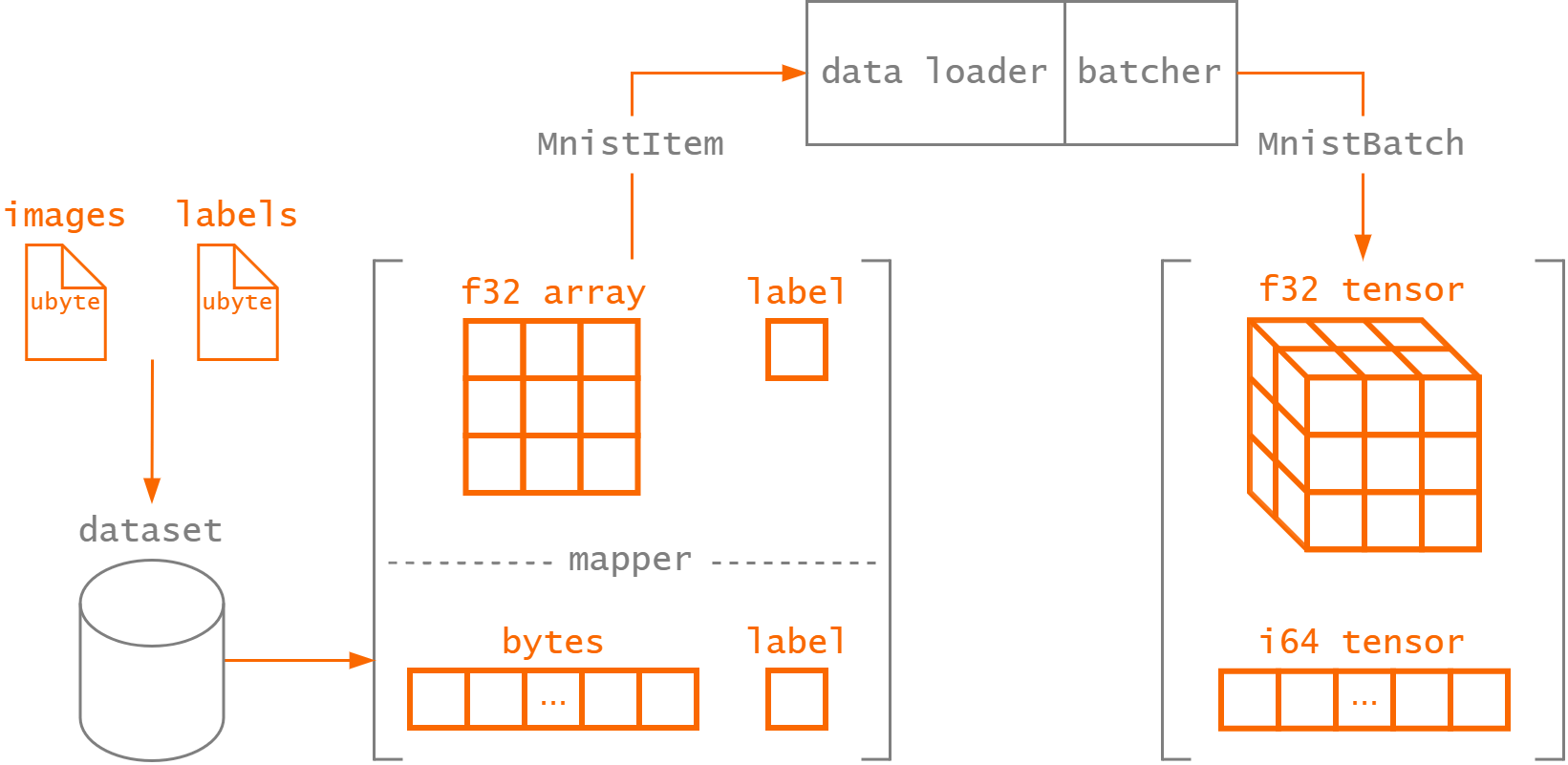
Dataloader iterators yield Result<Batch, DatasetError>. Handle each result before using the batch.
For example, this helper stops at the first retrieval error and returns it to the caller:
use burn::data::{dataloader::DataLoader, dataset::DatasetError};

fn for_each_batch<Batch>(
    dataloader: &dyn DataLoader<Batch>,
    mut consume: impl FnMut(Batch),
) -> Result<(), DatasetError> {
    for batch in dataloader.iter() {
        let batch = batch?;
        consume(batch);
    }
    Ok(())
}
The callback can run a model's forward pass and optimization step. A custom loop can instead match on each result to report or skip a failed batch. The custom training loop shows how batch processing fits into training and validation.
Although we have conveniently implemented the
MnistDataset
used in the guide, we'll go over its implementation to demonstrate how the Dataset and Batcher
traits are used.
The MNIST dataset of handwritten digits has a training set of
60,000 examples and a test set of 10,000 examples. A single item in the dataset is represented by a
\(28 \times 28\) pixels black-and-white image (stored as raw bytes) with its corresponding label
(a digit between \(0\) and \(9\)). This is defined by the MnistItemRaw struct.
#[derive(Deserialize, Debug, Clone)]
struct MnistItemRaw {
    pub image_bytes: Vec<u8>,
    pub label: u8,
}
With single-channel images of such low resolution, the entire training and test sets can be loaded
in memory at once. Therefore, we leverage the already existing InMemDataset to retrieve the raw
images and labels data. At this point, the image data is still just a bunch of bytes, but we want to
retrieve the structured image data in its intended form. For that, we can define a MapperDataset
that transforms the raw image bytes to a 2D array image (which we convert to float while we're at
it).
const WIDTH: usize = 28;
const HEIGHT: usize = 28;

/// MNIST item.
#[derive(Deserialize, Serialize, Debug, Clone)]
pub struct MnistItem {
    /// Image as a 2D array of floats.
    pub image: [[f32; WIDTH]; HEIGHT],

    /// Label of the image.
    pub label: u8,
}

struct BytesToImage;

impl Mapper<MnistItemRaw, MnistItem> for BytesToImage {
    /// Convert a raw MNIST item (image bytes) to a MNIST item (2D array image).
    fn map(&self, item: &MnistItemRaw) -> MnistItem {
        // Ensure the image dimensions are correct.
        debug_assert_eq!(item.image_bytes.len(), WIDTH * HEIGHT);

        // Convert the image to a 2D array of floats.
        let mut image_array = [[0f32; WIDTH]; HEIGHT];
        for (i, pixel) in item.image_bytes.iter().enumerate() {
            let x = i % WIDTH;
            let y = i / HEIGHT;
            image_array[y][x] = *pixel as f32;
        }

        MnistItem {
            image: image_array,
            label: item.label,
        }
    }
}

type MappedDataset = MapperDataset<InMemDataset<MnistItemRaw>, BytesToImage, MnistItemRaw>;

/// The MNIST dataset consists of 70,000 28x28 black-and-white images in 10 classes (one for each digits), with 7,000
/// images per class. There are 60,000 training images and 10,000 test images.
///
/// The data is downloaded from the web from the [CVDF mirror](https://github.com/cvdfoundation/mnist).
pub struct MnistDataset {
    dataset: MappedDataset,
}
To construct the MnistDataset, the data source must be parsed into the expected MappedDataset
type. Since both the train and test sets use the same file format, we can separate the functionality
to load the train() and test() dataset.
impl MnistDataset {
    /// Creates a new train dataset.
    pub fn train() -> Self {
        Self::new("train")
    }

    /// Creates a new test dataset.
    pub fn test() -> Self {
        Self::new("test")
    }

    fn new(split: &str) -> Self {
        // Download dataset
        let root = MnistDataset::download(split);

        // Parse data as vector of images bytes and vector of labels
        let images: Vec<Vec<u8>> = MnistDataset::read_images(&root, split);
        let labels: Vec<u8> = MnistDataset::read_labels(&root, split);

        // Collect as vector of MnistItemRaw
        let items: Vec<_> = images
            .into_iter()
            .zip(labels)
            .map(|(image_bytes, label)| MnistItemRaw { image_bytes, label })
            .collect();

        // Create the MapperDataset for InMemDataset<MnistItemRaw> to transform
        // items (MnistItemRaw -> MnistItem)
        let dataset = InMemDataset::new(items);
        let dataset = MapperDataset::new(dataset, BytesToImage);

        Self { dataset }
    }

   /// Download the MNIST dataset files from the web.
   /// Panics if the download cannot be completed or the content of the file cannot be written to disk.
   fn download(split: &str) -> PathBuf {
       // Dataset files are stored in the burn-dataset cache directory
       let cache_dir = dirs::cache_dir()
           .expect("Could not get cache directory")
           .join("burn-dataset");
       let split_dir = cache_dir.join("mnist").join(split);

       if !split_dir.exists() {
           create_dir_all(&split_dir).expect("Failed to create base directory");
       }

       // Download split files
       match split {
           "train" => {
               MnistDataset::download_file(TRAIN_IMAGES, &split_dir);
               MnistDataset::download_file(TRAIN_LABELS, &split_dir);
           }
           "test" => {
               MnistDataset::download_file(TEST_IMAGES, &split_dir);
               MnistDataset::download_file(TEST_LABELS, &split_dir);
           }
           _ => panic!("Invalid split specified {}", split),
       };

       split_dir
   }

   /// Download a file from the MNIST dataset URL to the destination directory.
   /// File download progress is reported with the help of a [progress bar](indicatif).
   fn download_file<P: AsRef<Path>>(name: &str, dest_dir: &P) -> PathBuf {
       // Output file name
       let file_name = dest_dir.as_ref().join(name);

       if !file_name.exists() {
           // Download gzip file
           let bytes = download_file_as_bytes(&format!("{URL}{name}.gz"), name);

           // Create file to write the downloaded content to
           let mut output_file = File::create(&file_name).unwrap();

           // Decode gzip file content and write to disk
           let mut gz_buffer = GzDecoder::new(&bytes[..]);
           std::io::copy(&mut gz_buffer, &mut output_file).unwrap();
       }

       file_name
   }

   /// Read images at the provided path for the specified split.
   /// Each image is a vector of bytes.
   fn read_images<P: AsRef<Path>>(root: &P, split: &str) -> Vec<Vec<u8>> {
       let file_name = if split == "train" {
           TRAIN_IMAGES
       } else {
           TEST_IMAGES
       };
       let file_name = root.as_ref().join(file_name);

       // Read number of images from 16-byte header metadata
       let mut f = File::open(file_name).unwrap();
       let mut buf = [0u8; 4];
       let _ = f.seek(SeekFrom::Start(4)).unwrap();
       f.read_exact(&mut buf)
           .expect("Should be able to read image file header");
       let size = u32::from_be_bytes(buf);

       let mut buf_images: Vec<u8> = vec![0u8; WIDTH * HEIGHT * (size as usize)];
       let _ = f.seek(SeekFrom::Start(16)).unwrap();
       f.read_exact(&mut buf_images)
           .expect("Should be able to read image file header");

       buf_images
           .chunks(WIDTH * HEIGHT)
           .map(|chunk| chunk.to_vec())
           .collect()
   }

   /// Read labels at the provided path for the specified split.
   fn read_labels<P: AsRef<Path>>(root: &P, split: &str) -> Vec<u8> {
       let file_name = if split == "train" {
           TRAIN_LABELS
       } else {
           TEST_LABELS
       };
       let file_name = root.as_ref().join(file_name);

       // Read number of labels from 8-byte header metadata
       let mut f = File::open(file_name).unwrap();
       let mut buf = [0u8; 4];
       let _ = f.seek(SeekFrom::Start(4)).unwrap();
       f.read_exact(&mut buf)
           .expect("Should be able to read label file header");
       let size = u32::from_be_bytes(buf);

       let mut buf_labels: Vec<u8> = vec![0u8; size as usize];
       let _ = f.seek(SeekFrom::Start(8)).unwrap();
       f.read_exact(&mut buf_labels)
           .expect("Should be able to read labels from file");

       buf_labels
   }
}
Since the MnistDataset simply wraps a MapperDataset instance with InMemDataset, we can easily
implement the Dataset trait.
use burn::data::dataset::{Dataset, DatasetError};

impl Dataset<MnistItem> for MnistDataset {
    fn get(&self, index: usize) -> Result<MnistItem, DatasetError> {
        self.dataset.get(index)
    }

    fn len(&self) -> usize {
        self.dataset.len()
    }
}
The only thing missing now is the Batcher, which we already went over
in the basic workflow guide. The Batcher takes a list of MnistItem
retrieved by the dataloader as input and returns a batch of images as a 3D tensor along with their
targets.
Performance
This section covers the key concepts you need to understand to get the most out of Burn and your hardware.
Performance - Best Practices
This section provides valuable insights into the performance characteristics of Burn and guides users on how to effectively leverage them for optimal results.
It includes several sections, each offering relevant details. While understanding these concepts can aid in model optimization, it’s always crucial to conduct benchmarks and profile models to accurately assess performance improvements.
Asynchronous Execution
Most Burn backends execute tensor operations in an asynchronous manner. However, the async notation is often not required for most tensor operations, privileging the simplicity of sync Rust.
There are only a few operations that trigger synchronization of the backend, and it is very
important to correctly handle those to optimize hardware utilization. Those operations are
into_data, into_scalar, and sync. Some tensor operations might call into_data underneath,
triggering a synchronization, like to_device for some backends.
Because operations run asynchronously, a computation that fails is only reported at one of these
synchronization points, not by the operation that launched it. Use the fallible variants,
try_into_data, try_into_scalar, and Device::sync (which returns a Result), to handle the
error instead of panicking.
There are several ways to minimize synchronization overhead, one of which is to batch sync operations into a single transaction. Burn provides a high-level composable API to build transactions, which will only trigger a single sync on the device.
For instance, it is often used when collecting metrics during training:
#![allow(unused)]
fn main() {
/// All of these variables are tensors.
let (output, loss, targets) = ..;

/// Now output, loss, and targets will be `TensorData` stored on the CPU.
let [output, loss, targets] = Transaction::default()
    .register(output)
    .register(loss)
    .register(targets)
    .execute()
    .try_into()
    .expect("Correct amount of tensor data");
}
Another way of optimizing reads and avoiding device stalls is to read the data on a different thread. Under the hood, CubeCL-based backends assign different execution queues for different threads, meaning that syncing a thread shouldn’t impact the throughput of another thread.
Using Different Backends for Different Tasks
Tensor operations aren’t the only things that are asynchronous; dataset and dataloading are also lazily executed. This allows for efficient data augmentation and sampling without having to cache huge datasets on disk. However, this might reduce training throughput if data augmentation is performed on the same device as the training itself. So, it is normally encouraged to use a different device, maybe even a different backend, for that purpose. For optimal performance, also avoid small allocations followed by a batching procedure. Even if it doesn’t break asynchronicity, it can slow down performance.
#![allow(unused)]
fn main() {
/// Items is a vector of many tensors.
let items = ..;
let batch = Tensor::cat(items, 1);
}
Prefer doing the concatenation of tensors on the data augmentation device and not on the training device.
#![allow(unused)]
fn main() {
/// Items is a vector of many tensors.
let items = ..;
let device_training = ..;
let axis_batch = 0;

let items = Tensor::cat(items, axis_batch);
let batch = Tensor::from_data(items.into_data(), &device_training);
}
Kernel Fusion
An interesting property of async execution is that it allows performance optimizations like kernel fusion. Coupled with CubeCL and its Just-In-Time compiler, Burn can serialize tensor operations into a symbolic graph, then optimize it for improved efficiency.
Kernel fusion may reorder operations to reduce global memory reads, writes, and allocations. Being aware of which operations can be fused is relevant, as it can be easy to break an execution graph.
The easiest way to optimize for fusion is to avoid keeping tensors alive for too long. When fusion isn’t possible, all tensors that will be used later will trigger a global memory write. Fortunately, Rust and Clippy are quite good at detecting unnecessary clones, but special care should still be taken.
View operations can also interfere with fusion. They can be included in optimized graphs, but only to a limited extent, and they reduce vectorization potential as we have fewer guarantees about memory access patterns with transformed indices. So, it is good practice to group view operations together before executing blocks of operations.
#![allow(unused)]
fn main() {
let tensor4 = tensor1.unsqueeze().matmul(tensor2) + tensor3.unsqueeze();
}
Could be improved with the following:
#![allow(unused)]
fn main() {
let tensor1 = tensor1.unsqueeze();
let tensor3 = tensor3.unsqueeze();
let tensor4 = tensor1.matmul(tensor2) + tensor3;
}
This reduces the necessary reordering and may reduce a global memory write or improve vectorization.
We might be able to detect these patterns in the future, but for now, it’s a good idea to order your
operations using this pattern. As a reminder, view operations typically only update tensor metadata
in most cases. These operations include slice, slice_assign, select, gather, scatter,
reshape, swap_dims, transpose, unsqueeze, etc.
With fusion enabled, it is often not necessary to write custom kernels, as you can rely on our system to optimize most element-wise operations. However, most compute-bound kernels require many tricks and deep knowledge of GPU memory architectures, where automatic compiler optimizations often underperform compared to human-designed algorithms. This is why Burn’s approach to fusion is centered around fuse-on-read and fuse-on-write. This means that complex compute-bound kernels that change the shapes of tensors can fuse a block of element-wise operations when reading the input tensor and when writing the output tensor. The implication is that multiple compute-bound operations in a sequence can reduce fusion potential.
#![allow(unused)]
fn main() {
// This line might trigger 3 writes: tensor1, tensor2, and tensor3, if tensor1 and tensor2 are abstract tensors.
let tensor3 = tensor1.clone().sum_dim(tensor2.clone(), 2);
let tensor4 = tensor2.sum_dim(tensor3, 2);
let tensor5 = tensor4 + (tensor1 * tensor2);
}
#![allow(unused)]
fn main() {
let tmp = tensor1.clone() + tensor2.clone();
let tensor3 = tensor1.sum_dim(tensor2, 2);
let tensor4 = tensor2.sum_dim(tensor3, 2);
let tensor5 = tensor4 + tmp;
}
The lesson? Whenever possible, pass only the latest value to a compute operation. Don’t clone a tensor before compute-bound operations, as it might trigger an additional write if that tensor isn’t materialized from initial fusion.
It’s a bit complex, but the first code snippet is actually better if tensor1 and tensor2 are
concrete in global memory. This would be the case if tensor1 and tensor2 are model parameters,
so prefer this implementation style in such scenarios.
The second code snippet is preferred when tensor1 and tensor2 are virtual tensors, meaning they
were fused by earlier operations and require a global memory read to be accessed later. This happens
if those tensors are part of a signal in neural networks.
Reordering operations can help in such scenarios but will not create temporary values, making the previous optimization harder. We might eventually automatically optimize these cases, but the solution space is quite large, and it’s not a planned optimization. Profiling model blocks is always a good idea to identify which code block is faster when faced with ambiguous situations.
Kernel Selection
As mentioned earlier, complex compute-bound operations are highly non-trivial and require many tricks for optimal performance. However, the way these tricks are applied varies depending on the hardware and problem shapes. To select the best kernel, we use a search method with a highly configurable autotune system that performs micro-benchmarks at runtime on the current hardware.
This may trigger a cold start, but the results of these benchmarks are cached on disk for subsequent executions.
For deployment or training on spot instances, it’s a good idea to bundle the autotune cache with the code to mitigate cold starts. Refer to the CubeCL configuration documentation for more details on fine-grained settings .
From the user’s point of view, kernel selection shouldn’t be a problem, but as usual, crafting
models with even shapes, multiples of 8, can significantly improve performance. Avoid creating
tensors with shapes that are multiples of 10, like [1000, 1000], as these typically require bounds
checking and may limit vectorization.
Prefer shapes like [1024, 1024], where dimensions are multiples of 32 or powers of 2, as these are
generally optimal. If you have no choice but to use a suboptimal shape, prefer handling it in a
single kernel, transforming it into an optimal shape. It’s better to have a slow neural network
layer followed by fast ones than to propagate unevenness and end up with smaller, but slower,
layers.
Quantization
Quantization techniques perform computations and store tensors in lower precision data types like 8-bit integer instead of floating point precision. There are multiple approaches to quantize a deep learning model categorized as:
- Post-training quantization (PTQ)
- Quantization aware training (QAT)
In post-training quantization, the model is trained in floating point precision and later converted to the lower precision data type. There are two types of post-training quantization:
- Static quantization: quantizes the weights and activations of the model. Quantizing the activations statically requires data to be calibrated (i.e., recording the activation values to compute the optimal quantization parameters with representative data).
- Dynamic quantization: quantized the weights ahead of time (like static quantization) but the activations are dynamically at runtime.
Sometimes post-training quantization is not able to achieve acceptable task accuracy. In general, this is where quantization-aware training (QAT) can be used: during training, fake-quantization modules are inserted in the forward and backward passes to simulate quantization effects, allowing the model to learn representations that are more robust to reduced precision.
Burn does not currently support QAT. Only post-training quantization (PTQ) is implemented at this time.
Quantization support in Burn is currently in active development.
It supports the following PTQ modes on some backends:
- Per-tensor and per-block quantization to 8-bit, 4-bit and 2-bit representations
No integer operations are currently supported, which means tensors are dequantized to perform the operations in floating point precision.
Module Quantization
Quantizing the weights of your model after training is quite simple. We have access to the weight
tensors and can collect their statistics, such as the min and max value when using
MinMaxCalibration, to compute the quantization parameters.
use burn::module::Quantizer;
use burn::tensor::quantization::{Calibration, QuantScheme, QuantValue, ScaleDtype};

// Quantization config
let scheme = QuantScheme::default()
    .per_block([32], ScaleDtype::F16)
    .with_value(QuantValue::Q4F);
let mut quantizer = Quantizer::new(Calibration::MinMax, scheme);

// Quantize the weights
let model = model.quantize_weights(&mut quantizer);
Calibration
Calibration is the step during quantization where the range of all floating-point tensors is computed. This is pretty straightforward for weights since the actual range is known at quantization-time (weights are static), but activations require more attention.
To compute the quantization parameters, Burn supports the following Calibration methods.
| Method | Description |
|---|---|
MinMax | Computes the quantization range mapping based on the running min and max values. |
Quantization Scheme
A quantization scheme defines how an input is quantized, including the representation of quantized values, storage format, granularity, and how the values are scaled.
#![allow(unused)]
fn main() {
let scheme = QuantScheme::default()
    .with_mode(QuantMode::Symmetric)          // Quantization mode
    .per_block([2, 16], ScaleDtype::F16)      // One scale per block of values, stored as f16
    .with_value(QuantValue::Q8S)              // Data type of quantized values, independent of how they're stored
    .with_store(QuantStore::Native);          // Storage format for quantized values
}
A scheme carries up to two scale levels, each set in any order and each owning the type its scales
are stored in. per_tensor is one scale for the whole tensor, which is also what a scheme with no
level set resolves to; per_block is one scale per block of values.
#![allow(unused)]
fn main() {
// Block scales in ue4m3, normalized by a single per-tensor f32 scale.
let scheme = QuantScheme::default()
    .per_block([16], ScaleDtype::UE4M3)
    .per_tensor(ScaleDtype::F32);
}
Two levels exist so the block scales can live in a narrow type: the per-tensor scale absorbs the tensor's dynamic range, and the block type only has to cover the spread between blocks.
Quantization Mode
| Mode | Description |
|---|---|
Symmetric | Values are scaled symmetrically around zero. |
Scale Levels
| Level | Description |
|---|---|
per_tensor(dtype) | A single scale for the entire tensor. |
per_block(block, dtype) | Tensor divided into blocks (1D, 2D, or higher) defined by block, each with its own scale. |
Block dimensions are relative to the tensor rank and describe per-axis rectangles, not flat chunks
of contiguous values. For example, [16] divides the trailing dimension into groups of 16, while
[2, 16] divides the final two dimensions into rectangular blocks. Dynamic calibration currently
requires every affected tensor dimension to be evenly divisible by its block extent.
Setting both nests the blocks inside the tensor: the per-tensor scale is the factor the block
scales are relative to, and it has to be F32.
Quantization Value
| Value | Bits | Description |
|---|---|---|
Q8F | 8 | 8-bit full-range quantization |
Q4F | 4 | 4-bit full-range quantization |
Q2F | 2 | 2-bit full-range quantization |
Q8S | 8 | 8-bit symmetric quantization |
Q4S | 4 | 4-bit symmetric quantization |
Q2S | 2 | 2-bit symmetric quantization |
E5M2 | 8 | 8-bit floating-point (5 exponent, 2 mantissa) |
E4M3 | 8 | 8-bit floating-point (4 exponent, 3 mantissa) |
E2M1 | 4 | 4-bit floating-point (2 exponent, 1 mantissa) |
Quantization Store
| Store | Description |
|---|---|
Native | Each quantized value is stored directly in a native format, which doesn't require packing and unpacking. |
PackedNative(dim) | Multiple quantized values packed into a natively supported representation. Argument is the dimension the tensor is packed on, starting from the innermost dimension. |
PackedU32(dim) | Multiple quantized values packed into a 32-bit integer. Argument is the dimension the tensor is packed on, starting from the innermost dimension. |
Native storage is not supported for sub-byte quantization values.
Scale Data Type
| Dtype | Description |
|---|---|
F32 | Full floating-point precision. |
F16 | Half-precision floating point. |
BF16 | Brain float 16-bit precision. |
UE4M3 | 8-bit floating point (4 exponent, 3 mantissa). Currently supported on CPU backends only. |
A narrower scale type stores less per block, but it also has a much smaller range. The smallest
positive UE4M3 value is 2^-9; Burn rounds a smaller positive scale up to 2^-9 rather than
down to zero. The resulting scale can nevertheless be so coarse that the block's values quantize
to zero. A two-level scheme lets the per-tensor F32 scale carry the absolute magnitude, but the
differences between block scales can still exceed UE4M3's range and make smaller blocks
quantize too coarsely.
Distributed Computing
Burn supports data-parallel training across multiple devices and transparent execution on devices hosted by another process. These capabilities can be used independently or together:
- The types in
burn::tensor::distributedprovide collective tensor operations across a group of devices. burn::train::ExecutionStrategy::ddpuses those collectives to synchronize gradients during distributed data-parallel (DDP) training.- A remote
Devicesends normal tensor operations to a Burn compute server. A set of remote devices can also participate in DDP.
Distributed Tensor Operations
Collective support depends on the execution runtime. The current CubeCL implementation supplies all-reduce on CUDA. Remote DDP also requires collective support on the server's devices. Use the non-DDP multi-device strategy when the selected runtimes do not provide collectives.
The distributed tensor API currently centers on all-reduce:
| Type or function | Purpose |
|---|---|
DistributedContext | Starts and owns communication resources for a device group |
DistributedConfig | Configures gradient aggregation for the group |
ReduceOperation | Selects Sum or Mean reduction |
all_reduce | Reduces a tensor across every participating device and returns the result to each |
CollectiveTensor | Represents a collective result that must be synchronized before normal use |
Create a context before issuing collectives. Dropping the context closes its communication server, so keep it alive for as long as the device group is active:
use burn::tensor::{
    Device, DeviceType, Tensor,
    distributed::{
        CollectiveTensor, DistributedConfig, DistributedContext, ReduceOperation, all_reduce,
    },
};

let devices = Device::enumerate(DeviceType::Cuda).into_vec();
let _context = DistributedContext::init(
    devices.clone(),
    DistributedConfig {
        all_reduce_op: ReduceOperation::Mean,
    },
);

// Every participant submits its local tensor with the same device list.
let local_tensors: Vec<Tensor<2>> = devices
    .iter()
    .map(compute_local_value)
    .collect();
let collectives: Vec<_> = local_tensors
    .into_iter()
    .map(|tensor| all_reduce(tensor, ReduceOperation::Sum, devices.clone()))
    .collect();
let reduced: Vec<Tensor<2>> = collectives
    .into_iter()
    .map(CollectiveTensor::resolve)
    .collect();
all_reduce returns a CollectiveTensor because collective communication can be asynchronous. Call
resolve() before using its result; it synchronizes the collective and returns a regular Tensor.
The unsafe assume_resolved() method is reserved for code that arranges synchronization itself.
Every participant must invoke collectives in a compatible order with the same device group.
Application code will usually use the DDP training strategy instead of calling all_reduce
directly.
Distributed Data Parallel Training
DDP keeps one model replica on each device and splits training input across them. Each replica
computes a forward and backward pass locally, then Burn all-reduces the gradients before applying
the optimizer update. With ReduceOperation::Mean, every replica receives the mean gradient.
use burn::{
    tensor::{Device, DeviceType, distributed::{DistributedConfig, ReduceOperation}},
    train::{ExecutionStrategy, Learner, SupervisedTraining},
};

// List all available CUDA devices
let devices = Device::enumerate(DeviceType::Cuda).into_vec();
let strategy = ExecutionStrategy::ddp(
    devices,
    DistributedConfig {
        all_reduce_op: ReduceOperation::Mean,
    },
);

// Init the model on the main device with autodiff
let model = ModelConfig::new().init(&strategy.main_device().clone().autodiff());

// Launch DDP training
let training = SupervisedTraining::new(artifact_dir, dataloader_train, dataloader_valid)
    .with_training_strategy(strategy.into())
    .num_epochs(config.num_epochs);
let result = training.launch(Learner::new(model, optimizer, lr_scheduler));
This keeps model construction independent of whether the selected strategy is single-device,
multi-device, or DDP. The learner manages model replicas, data distribution, collective gradient
synchronization, and the lifetime of the DistributedContext.
DDP differs from ExecutionStrategy::MultiDevice: DDP gives each device a model replica and uses
collectives to synchronize gradients, whereas the multi-device strategy coordinates optimization
through Burn's non-DDP multi-device training path.
Remote Devices
A remote device implements the same Device interface as a local CUDA, WGPU, or CPU device. Tensor
creation and operations use the normal API, but execution happens on a device a Burn server hosts.
A RemoteHost names the server, and Device::remote_options connects one of its devices:
let host = RemoteHost::iroh(server_id).with_credential(token);
let device = Device::remote_options(&host).init()?;

let tensor = Tensor::<2>::ones([32, 128], &device);
let output = model.to_device(&device).forward(tensor); // Executed by the remote server.
The server hosts its devices on a transport:
let transport = IrohTransport::new(IrohIdentity::load_or_create("server.key")?);
println!("server id: {}", transport.id());

RemoteServer::new([Device::cuda(0)])
    .with_authorizer(TokenAuthorizer::new(token)?)
    .serve(transport)?;
Iroh, the default transport, identifies a server by its id rather than a fixed address, and works
across any network, authenticated and encrypted. A system should generate a random IrohIdentity
and distribute its id through a trusted channel. A server opens every session unless given an
authorizer, such as a TokenAuthorizer checking the credential its clients set.
WebSocket is the simplest setup on a trusted network: WebSocketTransport::new(3000) on the server
and RemoteHost::websocket("ws://gpu:3000") on the client. It is unencrypted, so a token stops stray
clients but not someone reading the traffic.
An application that already runs an Iroh endpoint dials from it with IrohHost::with_endpoint, and
serves on it with RemoteServer::into_protocol. Endpoints Burn binds send no segmentation-offloaded
(GSO) batches because of iroh#4555;
iroh_segmentation_offload under [remote] in burn.toml turns them on. An application's own
endpoint keeps its own setting.
Device::enumerate(DeviceType::Remote(host)) lists every device the server hosts, beside any
local device type, and each connects on first use; host.devices() does the same and returns an
error where enumerate panics.
init_async().await connects from async code, and is the only form in a browser, where a
synchronous connection cannot be established.
DDP on Remote Devices
Remote execution and DDP compose naturally. The
text-classification example
lists every device a remote WebSocket server hosts and passes them to the same DDP
strategy:
pub fn run() {
    let devices = Device::enumerate(DeviceType::Remote(RemoteHost::websocket(ADDRESS)));

    crate::launch(ExecutionStrategy::ddp(
        devices.into_vec(),
        DistributedConfig {
            all_reduce_op: ReduceOperation::Mean,
        },
    ));
}
From the learner's perspective, local and remote DDP use the same Vec<Device>. The remote devices
forward computation to the server, while the distributed context coordinates gradient collectives
across the selected server devices.
Choosing an Approach
- Use a single remote device when computation should run elsewhere but does not need data-parallel synchronization.
- Use local DDP when several devices are directly available to the training process.
- Use remote devices with DDP when a Burn server exposes several accelerators to a client.
Distributed execution assumes that participating devices support the required collective operations.
Custom Training Loops
Even though Burn comes with a project dedicated to simplifying training, it doesn't mean that you have to use it. Sometimes you may have special needs for your training, and it might be faster to just reimplement the training loop yourself. Also, you may just prefer implementing your own training loop instead of using a pre-built one in general.
Burn's got you covered!
We will start from the same example shown in the basic workflow section, but
without using the Learner struct. Reuse the data and model modules from that project.
use burn::{
    data::{dataloader::DataLoaderBuilder, dataset::vision::MnistDataset},
    module::Module,
    nn::loss::CrossEntropyLoss,
    optim::{AdamConfig, GradientsParams},
    prelude::*,
};
use crate::{data::MnistBatcher, model::ModelConfig};

#[derive(Config, Debug)]
pub struct MnistTrainingConfig {
    #[config(default = 10)]
    pub num_epochs: usize,
    #[config(default = 64)]
    pub batch_size: usize,
    #[config(default = 4)]
    pub num_workers: usize,
    #[config(default = 42)]
    pub seed: u64,
    #[config(default = 1e-4)]
    pub lr: f64,
    pub model: ModelConfig,
    pub optimizer: AdamConfig,
}


pub fn run(device: Device) {
    // Create the configuration.
    let config_model = ModelConfig::new(10, 1024);
    let config_optimizer = AdamConfig::new();
    let config = MnistTrainingConfig::new(config_model, config_optimizer);

    let device = device.autodiff();
    device.seed(config.seed);

    // Create the model and optimizer.
    let mut model = config.model.init(&device);
    let mut optim = config.optimizer.init();

    // Create the batcher.
    let batcher = MnistBatcher::default();

    // Create the dataloaders.
    let dataloader_train = DataLoaderBuilder::new(batcher.clone())
        .batch_size(config.batch_size)
        .shuffle(config.seed)
        .num_workers(config.num_workers)
        .build(MnistDataset::train());

    let dataloader_test = DataLoaderBuilder::new(batcher)
        .batch_size(config.batch_size)
        .shuffle(config.seed)
        .num_workers(config.num_workers)
        .build(MnistDataset::test());

    // Training and validation loops are shown below.
}
As seen with the previous example, setting up the configurations and the dataloader hasn't changed. Now, let's move forward and write our own training loop:
pub fn run(device: Device) {
    // Set up the configuration, model, optimizer, and dataloaders as above.

    // Iterate over our training and validation loop for X epochs.
    for epoch in 1..config.num_epochs + 1 {
        // Implement our training loop.
        for (iteration, batch) in dataloader_train.iter().map(Result::unwrap).enumerate() {
            let output = model.forward(batch.images);
            let loss = CrossEntropyLoss::new(None, &output.device())
                .forward(output.clone(), batch.targets.clone());
            let accuracy = accuracy(output, batch.targets);

            println!(
                "[Train - Epoch {} - Iteration {}] Loss {:.3} | Accuracy {:.3} %",
                epoch,
                iteration,
                loss.clone().into_scalar::<f32>(),
                accuracy,
            );

            // Gradients for the current backward pass
            let grads = loss.backward();
            // Gradients linked to each parameter of the model.
            let grads = GradientsParams::from_grads(grads, &model);
            // Update the model using the optimizer.
            model = optim.step(config.lr, model, grads);
        }

        // Get the model without autodiff.
        let model_valid = model.valid();

        // Implement our validation loop.
        for (iteration, batch) in dataloader_test.iter().map(Result::unwrap).enumerate() {
            let output = model_valid.forward(batch.images);
            let loss = CrossEntropyLoss::new(None, &output.device())
                .forward(output.clone(), batch.targets.clone());
            let accuracy = accuracy(output, batch.targets);

            println!(
                "[Valid - Epoch {} - Iteration {}] Loss {} | Accuracy {}",
                epoch,
                iteration,
                loss.clone().into_scalar::<f32>(),
                accuracy,
            );
        }
    }
}
The loop uses this helper to compute classification accuracy:
/// Create out own accuracy metric calculation.
fn accuracy(output: Tensor<2>, targets: Tensor<1, Int>) -> f32 {
    let predictions = output.argmax(1).squeeze_dim(1);
    let num_predictions = targets.dims().iter().product::<usize>() as f32;
    let num_corrects = predictions.equal(targets).int().sum().into_scalar::<i64>() as f32;

    num_corrects / num_predictions * 100.0
}
The training loop starts from epoch 1 and goes up to num_epochs. Within each epoch, we iterate
over the training dataloader. During this process, we execute the forward pass, which is necessary
for computing both the loss and accuracy. To maintain simplicity, we print the results to stdout.
Upon obtaining the loss, we can invoke the backward() function, which returns the gradients
specific to each variable. It's important to note that we need to map these gradients to their
corresponding parameters using the GradientsParams type. This step is essential because you might
run multiple different autodiff graphs and accumulate gradients for each parameter id.
Finally, we can perform the optimization step using the learning rate, the model, and the computed
gradients. It's worth mentioning that, unlike PyTorch, there's no need to register the gradients
with the optimizer, nor do you have to call zero_grad. The gradients are automatically consumed
during the optimization step. If you're interested in gradient accumulation, you can easily achieve
this by using the GradientsAccumulator.
let mut accumulator = GradientsAccumulator::new();
let loss = loss_fn.forward(model.forward(input), targets);
let grads = loss.backward();
let grads = GradientsParams::from_grads(grads, &model);
accumulator.accumulate(&model, grads);
// Repeat the forward/backward/accumulate steps for each microbatch in the window.
let grads = accumulator.grads(); // Pop the accumulated gradients.
model = optimizer.step(learning_rate, model, grads);
The accumulator sums gradients. Apply the final partial window and advance the learning-rate scheduler when updating the optimizer; see Gradient accumulation.
Note that after each epoch, we include a validation loop to assess our model's performance on
previously unseen data. To disable gradient tracking during this validation step, we can invoke
model.valid(), which returns a model whose parameters are on a device without autodiff
capabilities.
You can find the code above available as an example for you to test.
Parameter Groups
For different optimizers or learning rates across parts of a model, configure ParamGroups on the
ModuleOptimizer and module learning-rate scheduler. The optimizer then routes each parameter and
its state during the same step; the training loop does not need to split the gradient container or
step partial modules manually. See Optimizer.
Custom Type
You can group a model and optimizer in a type that is generic over those two components; no backend parameter is necessary.
struct Learner<M, O> {
    model: M,
    optim: O,
}
Trait bounds can be added on the methods that actually use M and O. Runtime device dispatch
keeps these abstractions independent from the backend implementation.
Saving and Loading Models
Saving your trained machine learning model is quite easy. As mentioned in the
Record section, a module's parameters are captured in a
ModuleRecord and serialized to the burnpack format (.bpk).
For checkpoints saved with an older Burn release, see Migrating checkpoints.
use burn::store::ModuleRecord;

// Take a record of the model's parameters and save it to disk.
model
    .into_record()
    .save(model_path)
    .expect("Should be able to save the model");
Note that the .bpk file extension is appended automatically when the path has none, so only the
file path and base name need to be provided.
Now that you have a trained model saved to your disk, you can just as easily load it back.
// Load the record from the burnpack file.
let record = ModuleRecord::load(model_path)
    .expect("Should be able to load the model weights from the provided file");

// Apply the loaded weights to a model.
model = model.load_record(record);
The record is backend-independent: weights saved with one backend can be loaded on another. If you
need to convert precision, call model.cast(dtype) before taking the record, or use
record.cast_to_module_dtype() when loading.
Initialization from Recorded Weights
The most straightforward way to load weights for a module is simply by using
load_record. Note that
parameter initialization is lazy, therefore no actual tensor allocation and GPU/CPU kernels are
executed before the module is used. This means that you can use init(device) followed by
load_record(record) without any meaningful performance cost.
use burn::store::ModuleRecord;

// Create a dummy initialized model to save.
let device = Default::default();
let model = Model::init(&device);

// Save its parameters to a burnpack file.
model
    .into_record()
    .save(model_path)
    .expect("Should be able to save the model");
Afterwards, the model can just as easily be loaded from the record saved on disk.
// Load the model record from the burnpack file.
let record = ModuleRecord::load(model_path)
    .expect("Could not load model weights");

// Initialize a new model with the loaded record/weights.
let model = Model::init(&device).load_record(record);
For partial loading (only some parameters present in the record), use record.allow_partial(true)
before applying it, or model.try_load_record(record) for fallible loading.
Model Weight Store
While the ModuleRecord API above works well for basic saving and loading, the burn-store crate
adds memory efficiency and flexibility on top of the same burnpack format. It provides zero-copy
memory-mapped loading, cross-framework interoperability (PyTorch and SafeTensors), key remapping,
partial loading, and filtering.
Supported Formats
| Format | Extension | Description |
|---|---|---|
| Burnpack | .bpk | Burn's native format with fast loading, zero-copy support, and training state persistence |
| SafeTensors | .safetensors | Industry-standard format from Hugging Face for secure tensor serialization |
| PyTorch | .pt, .pth | Direct loading of PyTorch model weights (read-only) |
Saving a Model
use burn_store::{ModuleSnapshot, BurnpackStore};

// Save to Burnpack (recommended)
let mut store = BurnpackStore::from_file("model.bpk");
model.save_into(&mut store)?;

// Or save to SafeTensors
use burn_store::SafetensorsStore;
let mut store = SafetensorsStore::from_file("model.safetensors");
model.save_into(&mut store)?;
Loading a Model
use burn_store::{ModuleSnapshot, BurnpackStore};

let device = Default::default();
let mut model = MyModel::init(&device);

// Load from Burnpack
let mut store = BurnpackStore::from_file("model.bpk");
model.load_from(&mut store)?;
Loading from PyTorch
You can load weights directly from PyTorch .pt files:
use burn_store::{ModuleSnapshot, PytorchStore};

let mut model = MyModel::init(&device);
let mut store = PytorchStore::from_file("pytorch_model.pt");
model.load_from(&mut store)?;
Exporting from PyTorch
Save the model weights (state_dict):
import torch
import torch.nn as nn

class Net(nn.Module):
    def __init__(self):
        super(Net, self).__init__()
        self.conv1 = nn.Conv2d(2, 2, (2, 2))
        self.conv2 = nn.Conv2d(2, 2, (2, 2), bias=False)

    def forward(self, x):
        return self.conv2(self.conv1(x))

model = Net()
torch.save(model.state_dict(), "model.pt")
A file saved with torch.save(model) (the whole module rather than its state_dict()) loads
too: its parameters and buffers are read under the names state_dict() gives them, so the
tensor names are the same either way. Non-persistent buffers and tensors assigned as plain
attributes are not part of it, exactly as state_dict() leaves them out. A module that
customizes its state dict (get_extra_state(), state dict hooks) is read from its stored
parameters and buffers only, so entries those would add are absent.
Accessing Nested State Dicts
Some PyTorch checkpoints nest the state_dict under a key:
let mut store = PytorchStore::from_file("checkpoint.pt")
    .with_top_level_key("state_dict");
model.load_from(&mut store)?;
Reading Checkpoints Without Burn
The parser behind PytorchStore is its own crate,
pytorch-reader, with no dependency on Burn. Use it
directly for tools that only need to list or convert a checkpoint's tensors. It is re-exported as
burn_store::pytorch_reader.
Loading from SafeTensors
For SafeTensors files exported from PyTorch, use the adapter for proper weight transformation:
use burn_store::{ModuleSnapshot, PyTorchToBurnAdapter, SafetensorsStore};

let mut model = MyModel::init(&device);
let mut store = SafetensorsStore::from_file("model.safetensors")
    .with_from_adapter(PyTorchToBurnAdapter);
model.load_from(&mut store)?;
For SafeTensors files created by Burn, no adapter is needed:
let mut store = SafetensorsStore::from_file("model.safetensors");
model.load_from(&mut store)?;
Exporting from PyTorch to SafeTensors
from safetensors.torch import save_file

model = Net()
save_file(model.state_dict(), "model.safetensors")
Saving for PyTorch Compatibility
Use the adapter when saving for PyTorch consumption:
use burn_store::{BurnToPyTorchAdapter, SafetensorsStore};

let mut store = SafetensorsStore::from_file("for_pytorch.safetensors")
    .with_to_adapter(BurnToPyTorchAdapter)
    .skip_enum_variants(true);
model.save_into(&mut store)?;
Handling Load Results
The load_from method returns detailed information about the loading process.
Note: Inspecting
result.missing,result.errors, etc. requires the store to be configured with.allow_partial(true). Without it, a missing tensor causes a hardErrbefore you ever receive anApplyResult.
// Use .allow_partial(true) to get an ApplyResult with structured info
let mut store = PytorchStore::from_file("pretrained.pt")
    .allow_partial(true);

let result = model.load_from(&mut store)?;

// Print a formatted summary with suggestions
println!("{}", result);

// Or inspect individual fields
println!("Applied: {} tensors", result.applied.len());
println!("Missing: {:?}", result.missing);
println!("Errors: {:?}", result.errors);

if result.is_success() {
    println!("All tensors loaded successfully");
}
If you don't use .allow_partial(true), use normal error handling:
match model.load_from(&mut store) {
    Ok(result) => println!("Loaded successfully: {} tensors", result.applied.len()),
    Err(e) => eprintln!("Failed to load: {e}"),
}
Adding Metadata
Burnpack and SafeTensors support custom metadata:
let mut store = BurnpackStore::from_file("model.bpk")
    .metadata("version", "1.0")
    .metadata("description", "My trained model")
    .metadata("epochs", "100");
model.save_into(&mut store)?;
Advanced Features
Key Remapping
Remap parameter names using regex patterns when model structures don't match:
let mut store = PytorchStore::from_file("model.pt")
    // Remove prefix: "model.conv1.weight" -> "conv1.weight"
    .with_key_remapping(r"^model\.", "")
    // Rename: "layer1" -> "encoder.layer1"
    .with_key_remapping(r"^layer", "encoder.layer");
model.load_from(&mut store)?;
For complex remapping:
use burn_store::KeyRemapper;

let remapper = KeyRemapper::new()
    .add_pattern(r"^transformer\.h\.(\d+)\.", "transformer.layer$1.")?
    .add_pattern(r"\.attn\.", ".attention.")?;

let mut store = SafetensorsStore::from_file("model.safetensors")
    .remap(remapper);
Partial Loading
Load weights even when some tensors are missing:
let mut store = PytorchStore::from_file("pretrained.pt")
    .allow_partial(true);

let result = model.load_from(&mut store)?;
println!("Missing (initialized randomly): {:?}", result.missing);
Filtering Tensors
Load or save only specific layers:
// Load only encoder layers
let mut store = SafetensorsStore::from_file("model.safetensors")
    .with_regex(r"^encoder\..*")
    .allow_partial(true);

// Save only encoder layers
let mut store = SafetensorsStore::from_file("encoder.safetensors")
    .with_regex(r"^encoder\..*");
model.save_into(&mut store)?;

// Multiple patterns (OR logic)
let mut store = SafetensorsStore::from_file("model.safetensors")
    .with_regex(r"^encoder\..*")      // encoder tensors
    .with_regex(r".*\.bias$")          // OR any bias tensors
    .with_full_path("decoder.scale"); // OR specific tensor
Non-Contiguous Layer Indices
PyTorch nn.Sequential with mixed layers creates non-contiguous indices. PytorchStore
automatically remaps these:
PyTorch: fc.0.weight, fc.2.weight, fc.4.weight  (gaps from ReLU layers)
Burn:    fc.0.weight, fc.1.weight, fc.2.weight  (contiguous)
This is enabled by default. Disable if needed:
let mut store = PytorchStore::from_file("model.pt")
    .map_indices_contiguous(false);
Some lists mirror their indices on the Burn side, for example a Vec whose odd entries are
parameter-free flips, while other lists in the same file still have gaps to collapse. Exclude
those prefixes instead of turning the mapping off:
// flows.{0,2,4} stay as-is, fc.{0,2} still become fc.{0,1}
let mut store = PytorchStore::from_file("model.pt")
    .map_indices_contiguous_except(r"^model_g\.flow\.flows$");
The regex is matched against the path up to the numeric segment (model_g.flow.flows, not the
full tensor name), so anchor it to keep exactly one list; a nested list such as
model_g.flow.flows.2.enc.in_layers is matched separately.
Zero-Copy Loading
For embedded models, from_static slices tensor data straight out of the binary without copying.
File loads are lazy: only the header is read up front, and each tensor is read from disk when it is
accessed.
// Embedded model (compile-time)
static MODEL_DATA: &[u8] = include_bytes!("model.bpk");
let mut store = BurnpackStore::from_static(MODEL_DATA);
model.load_from(&mut store)?;

// Large file (tensors read on access)
let mut store = BurnpackStore::from_file("large_model.bpk");
model.load_from(&mut store)?;
Saving Large Models
Saving to a Burnpack file streams one tensor at a time: each parameter is read back from the device only when the writer reaches it, and released before the next one is read. Peak host memory is bounded by the largest single tensor rather than by the size of the model, so a model whose weights live on an accelerator can exceed host RAM and still save.
// Streams to disk; only one tensor is held in host memory at a time.
let mut store = BurnpackStore::from_file("large_model.bpk").overwrite(true);
model.save_into(&mut store)?;
This applies to file saves. BurnpackStore::from_bytes has to build the whole container in memory
by definition, so prefer a file path for large models.
Burnpack file saves are also all-or-nothing: the container is written beside the destination and
renamed into place once complete, so a save that fails (a parameter readback erroring mid-write, a
full disk), panics, or has its process killed leaves any existing file untouched rather than
replacing it with a truncated one. Surviving power loss is a stronger guarantee and holds on Unix
only; see Writer::write_to_file for the details.
Half-Precision Storage
Save models at half precision (F16) to reduce file size by ~50%, then load back at full precision:
use burn_store::{ModuleSnapshot, BurnpackStore, HalfPrecisionAdapter};

let adapter = HalfPrecisionAdapter::new();

// Save: F32 -> F16 (same adapter for both directions)
let mut store = BurnpackStore::from_file("model_f16.bpk")
    .with_to_adapter(adapter.clone());
model.save_into(&mut store)?;

// Load: F16 -> F32
let mut store = BurnpackStore::from_file("model_f16.bpk")
    .with_from_adapter(adapter);
model.load_from(&mut store)?;
By default, weights in Linear, Embedding, Conv*, LayerNorm, GroupNorm, InstanceNorm, RmsNorm, and
PRelu modules are converted. BatchNorm is excluded because its running variance can underflow in
F16. Customize with with_module() and without_module():
// Keep LayerNorm at full precision
let adapter = HalfPrecisionAdapter::new()
    .without_module("LayerNorm");

// Add a custom module to the conversion set
let adapter = HalfPrecisionAdapter::new()
    .with_module("CustomLayer");
Direct Tensor Access
Inspect tensors without loading into a model:
use burn_store::ModuleStore;

let mut store = PytorchStore::from_file("model.pt");

// List all tensor names
let names = store.keys()?;

// Get specific tensor
if let Some(tensor) = store.get_tensor("encoder.layer0.weight")? {
    println!("Shape: {:?}, DType: {:?}", tensor.shape, tensor.dtype);

    // Reading the data is a free function, not a method on the tensor
    let data = burn_store::bridge::to_data(tensor)?;
}
Model Surgery
Transfer weights between models:
use burn_store::{ModuleSnapshot, PathFilter};

// Transfer all weights
let snapshots = model1.collect(None, None, false);
model2.apply(snapshots, None, None, false);

// Transfer only encoder weights
let filter = PathFilter::new().with_regex(r"^encoder\..*");
let snapshots = model1.collect(Some(filter.clone()), None, false);
model2.apply(snapshots, Some(filter), None, false);
API Reference
Builder Methods
| Category | Method | Description |
|---|---|---|
| Filtering | with_regex(pattern) | Filter by regex pattern |
with_full_path(path) | Include specific tensor | |
with_predicate(fn) | Custom filter logic | |
| Remapping | with_key_remapping(from, to) | Regex-based renaming |
remap(KeyRemapper) | Complex remapping rules | |
| Adapters | with_from_adapter(adapter) | Loading transformations |
with_to_adapter(adapter) | Saving transformations | |
HalfPrecisionAdapter::new() | F32/F16 mixed-precision | |
| Config | allow_partial(bool) | Continue on missing tensors |
with_top_level_key(key) | Access nested dict (PyTorch) | |
skip_enum_variants(bool) | Skip enum variants in paths | |
map_indices_contiguous(bool) | Remap non-contiguous indices | |
map_indices_contiguous_except(regex) | Keep indices under matching prefixes | |
metadata(key, value) | Add custom metadata |
Direct Access Methods
| Method | Description |
|---|---|
keys() | Get ordered list of tensor names |
get_all_tensors() | Get all tensors as BTreeMap |
get_tensor(name) | Get specific tensor by name |
Troubleshooting
Common Issues
-
Shape mismatch: Your Burn model doesn't match the source architecture. Verify layer configurations (channels, kernel sizes, bias settings).
-
Key not found: Parameter names don't match. Use
with_key_remapping()or inspect keys:let store = PytorchStore::from_file("model.pt"); println!("Available keys: {:?}", store.keys()?);
Inspecting Files
Use Netron to visualize .pt and .safetensors files.
For Burnpack files:
cargo run -p burn-store --example burnpack_inspect -- model.bpk
ONNX Import
Introduction
As deep learning evolves, interoperability between frameworks becomes crucial. Burn provides robust
support for importing ONNX (Open Neural Network Exchange)
models through the burn-onnx crate, enabling you to
leverage pre-trained models in your Rust-based deep learning projects.
Why Import Models?
Importing pre-trained models offers several advantages:
- Time-saving: Skip the resource-intensive process of training models from scratch.
- Access to state-of-the-art architectures: Utilize cutting-edge models developed by researchers and industry leaders.
- Transfer learning: Fine-tune imported models for your specific tasks, benefiting from knowledge transfer.
- Consistency across frameworks: Maintain consistent performance when moving between frameworks.
Understanding ONNX
ONNX (Open Neural Network Exchange) is an open format designed to represent machine learning models with these key features:
- Framework agnostic: Provides a common format that works across various deep learning frameworks.
- Comprehensive representation: Captures both the model architecture and trained weights.
- Wide support: Compatible with popular frameworks like PyTorch, TensorFlow, and scikit-learn.
This standardization allows seamless movement of models between different frameworks and deployment environments.
Burn's ONNX Support
Burn's approach to ONNX import offers unique advantages:
- Native Rust code generation: Translates ONNX models into Rust source code for deep integration with Burn's ecosystem. The generated code is readable and can be edited by hand.
- Compile-time optimization: Leverages the Rust compiler to optimize the generated code, and simplifies the graph (constant folding, shape propagation, dead code elimination) before generating it.
- No runtime dependency: Eliminates the need for an ONNX runtime, unlike many other solutions.
- Trainability: Allows imported models to be further trained or fine-tuned using Burn.
- Portability: Enables compilation for various targets, including WebAssembly and
no_stdembedded devices. - Backend flexibility: Works with any of Burn's supported backends.
ONNX Compatibility
burn-onnx supports ONNX opset versions 1 through 24: every supported operator handles each opset it
exists in, including attributes that later became inputs and defaults that changed between
versions. Models can be imported as they are, without upgrading them first. The list of
supported ONNX operators
covers the standard operator set; operators outside it can be supplied as
custom operators.
Opset coverage does not mean every configuration of an operator is supported. Some operators still have their own limitations, with specific attribute values or input combinations explicitly unsupported, and a model that hits one fails to import even though its opset is in range.
Step-by-Step Guide
Follow these steps to import an ONNX model into your Burn project:
Step 1: Update Cargo.toml
First, add the required dependencies to your Cargo.toml:
[dependencies]
burn = { version = "~0.22", features = ["flex"] }
burn-store = "~0.22"

[build-dependencies]
burn-onnx = "~0.22"
The generated code loads its weights through burn-store, so it must be a regular dependency of
your crate. burn needs at least one backend feature; flex is the portable CPU backend.
Step 2: Update build.rs
In your build.rs file:
use burn_onnx::ModelGen;

fn main() {
    ModelGen::new()
        .input("src/model/my_model.onnx")
        .out_dir("model/")
        .run_from_script();
}
This generates Rust code and a .bpk weights file from your ONNX model during the build process.
Call .input() once per model to convert several models at once.
Step 3: Modify mod.rs
In your src/model/mod.rs file, include the generated code. The generated file is named after the
ONNX file:
pub mod my_model {
    include!(concat!(env!("OUT_DIR"), "/model/my_model.rs"));
}
Step 4: Use the Imported Model
Now you can use the imported model in your code:
use burn::tensor::{Device, Tensor};
use model::my_model::Model;

fn main() {
    let device = Device::flex();

    // Create the model and load the weights written by the build script
    let model = Model::from_file(concat!(env!("OUT_DIR"), "/model/my_model.bpk"), &device);

    // Create input tensor (replace with your actual input)
    let input = Tensor::<4>::zeros([1, 3, 224, 224], &device);

    // Perform inference
    let output = model.forward(input);

    println!("Model output: {output}");
}
The generated Model is an ordinary Burn Module with a typed forward method: inputs and outputs
are Tensor<D> values (or plain scalars) in the order the ONNX graph declares them.
Inspecting the Generated Code
The generated .rs file is regular Burn code, and reading it is the quickest way to understand or
debug an import. In a build script setup it lives in Cargo's OUT_DIR, typically
target/debug/build/<your-crate>-<hash>/out/model/.
To generate it somewhere easier to browse, use the onnx2burn command line tool:
cargo install burn-onnx
onnx2burn path/to/my_model.onnx ./generated
This writes my_model.rs, my_model.bpk, and my_model.onnx.txt (a dump of the parsed graph) to
./generated. You can also check the generated code into your project this way and edit it, instead
of regenerating it on every build.
Advanced Configuration
The ModelGen struct provides configuration options:
use burn_onnx::{ModelGen, LoadStrategy};

ModelGen::new()
    .input("path/to/model.onnx")
    .out_dir("model/")
    .development(true)                       // Also write a debug dump of the parsed graph
    .load_strategy(LoadStrategy::Embedded)   // Embed weights in the binary
.run_from_script();input: Path to the ONNX model file. Call it again to convert several models.out_dir: Output directory for generated code and weights, relative toOUT_DIRdevelopment: When enabled, also writes<model>.onnx.txt, a dump of the parsed ONNX graph with inferred typesload_strategy: Controls which weight-loading constructors are generated on theModelstruct (see below)simplify: Graph simplification before code generation (default:true)partition: Splits graphs with more than 200 nodes into submodules so the generated code stays quick to compile (default:true)register_custom_op/register_op_override: Supply code for operatorsburn-onnxdoes not support, or replace the code generated for one it does (see Custom Operators)
Use run_from_script() in a build.rs and run_from_cli() from a regular program, where
out_dir is used as a plain path.
Model weights are stored in Burnpack format (.bpk), which provides efficient serialization and
loading.
Load Strategy
The LoadStrategy enum controls how the generated model loads its weights:
| Strategy | Generated constructors | Default impl | Use case |
|---|---|---|---|
File | from_file(), from_bytes() | Yes | Standard desktop/server (default) |
Embedded | from_embedded(), from_bytes() | Yes | Single binary, small models |
Bytes | from_bytes() | No | WASM, embedded, custom loaders |
None | (none) | No | Manual weight management |
The default strategy is File, which keeps weights in a separate .bpk file and generates a
from_file() constructor.
For WebAssembly or environments without filesystem access, use LoadStrategy::Bytes:
ModelGen::new()
    .input("model.onnx")
    .out_dir("model/")
    .load_strategy(LoadStrategy::Bytes)
    .run_from_script();
Then load weights at runtime from any byte source (e.g., a network fetch):
let model = Model::from_bytes(weight_bytes, &device);Loading and Using Models
You can load models in several ways, depending on the LoadStrategy used during code generation:
// Load from a specific .bpk file (LoadStrategy::File)
let model = Model::from_file("path/to/weights.bpk", &device);

// Load from in-memory bytes (LoadStrategy::File, Embedded, or Bytes)
let model = Model::from_bytes(weight_bytes, &device);

// Load from embedded weights (LoadStrategy::Embedded)
let model = Model::from_embedded(&device);

// Load with the default device (LoadStrategy::File or Embedded). With File, this reads the
// .bpk from the path recorded at generation time: absolute inside OUT_DIR for a build script,
// or the output directory exactly as given to onnx2burn (a relative path resolves against the
// runtime working directory). Fine for development, not for a binary you distribute.
let model = Model::default();
Model::new(&device) also exists, but it only builds the module structure: layers get freshly
initialized parameters and ONNX constants are zero. Use it only when you load the weights yourself
afterward, for example with load_from and a BurnpackStore.
Custom Operators
An ONNX model can contain operators burn-onnx does not support: operators from vendor domains
such as com.microsoft, custom operators emitted by a framework's exporter, or standard operators
not implemented yet. Instead of failing, the import lets you supply the code for them with hooks
registered on ModelGen:
ModelGen::new()
    .input("src/model/my_model.onnx")
    .out_dir("model/")
    .register_custom_op(FftReal)      // handles my_domain::FftReal
    .register_op_override(MyMatMul)   // replaces the generated code for every MatMul
.run_from_script();- A
CustomOpprovides type inference and code generation for one ONNX(op_type, domain)pair. It can read the node's attributes and constant inputs, and typically emits a call into an ordinary Rust function in your crate. - An
OpOverridereplaces the code generated for a built-in operator, for example to route it to a fused, quantized, or hardware-specific kernel. Type inference still comes from the built-in operator.
Everything a hook needs is re-exported from burn_onnx::ext. To find out which operators a model is
missing, build it with no hooks registered: the error lists every unsupported operator, its domain,
and how many nodes use it.
The custom-op-hooks example shows both kinds of hook end to end.
Exporting Burn Models to ONNX
burn-onnx can also go the other way. With the export feature enabled, OnnxExporter runs a
module's forward pass once, records the tensor operations, and writes them out as an ONNX model with
the weights embedded:
[dependencies]
burn-onnx = { version = "~0.22", features = ["export"] }
use burn_onnx::export::OnnxExporter;

let sample = Tensor::<4>::zeros([1, 3, 224, 224], &device);
OnnxExporter::new()
    .export(&model, sample, Model::forward)?
    .save("my_model.onnx")?;
export fixes every dimension to the sample input's shape. To keep an axis such as the batch size
dynamic, use export_dynamic with a second sample input and an InputSpec per input marking the
dynamic axes.
Export is experimental. It targets opset 18 and covers the operations common in convolutional and
fully connected networks; an operation it cannot lower yet is reported as
ExportError::UnsupportedOperation. See the
export module documentation for
details.
Troubleshooting
Common issues and solutions:
-
Unsupported ONNX operator: The build error lists every operator the model uses that has no implementation. Check the list of supported ONNX operators, then implement the missing ones as custom operators or open an issue.
-
Build errors: Make sure
burn,burn-store, andburn-onnxshare the same version, thatburn-storeis listed under[dependencies], and that the ONNX file path inbuild.rsis correct. If the generated code itself fails to compile, please report it with the model. -
Wrong outputs: Make sure the model was created with
from_file,from_bytes,from_embedded, ordefault, notnew. Then compare against ONNX Runtime with the same input. -
Runtime errors: Confirm that your input tensors match the expected shape and data type of your model.
-
Performance issues: Use a GPU backend for large models, and build in release mode.
-
Viewing generated files: Find the generated Rust code and weights in the
OUT_DIRdirectory (usuallytarget/debug/build/<project>/out), or generate them withonnx2burnas described in Inspecting the Generated Code.
Examples and Resources
For practical examples, check out the burn-onnx examples:
- ONNX Inference - MNIST inference example
- Image Classification Web - SqueezeNet running in the browser via WebAssembly
- Raspberry Pi Pico -
no_stdinference on a microcontroller with embedded weights - Custom Op Hooks - Importing a model with custom operators and overriding a built-in one
These demonstrate real-world usage of ONNX import in Burn projects.
For contributors looking to add support for new ONNX operators:
- Development Guide - Step-by-step guide for implementing new operators
Conclusion
Importing ONNX models into Burn combines the vast ecosystem of pre-trained models with Burn's performance and Rust's safety features. Following this guide, you can seamlessly integrate ONNX models into your Burn projects for inference, fine-tuning, or further development.
The burn-onnx crate is actively developed, with ongoing work to support more ONNX operators and
improve performance. Visit the burn-onnx repository for
updates and to contribute!
Models and Pre-Trained Weights
Models Repository
The models repository contains definitions of different
deep learning models with examples for different domains like computer vision and natural language
processing.
This includes image classification models such as
MobileNetV2,
SqueezeNet and
ResNet, object detection models such
as YOLOX and language models like
BERT and RoBERTa.
Be sure to check out the up-to-date collection of models to get you started. Pre-trained weights are available for every supported architecture in this collection. You will also find a spotlight of community contributed models.
Burn-LM (alpha)
Burn-LM is an LLM inference engine built on Burn. It
provides access to large language models with open-source pre-trained weights and supports running,
fine-tuning, and experimenting with them on any Burn backend.
Unlike tools focused solely on inference, Burn-LM is designed to work in a unified way across different models and tasks, making it easier to explore both inference and training workflows within the same framework.
Advanced
In this section, we will go into advanced topics that extend beyond basic usage. Given Burn's exceptional flexibility, a lot of advanced use cases become possible.
Before going through this section, we strongly recommend exploring the basic workflow section and the building blocks section. Establishing a solid understanding of how the framework operates is crucial to comprehending the advanced concepts presented here. While you have the freedom to explore the advanced sections in any order you prefer, it's important to note that this section is not intended to be linear, contrary to preceding sections. Instead, it serves as a repository of use cases that you can refer to for guidance as needed.
Runtime Configuration
Burn provides runtime configuration for autotuning, profiling, logging, operation fusion, and remote-backend batching.
Overview
By default, Burn loads its configuration from a TOML file (burn.toml or Burn.toml) in your
current directory or a parent directory. Missing settings use defaults. If no valid file is found,
Burn uses the default configuration.
You can also override configuration options using environment variables, which is useful for debugging, CI, and deployment.
File loading and environment overrides require the std feature and a supported platform with
filesystem access. Burn uses the first valid file without merging files; malformed files are skipped
with a warning.
Note: Configuration is loaded on first use. Set environment variables before starting your application, and restart it after editing the file. No recompilation is needed.
Configuration File Structure
A typical burn.toml file might look like this:
[cubecl.autotune]
level = "balanced"

[cubecl.profiling]
logger = { level = "basic", stdout = true }

[fusion]
logger = { level = "basic", stderr = true }

[autodiff]
logger = { level = "disabled" }

[remote]
flush_threshold = 4
flush_bytes_threshold = 1048576
Each section configures a different aspect of Burn:
- cubecl: Configures autotuning, profiling, compilation, and memory for CubeCL backends.
- fusion: Controls operation fusion and its logging.
- autodiff: Controls automatic differentiation logging.
- remote: Configures remote-backend batching and logging.
Configuration Options
CubeCL
The [cubecl] section configures the CubeCL runtime. You can use the options from the
CubeCL configuration guide
by prefixing each section with cubecl.. For example, [autotune] becomes [cubecl.autotune]. The
same prefix applies to nested sections.
See the guide for available options, defaults, and examples. Supported settings depend on the CubeCL version used by Burn.
At each directory level, CubeCL checks cubecl.toml and CubeCL.toml before the [cubecl] section
in burn.toml or Burn.toml, then searches parent directories. It uses the first valid
configuration; separate files and embedded sections are not merged.
Fusion
The [fusion] section controls how Burn combines operations and logs fusion activity.
Log Levels:
disabled(default): No fusion logs.basic: Logs the execution strategy selected for each stream.medium: Adds cache hits and misses, and block merge/split decisions.full: Adds every registration, rejection, and scoring decision.
Graph Settings:
max_graph_size: Maximum operations in a client-cached graph (default: no limit).growth_patience: Closes a graph after this many consecutive operations fail to improve its best fusion score (default:32).
Fusion Search ([fusion.beam_search]):
max_blocks: Maximum independent blocks explored during fusion search (default:5).max_explorations: Maximum optimization explorations per stream (default: no limit). Once reached, cache misses execute unfused; cached optimizations still run.
Leave optional limits unset to keep them unlimited.
Example:
[fusion]
logger = { level = "medium", stderr = true }

[fusion.beam_search]
max_explorations = 1000
Autodiff
The [autodiff] section controls logging for automatic differentiation.
Log Levels:
disabled(default): No autodiff logs.basic: Logs backward graph size and the checkpoint strategy.medium: Adds which tensors are checkpointed or recomputed.full: Adds every graph node traversal and recomputation event.
Example:
[autodiff]
logger = { level = "basic", stderr = true }
Remote Backend
The [remote] section controls outgoing message batching, remote-backend logging and the Iroh
transport.
Log Levels:
disabled(default): No remote-backend logs.basic: Logs periodic summaries of network bytes saved by graph caching.full: Adds every optimization registration and replay, with message sizes.
Batching Settings:
flush_threshold: Sends buffered tasks when this many have accumulated (default:4).flush_bytes_threshold: Sends buffered tasks when their tensor data reaches this size in bytes (default:1048576, or 1 MiB). Either threshold triggers a flush.
Larger thresholds allow more batching; smaller thresholds reduce the delay before buffered work is sent.
Transport Settings:
iroh_segmentation_offload: Lets the Iroh endpoints Burn binds send segmentation-offloaded (GSO) batches (default:false, see iroh#4555).
Example:
[remote]
logger = { level = "basic", stderr = true }
flush_threshold = 4
flush_bytes_threshold = 1048576
Environment Variable Overrides
Burn supports the following environment variables to override configuration at runtime:
BURN_FUSION_LOG: Sets fusion log verbosity. Acceptsdisabled,basic,medium, orfull;offand0disable logging, and1selectsfull.BURN_FUSION_MAX_EXPLORATIONS: Setsfusion.beam_search.max_explorationsto a non-negative integer.BURN_REMOTE_LOG: Sets remote-backend log verbosity. Acceptsdisabled,basic, orfull;offand0disable logging,1selectsbasic, and2selectsfull.
Log levels are case-insensitive. Enabling logging through these variables also enables stderr
output. Configure autodiff logging in the file; there is no BURN_AUTODIFF_LOG override.
Example (Linux/macOS):
export BURN_FUSION_LOG=medium
export BURN_FUSION_MAX_EXPLORATIONS=1000
CubeCL's CUBECL_* overrides also apply when its settings come from [cubecl.*] in burn.toml;
see the
CubeCL environment variable reference.
Logging
Burn can log to multiple destinations at once. Configure them in each section's logger field:
stdout = true: Writes to stdout.stderr = true: Writes to stderr.file = "burn.log": Writes to a file.appenddefaults totrue; relative paths start from your application's working directory.log = "info","debug", or"trace": Forwards messages to Rust'slogcrate. Initialize a compatible logger in your application to receive them.
Choose a verbosity level and at least one destination. No destinations are enabled by default. The
level setting controls which messages are generated; log sets their level in the log crate.
Example:
[fusion]
logger = { level = "medium", stderr = true, file = "burn.log", append = true }
Backend Extension
Burn aims to be the most flexible deep learning framework. While it's crucial to maintain compatibility with a wide variety of backends, Burn provides the ability to extend the functionality of a backend implementation to suit your modeling requirements. This versatility is advantageous in numerous ways, such as supporting custom operations like flash attention or manually fusing operations for enhanced performance.
In this section, we will go into the process of extending a backend, providing multiple examples. But before we proceed, let's establish the fundamental principles that will empower you to craft your own backend extensions.
Burn's user-facing tensors and modules are runtime-dispatched and don't expose a backend generic.
Backend traits remain part of the lower layer, where they define primitive operations that can
be registered with the Tensor → Bridge → Dispatch → Backend stack. To create an extension, define a
backend trait specifying the new primitive operation, implement it for the backends you support,
and expose a backend-independent Tensor function that calls through Dispatch.
Registering an operation
Enable the extension feature of burn, the backend features you target, and autodiff if you
support training. This small example uses extension, flex, and autodiff:
use burn::{
    backend::{
        Autodiff, Dispatch, Flex, backend_extension,
        autodiff::checkpoint::strategy::CheckpointStrategy,
        tensor::FloatTensor,
    },
    tensor::{Device, Tensor},
};

#[backend_extension(Autodiff, Flex)]
pub trait SquareBackend: burn::backend::Backend {
    fn square(input: FloatTensor<Self>) -> FloatTensor<Self> {
        Self::float_mul(input.clone(), input)
    }
}

impl SquareBackend for Flex {}

// The default body composes differentiable primitives, so it also supplies the backward pass.
impl<B: SquareBackend, C: CheckpointStrategy> SquareBackend for Autodiff<B, C> {}

pub fn square<const D: usize>(input: Tensor<D>) -> Tensor<D> {
    Tensor::from_dispatch(Dispatch::square(input.into_dispatch()))
}

let device = Device::flex().autodiff();
let input = Tensor::<1>::from_floats([2.0, 3.0], &device).require_grad();
let gradients = square(input.clone()).sum().backward();
let gradient = input.grad(&gradients).unwrap();
assert_eq!(gradient.try_into_vec_as::<f32>().unwrap(), vec![4.0, 6.0]);
The macro generates the implementation of your trait for Dispatch. It does not implement the
trait for concrete backends or derive a custom kernel's backward pass. A default trait body can
compose existing differentiable operations, as above. To optimize the forward or backward pass,
override that body on the concrete backend or Autodiff<B, C> respectively. These are alternative
implementations; do not add overlapping implementations of the same trait.
Execution backend selectors include Cube, Flex, NdArray, LibTorch, and Remote, plus the
Autodiff routing option. Cube covers the CubeCL runtimes; Wgpu and Cuda are backend aliases,
not accepted selectors. A selector may have a condition such as
Cube: cfg(feature = "wgpu"). Conditions refer to features of the crate containing the macro;
forward those features to the corresponding Burn dependency features.
Listing a selector requires an implementation for that backend when the condition is enabled.
Calling the extension on an unlisted runtime backend panics. Dispatch does not transfer operands
between devices, and a Cube implementation using a WGSL kernel is still limited to a compatible
WGPU runtime/compiler even though Cube also represents CUDA and other runtimes.
Autodiff contexts from tensor-bearing inputs are merged. Plain inputs act as constants; enabled inputs must use the same checkpointing strategy. Inputs still need compatible devices and dtypes for the operation. Add shape and dtype validation in your public wrapper or kernel implementation; the macro does not infer your operation's mathematical constraints.
Fusion
When Burn's fusion feature is enabled, the Cube dispatch backend uses
Fusion<CubeBackend>. Add Fusion to #[backend_extension(...)] to generate the
extension implementation for Fusion<B>, and choose a behavior for each method:
#[fusion(dtype = input, shape = input)]describes a single tensor output. A bare operand copies its dtype or shape; a helper such asshape = output_shape(lhs, rhs, bias)receives borrowed shapes and returns an ownedShape.#[fusion(meta = callable)]describes tensor tuples or structured outputs using a callback. Tensor arguments arrive as borrowedTensorSpecvalues; structured arguments arrive as borrowed extension metadata. DeriveExtensionTypewith#[extension_type(fusion)]on structs and enums used by the generated Fusion implementation.#[fusion(default)]uses the method's existing default body instead of registering a custom operation. This is useful for bodies that compose existing backend operations.
Choose exactly one form per method. Fusion can be conditional, for example
Fusion: cfg(feature = "fusion"), using a feature of your extension crate forwarded to Burn.
Omit the Fusion selector if you implement the extension for Fusion<B> yourself.
For field expressions and meta, output metadata is computed when the call is registered;
the concrete backend runs later. Shapes, dtypes, enum variants, and non-tensor output fields
must be knowable without reading tensor contents and must match direct backend execution.
For structured outputs, metadata supplies the actual non-tensor return values. Fusion returns
them immediately and discards the backend's later values without comparison. Return
content-dependent values as tensors, or provide a handwritten Fusion implementation that waits
for execution. Output shapes are also not compared against backend results, even in debug builds.
Fusion generation supplies lazy registration, not derivatives or automatic merging of custom
kernels with neighboring operations. A custom optimizer can recognize their IR. Keep the
handwritten Autodiff<B, C> implementation for a custom backward pass, or compose differentiable
primitives in a default body as in the Flex example above.
The CubeCL tutorial demonstrates a portable kernel, generated Fusion registration, and a handwritten backward pass. The WGPU tutorial demonstrates a WGSL source kernel. The macro reference source describes supported signatures, metadata validation, operation IDs, and scalar encodings.
Passing structs and enums of tensors
An extension operation is not limited to individual tensor arguments. A custom struct or enum whose
fields are tensor primitives can be passed to and returned from an operation by deriving
ExtensionType. Fields that are not tensors pass through unchanged, and a field that is itself an
ExtensionType can be nested by annotating it with #[extension_type].
use burn::backend::{
    ExtensionType, backend_extension,
    tensor::{FloatTensor, IntTensor},
};

#[derive(ExtensionType)]
pub struct Boxes<B: Backend> {
    pub coords: FloatTensor<B>,
    pub scores: FloatTensor<B>,
    pub count: usize, // Non-tensor fields pass through unchanged.
}

#[derive(ExtensionType)]
pub enum Operand<B: Backend> {
    Dense(FloatTensor<B>),
    Sparse { values: FloatTensor<B>, indices: IntTensor<B> },
    Empty,
}
Such a type can be returned from an operation directly. To pass one as an input, mark the argument
with #[extension_type]:
#[backend_extension(Cube, Autodiff)]
pub trait Backend: burn::backend::Backend {
    // Struct as an output.
    fn detect(image: FloatTensor<Self>) -> Boxes<Self>;

    // Struct or enum as an input.
    fn nms(#[extension_type] boxes: Boxes<Self>, iou_threshold: f32) -> Boxes<Self>;
}
Inputs marked this way can be freely mixed with plain tensor arguments and with each other, and an operation can take several of them. The backend is selected by looking at a routing tensor across the inputs, so an enum currently on a variant that holds no tensor simply defers to the next input; if no input holds a tensor at all, the backend cannot be resolved and the operation panics.
Struct and enum inputs also work with Autodiff. Float fields carry the gradient; other fields do
not. Your impl ... for Autodiff<B, C> writes the backward pass by hand, exactly as it does for plain
tensor inputs.
Custom CubeCL Kernel
This example fuses matrix multiplication, bias addition, and ReLU into one custom operation. The example project contains the source and dependencies. The code below is included directly from that project so that changes to its API also update this chapter.
The CubeCL frontend compiles the kernel for the selected runtime. The example uses WGPU;
its CubeBackend implementation is shared by CubeCL runtimes.
Custom Backend Trait
#[backend_extension(Autodiff, Cube, Fusion)] registers a trait with runtime dispatch. The low-level
signature uses FloatTensor<Self> primitives, while the public wrapper accepts Tensor<3>.
into_dispatch() and from_dispatch() cross that boundary without requiring a backend generic in
the caller's code. The reference implementation composes ordinary tensor operations for comparison.
mod backward;
mod forward;
mod kernel;

use burn::{
    backend::{Dispatch, backend_extension, tensor::FloatTensor},
    tensor::{Shape, Tensor, activation},
};

/// We create our own Backend trait that extends the Burn backend trait.
#[backend_extension(Autodiff, Cube, Fusion)]
pub trait Backend: burn::backend::Backend {
    #[fusion(dtype = lhs, shape = output_shape(lhs, rhs, bias))]
    fn fused_matmul_add_relu(
        lhs: FloatTensor<Self>,
        rhs: FloatTensor<Self>,
        bias: FloatTensor<Self>,
    ) -> FloatTensor<Self>;
}

/// We define our custom implementation using the added function on our custom backend.
pub fn matmul_add_relu_custom(lhs: Tensor<3>, rhs: Tensor<3>, bias: Tensor<3>) -> Tensor<3> {
    let output = Dispatch::fused_matmul_add_relu(
        lhs.into_dispatch(),
        rhs.into_dispatch(),
        bias.into_dispatch(),
    );

    Tensor::from_dispatch(output)
}

/// We define a reference implementation using basic tensor operations.
pub fn matmul_add_relu_reference(lhs: Tensor<3>, rhs: Tensor<3>, bias: Tensor<3>) -> Tensor<3> {
    let x = lhs.matmul(rhs) + bias;

    activation::relu(x)
}

fn output_shape(lhs: &Shape, rhs: &Shape, bias: &Shape) -> Shape {
    assert!(lhs.num_dims() >= 2, "matmul needs at least two dimensions");
    let shape = burn::backend::calculate_matmul_output(lhs, rhs).expect("compatible matmul shapes");
    assert_eq!(
        &shape, bias,
        "kernel requires bias to match the output shape"
    );
    shape
}
The Autodiff selector enables routing to the handwritten autodiff implementation below. There is
no additional user-defined AutodiffBackend marker trait to implement.
Lazy Fusion registration
Enable Burn's fusion feature and list Fusion on #[backend_extension] as shown above.
The annotation copies lhs's dtype and passes borrowed Shape values to output_shape.
Fusion uses that metadata to register a lazy output, then calls the forward implementation
when the operation executes.
Sharing output_shape with execution keeps both paths consistent: it checks matrix dimensions,
batch broadcasting, and the requirement that bias match the output shape. The wrapper does not
compare output shapes with backend results, so the metadata calculation must be correct.
The custom kernel remains opaque to the Fusion optimizer. The wrapper does not combine it with
neighboring kernels or generate gradients; the handwritten Autodiff<B, C> implementation below
supplies the backward pass.
For structured outputs, use #[fusion(meta = callable)]. The callback must describe the same
result as direct backend execution, including the actual values of any non-tensor fields:
Fusion returns those values immediately and discards the backend's later values without comparison.
Use #[fusion(default)] to inherit an existing trait body, or omit Fusion from
#[backend_extension] to write the Fusion implementation yourself.
Forward Kernel
The kernel computes each output from the corresponding row and column, then adds the bias and applies ReLU. This is an instructional implementation; production matmul kernels use more advanced tiling and hardware-specific optimizations.
use cubecl::{cube, prelude::*};

/// Declare a custom kernel that gets compiled to `wgpu`/`CUDA`
#[cube(launch)]
pub fn fused_matmul_add_relu_kernel<F: Float>(
    lhs: &Tensor<F>,
    rhs: &Tensor<F>,
    bias: &Tensor<F>,
    output: &mut Tensor<F>,
    #[define(F)] _dtype: ElemType,
) {
    let row = ABSOLUTE_POS_X as usize;
    let col = ABSOLUTE_POS_Y as usize;
    let batch = ABSOLUTE_POS_Z as usize;

    let n_rows = output.shape(output.rank() - 2);
    let n_cols = output.shape(output.rank() - 1);
    let dim_k = rhs.shape(rhs.rank() - 2);

    if row >= n_rows || col >= n_cols {
        terminate!();
    }

    let offset_output = batch * n_rows * n_cols;
    let mut offset_lhs = 0;
    let mut offset_rhs = 0;

    let batch_dims = output.rank() - 2;
    for dim in 0..batch_dims {
        offset_lhs += offset_output / output.stride(dim) % lhs.shape(dim) * lhs.stride(dim);
        offset_rhs += offset_output / output.stride(dim) % rhs.shape(dim) * rhs.stride(dim);
    }

    let mut sum = F::new(0.0_f32);
    for k in 0..dim_k {
        let lhs_index = row * dim_k + k;
        let rhs_index = k * n_cols + col;

        sum += lhs[offset_lhs + lhs_index] * rhs[offset_rhs + rhs_index];
    }

    let out_index = row * n_cols + col;
    let index = offset_output + out_index;

    output[index] = F::max(sum + bias[index], F::new(0.0_f32));
}
The forward implementation checks that operands share a device, makes them contiguous, allocates the output, and launches the kernel with the required grid and element type.
use crate::{FloatTensor, kernel::fused_matmul_add_relu_kernel};

use super::Backend;
use burn::backend::cubecl::dtype_to_storage_type;
use burn_cubecl::{CubeBackend, kernel::into_contiguous, tensor::CubeTensor};
use cubecl::{CubeCount, CubeDim};

/// Implement our custom backend trait for the cubecl backend. One impl covers every runtime:
/// a tensor's device says which one it runs on.
impl Backend for CubeBackend {
    fn fused_matmul_add_relu(
        lhs: FloatTensor<Self>,
        rhs: FloatTensor<Self>,
        bias: FloatTensor<Self>,
    ) -> FloatTensor<Self> {
        let dtype = lhs.dtype;
        // Define cube dim, hardcoded for simplicity.
        let cube_dim = CubeDim::new_3d(16, 16, 1);

        lhs.assert_is_on_same_device(&rhs);
        lhs.assert_is_on_same_device(&bias);

        // For simplicity, make sure each tensor is continuous.
        let lhs = into_contiguous(lhs);
        let rhs = into_contiguous(rhs);
        let bias = into_contiguous(bias);

        assert_eq!(lhs.dtype, rhs.dtype, "matrix dtypes must match");
        assert_eq!(lhs.dtype, bias.dtype, "bias dtype must match");
        let shape_out = crate::output_shape(lhs.meta.shape(), rhs.meta.shape(), bias.meta.shape());

        // Get the matmul relevant shapes after validating the inputs.
        let ndims = lhs.meta.num_dims();
        let num_rows = lhs.meta.shape()[ndims - 2];
        let num_cols = rhs.meta.shape()[ndims - 1];
        let num_batches: usize = (0..ndims - 2).map(|i| shape_out[i]).product();

        // Create a buffer for the output tensor.
        let buffer = lhs.client.empty(shape_out.num_elements() * dtype.size());

        // Create the output tensor primitive.
        let output = CubeTensor::new_contiguous(
            lhs.client.clone(),
            lhs.device.clone(),
            shape_out,
            buffer,
            dtype,
        );

        // Declare the wgsl workgroup with the number of cubes in x, y and z.
        let cubes_needed_in_x = f32::ceil(num_rows as f32 / cube_dim.x as f32) as u32;
        let cubes_needed_in_y = f32::ceil(num_cols as f32 / cube_dim.y as f32) as u32;
        let cube_count =
            CubeCount::Static(cubes_needed_in_x, cubes_needed_in_y, num_batches as u32);

        // Execute lazily the kernel with the launch information and the given buffers. For
        // simplicity, no vectorization is performed
        fused_matmul_add_relu_kernel::launch(
            &output.client,
            cube_count,
            cube_dim,
            lhs.into_tensor_arg(),
            rhs.into_tensor_arg(),
            bias.into_tensor_arg(),
            output.clone().into_tensor_arg(),
            dtype_to_storage_type(dtype),
        );

        // Return the output tensor.
        output
    }
}
Backward
The custom trait is implemented for Autodiff<B, C> where the inner B implements the same trait.
The backward state saves the operands and shape information needed to compute the derivatives.
Tracked operations register that state with the graph; untracked operations only execute the
forward computation.
use crate::FloatTensor;

use super::Backend;
use burn::{
    backend::{
        TensorMetadata,
        autodiff::{
            Autodiff, NodeId,
            checkpoint::{base::Checkpointer, strategy::CheckpointStrategy},
            grads::Gradients,
            ops::{Backward, Ops, OpsKind, broadcast_shape},
        },
    },
    tensor::Shape,
};

// Implement our custom backend trait for any backend that also implements our custom backend trait.
impl<B: Backend, C: CheckpointStrategy> Backend for Autodiff<B, C> {
    fn fused_matmul_add_relu(
        lhs: FloatTensor<Self>,
        rhs: FloatTensor<Self>,
        bias: FloatTensor<Self>,
    ) -> FloatTensor<Self> {
        // Create our zero-sized type that will implement the Backward trait.
        #[derive(Debug)]
        struct FusedMatmulAddReluBackward;

        // Implement the backward trait for the given backend B, the node gradient
        // with three other gradients to calculate (lhs, rhs, and bias).
        impl<B: Backend> Backward<B, 3> for FusedMatmulAddReluBackward {
            // Our state that we must build during the forward pass to compute the backward pass.
            //
            // Note that we could improve the performance further by only keeping the state of
            // tensors that are tracked, improving memory management, but for simplicity, we avoid
            // that part.
            type State = (NodeId, NodeId, FloatTensor<B>, Shape);

            fn backward(
                self,
                ops: Ops<Self::State, 3>,
                grads: &mut Gradients,
                checkpointer: &mut Checkpointer,
            ) {
                // Get the nodes of each variable.
                let [node_lhs, node_rhs, node_bias] = ops.parents;
                // Fetch the gradient for the current node.
                let grad = grads.consume::<B>(&ops.node);

                // Set our state.
                let (lhs_state, rhs_state, output, shape_bias) = ops.state;
                let lhs: FloatTensor<B> = checkpointer.retrieve_node_output(lhs_state);
                let rhs: FloatTensor<B> = checkpointer.retrieve_node_output(rhs_state);

                // Fetch shapes of our tensor to support broadcasting.
                let shape_lhs = lhs.shape();
                let shape_rhs = rhs.shape();

                // Compute the gradient of the output using the already existing `relu_backward`
                // function in the basic Burn backend trait.
                let grad_output = B::relu_backward(output, grad);

                // Compute the lhs gradient, which is the derivative of matmul with support for
                // broadcasting.
                let grad_lhs = broadcast_shape::<B>(
                    B::float_matmul(grad_output.clone(), B::float_transpose(rhs)),
                    &shape_lhs,
                );
                // Compute the rhs gradient, which is the derivative of matmul with support for
                // broadcasting.
                let grad_rhs = broadcast_shape::<B>(
                    B::float_matmul(B::float_transpose(lhs), grad_output.clone()),
                    &shape_rhs,
                );
                // The add derivative is only 1, so we just need to support broadcasting to
                // compute the bias gradient.
                let grad_bias = broadcast_shape::<B>(grad_output, &shape_bias);

                // Register the gradient for each variable based on whether they are marked as
                // `tracked`.
                if let Some(node) = node_bias {
                    grads.register::<B>(node.id, grad_bias);
                }
                if let Some(node) = node_lhs {
                    grads.register::<B>(node.id, grad_lhs);
                }
                if let Some(node) = node_rhs {
                    grads.register::<B>(node.id, grad_rhs);
                }
            }
        }

        // Prepare a stateful operation, keeping its inputs alive through registration.
        // `node()` returns a guard that `prep.finish` releases after registering the output.
        //
        // Each node can be fetched with `ops.parents` in the same order as defined here.
        match FusedMatmulAddReluBackward
            .prepare::<C>([lhs.node(), rhs.node(), bias.node()])
            // Marks the operation as compute bound, meaning it will save its
            // state instead of recomputing itself during checkpointing
            .compute_bound()
            .stateful()
        {
            OpsKind::Tracked(mut prep) => {
                // When at least one node is tracked, we should register our backward step.

                // The state consists of what will be needed for this operation's backward pass.
                // Since we need the parents' outputs, we must checkpoint their ids to retrieve
                // their node output at the beginning of the backward pass. We can also save
                // utility data such as the bias shape. If we also need this operation's output,
                // we can either save it in the state or recompute it.
                // during the backward pass. Here we choose to save it in the state because it's a
                // compute bound operation.
                let lhs_state = prep.checkpoint(&lhs);
                let rhs_state = prep.checkpoint(&rhs);
                let bias_shape = bias.primitive().shape();

                let output = B::fused_matmul_add_relu(
                    lhs.primitive().clone(),
                    rhs.primitive().clone(),
                    bias.into_primitive(),
                );

                let state = (lhs_state, rhs_state, output.clone(), bias_shape);

                prep.finish(state, output)
            }
            OpsKind::UnTracked(prep) => {
                // When no node is tracked, we can just compute the original operation without
                // keeping any state.
                let output = B::fused_matmul_add_relu(
                    lhs.into_primitive(),
                    rhs.into_primitive(),
                    bias.into_primitive(),
                );
                prep.finish(output)
            }
        }
    }
}
The backward pass masks the incoming gradient for ReLU, multiplies by transposed operands for the matmul gradients, and reduces broadcast dimensions to match the original input and bias shapes. Verify all three input gradients against the reference implementation, as well as forward values.
For application code, initialize inputs on an autodiff device and mark only source leaves whose
gradients you need. Backend generics stay inside these primitive implementations; callers use the
same matmul_add_relu_custom function for training and inference.
Custom WGPU Kernel
This example fuses matrix multiplication, bias addition, and ReLU into one custom operation. The example project contains the source and dependencies. The code below is included directly from that project so that changes to its API also update this chapter.
This example supplies WGSL source to the WGPU runtime. It requires a compiler accepting WGSL;
a WGPU build selecting SPIR-V or MSL rejects this source. Registering Cube does not make a WGSL
kernel portable to CUDA, ROCm, or the CubeCL CPU runtime.
Custom Backend Trait
#[backend_extension(Autodiff, Cube, Fusion)] registers a trait with runtime dispatch. The low-level
signature uses FloatTensor<Self> primitives, while the public wrapper accepts Tensor<3>.
into_dispatch() and from_dispatch() cross that boundary without requiring a backend generic in
the caller's code. The reference implementation composes ordinary tensor operations for comparison.
mod backward;
mod forward;

use burn::{
    backend::{Dispatch, backend_extension, tensor::FloatTensor},
    tensor::{Shape, Tensor, activation},
};

/// We create our own Backend trait that extends the Burn backend trait.
#[backend_extension(Autodiff, Cube, Fusion)]
pub trait Backend: burn::backend::Backend {
    #[fusion(dtype = lhs, shape = output_shape(lhs, rhs, bias))]
    fn fused_matmul_add_relu(
        lhs: FloatTensor<Self>,
        rhs: FloatTensor<Self>,
        bias: FloatTensor<Self>,
    ) -> FloatTensor<Self>;
}

fn output_shape(lhs: &Shape, rhs: &Shape, bias: &Shape) -> Shape {
    let rank = lhs.num_dims();
    assert!(rank >= 2, "matmul needs at least two dimensions");
    assert_eq!(rank, rhs.num_dims(), "matrix ranks must match");
    assert_eq!(
        lhs[rank - 1],
        rhs[rank - 2],
        "contraction dimensions must match"
    );
    let mut shape = lhs.clone();
    for i in 0..rank - 2 {
        assert!(
            lhs[i] == rhs[i] || lhs[i] == 1 || rhs[i] == 1,
            "batch dimensions must broadcast"
        );
        shape[i] = if lhs[i] == 1 { rhs[i] } else { lhs[i] };
    }
    shape[rank - 1] = rhs[rank - 1];
    assert_eq!(
        &shape, bias,
        "kernel requires bias to match the output shape"
    );
    shape
}

/// We define our custom implementation using the added function on our custom backend.
pub fn matmul_add_relu_custom(lhs: Tensor<3>, rhs: Tensor<3>, bias: Tensor<3>) -> Tensor<3> {
    let output = Dispatch::fused_matmul_add_relu(
        lhs.into_dispatch(),
        rhs.into_dispatch(),
        bias.into_dispatch(),
    );

    Tensor::from_dispatch(output)
}

/// We define a reference implementation using basic tensor operations.
pub fn matmul_add_relu_reference(lhs: Tensor<3>, rhs: Tensor<3>, bias: Tensor<3>) -> Tensor<3> {
    let x = lhs.matmul(rhs) + bias;

    activation::relu(x)
}
The Autodiff selector enables routing to the handwritten autodiff implementation below. There is
no additional user-defined AutodiffBackend marker trait to implement.
Lazy Fusion registration
Enable Burn's fusion feature and list Fusion on #[backend_extension] as shown above.
The annotation copies lhs's dtype and passes borrowed Shape values to output_shape.
Fusion uses that metadata to register a lazy output, then calls the forward implementation
when the operation executes.
Sharing output_shape with execution keeps both paths consistent: it checks matrix dimensions,
batch broadcasting, and the requirement that bias match the output shape. The wrapper does not
compare output shapes with backend results, so the metadata calculation must be correct.
The custom kernel remains opaque to the Fusion optimizer. The wrapper does not combine it with
neighboring kernels or generate gradients; the handwritten Autodiff<B, C> implementation below
supplies the backward pass.
For structured outputs, use #[fusion(meta = callable)]. The callback must describe the same
result as direct backend execution, including the actual values of any non-tensor fields:
Fusion returns those values immediately and discards the backend's later values without comparison.
Use #[fusion(default)] to inherit an existing trait body, or omit Fusion from
#[backend_extension] to write the Fusion implementation yourself.
Forward Kernel
The kernel computes each output from the corresponding row and column, then adds the bias and applies ReLU. This is an instructional implementation; production matmul kernels use more advanced tiling and hardware-specific optimizations.
@group(0)
@binding(0)
var<storage, read_write> lhs: array<{{ elem }}>;

@group(0)
@binding(1)
var<storage, read_write> rhs: array<{{ elem }}>;

@group(0)
@binding(2)
var<storage, read_write> bias: array<{{ elem }}>;

@group(0)
@binding(3)
var<storage, read_write> output: array<{{ elem }}>;

@group(0)
@binding(4)
var<storage, read_write> info: array<u32>;

const BLOCK_SIZE = {{ workgroup_size_x }}u;

@compute
@workgroup_size({{ workgroup_size_x }}, {{ workgroup_size_y }}, 1)
fn main(
    @builtin(global_invocation_id) global_id: vec3<u32>,
    @builtin(local_invocation_index) local_idx: u32,
    @builtin(workgroup_id) workgroup_id: vec3<u32>,
) {
    // Indices
    let row = workgroup_id.x * BLOCK_SIZE + (local_idx / BLOCK_SIZE);
    let col = workgroup_id.y * BLOCK_SIZE + (local_idx % BLOCK_SIZE);
    let batch = global_id.z;

    // Basic information
    let dim = info[0];
    let n_rows = info[6u * dim - 1u];
    let n_cols = info[6u * dim];
    let K = info[5u * dim - 1u];

    // Returns if outside the output dimension
    if row >= n_rows || col >= n_cols {
        return;
    }

    // Calculate the corresponding offsets with support for broadcasting.
    let offset_output = batch * n_rows * n_cols;
    var offset_lhs: u32 = 0u;
    var offset_rhs: u32 = 0u;

    let batch_dims = dim - 2u;
    for (var b: u32 = 1u; b <= batch_dims; b++) {
        let stride_lhs = info[b];
        let stride_rhs = info[b + dim];
        let stride_output = info[b + 2u * dim];
        let shape_lhs = info[b + 3u * dim];
        let shape_rhs = info[b + 4u * dim];

        offset_lhs += offset_output / stride_output % shape_lhs * stride_lhs;
        offset_rhs += offset_output / stride_output % shape_rhs * stride_rhs;
    }

    // Basic matmul implementation
    var sum = 0.0;
    for (var k: u32 = 0u; k < K; k++) {
        let lhs_index = row * K + k;
        let rhs_index = k * n_cols + col;

        sum += lhs[offset_lhs + lhs_index] * rhs[offset_rhs + rhs_index];
    }

    let output_index = row * n_cols + col;
    let index = offset_output + output_index;

    output[index] = max(sum + bias[index], 0.0);
}
The forward implementation checks that operands share a device, makes them contiguous, allocates the output, and launches the kernel with the required grid and element type.
use crate::FloatTensor;

use super::Backend;
use burn::{
    backend::wgpu::{
        CubeBackend, CubeTensor, KernelSource, SourceKernel, SourceTemplate, build_info,
        into_contiguous, kernel_source,
    },
    tensor::DType,
};
use cubecl::{CubeCount, CubeDim, prelude::KernelId, server::KernelArguments};
use derive_new::new;

// Source the kernel written in WGSL.
kernel_source!(FusedMatmulAddReluRaw, "./kernel.wgsl");

// Define our kernel type with cube information.
#[derive(new, Debug)]
struct FusedMatmulAddRelu {
    cube_dim: CubeDim,
    dtype: DType,
}

// Implement the dynamic kernel trait for our kernel type.
impl KernelSource for FusedMatmulAddRelu {
    fn source(&self) -> SourceTemplate {
        // Extend our raw kernel with cube size information using the
        // `SourceTemplate` trait.
        FusedMatmulAddReluRaw::new()
            .source()
            .register("workgroup_size_x", self.cube_dim.x.to_string())
            .register("workgroup_size_y", self.cube_dim.y.to_string())
            .register("elem", self.dtype.name())
            .register("int", "i32")
    }

    fn id(&self) -> KernelId {
        KernelId::new::<Self>().info(self.cube_dim)
    }

    // `kernel.wgsl` is WGSL, so this runs on a wgpu build that compiles to WGSL. A build whose
    // `AutoCompiler` picks SPIR-V or MSL instead rejects the kernel rather than mis-reading it.
    fn lang(&self) -> &'static str {
        "wgsl"
    }
}

/// Implement our custom backend trait for the cubecl backend. The WGSL source below only
/// compiles on the wgpu runtime, which is the one this example's device selects.
impl Backend for CubeBackend {
    fn fused_matmul_add_relu(
        lhs: FloatTensor<Self>,
        rhs: FloatTensor<Self>,
        bias: FloatTensor<Self>,
    ) -> FloatTensor<Self> {
        let dtype = lhs.dtype;
        // Define cube dim, hardcoded for simplicity.
        let cube_dim = CubeDim::new_3d(16, 16, 1);

        lhs.assert_is_on_same_device(&rhs);
        lhs.assert_is_on_same_device(&bias);

        // For simplicity, make sure each tensor is continuous.
        let lhs = into_contiguous(lhs);
        let rhs = into_contiguous(rhs);
        let bias = into_contiguous(bias);

        // Get the matmul relevant shapes.
        let ndims = lhs.meta.shape().num_dims();
        let num_rows = lhs.meta.shape()[ndims - 2];
        let num_cols = rhs.meta.shape()[ndims - 1];

        assert_eq!(lhs.dtype, rhs.dtype, "matrix dtypes must match");
        assert_eq!(lhs.dtype, bias.dtype, "bias dtype must match");
        let shape_out = crate::output_shape(lhs.meta.shape(), rhs.meta.shape(), bias.meta.shape());
        let num_batches: usize = (0..ndims - 2).map(|i| shape_out[i]).product();

        // Create a buffer for the output tensor.
        let buffer = lhs.client.empty(shape_out.num_elements() * dtype.size());

        // Create the output tensor primitive.
        let output = CubeTensor::new_contiguous(
            lhs.client.clone(),
            lhs.device.clone(),
            shape_out,
            buffer,
            dtype,
        );

        // Create the kernel.
        let kernel = FusedMatmulAddRelu::new(cube_dim, dtype);

        // Build info buffer with tensor information needed by the kernel, such as shapes and strides.
        let info = build_info(&[&lhs, &rhs, &output]);
        let info_handle = lhs.client.create_from_slice(bytemuck::cast_slice(&info));

        // Declare the wgsl workgroup with the number of cubes in x, y and z.
        let cubes_needed_in_x = f32::ceil(num_rows as f32 / cube_dim.x as f32) as u32;
        let cubes_needed_in_y = f32::ceil(num_cols as f32 / cube_dim.y as f32) as u32;
        let cube_count =
            CubeCount::Static(cubes_needed_in_x, cubes_needed_in_y, num_batches as u32);

        // Execute lazily the kernel with the launch information and the given buffers.
        lhs.client.launch(
            Box::new(SourceKernel::new(kernel, cube_dim)),
            cube_count,
            KernelArguments::new().with_buffers(vec![
                lhs.handle.binding(),
                rhs.handle.binding(),
                bias.handle.binding(),
                output.handle.clone().binding(),
                info_handle.binding(),
            ]),
        );

        // Return the output tensor.
        output
    }
}
Backward
The custom trait is implemented for Autodiff<B, C> where the inner B implements the same trait.
The backward state saves the operands and shape information needed to compute the derivatives.
Tracked operations register that state with the graph; untracked operations only execute the
forward computation.
use crate::FloatTensor;

use super::Backend;
use burn::{
    backend::{
        TensorMetadata,
        autodiff::{
            Autodiff, NodeId,
            checkpoint::{base::Checkpointer, strategy::CheckpointStrategy},
            grads::Gradients,
            ops::{Backward, Ops, OpsKind, broadcast_shape},
        },
    },
    tensor::Shape,
};

// Implement our custom backend trait for any backend that also implements our custom backend trait.
//
// Note that we could implement the backend trait only for the Wgpu backend instead of any backend that
// also implements our own API. This would allow us to call any function only implemented for Wgpu
// and potentially call a custom kernel crafted only for this task.
impl<B: Backend, C: CheckpointStrategy> Backend for Autodiff<B, C> {
    fn fused_matmul_add_relu(
        lhs: FloatTensor<Self>,
        rhs: FloatTensor<Self>,
        bias: FloatTensor<Self>,
    ) -> FloatTensor<Self> {
        // Create our zero-sized type that will implement the Backward trait.
        #[derive(Debug)]
        struct FusedMatmulAddReluBackward;

        // Implement the backward trait for the given backend B, the node gradient
        // with three other gradients to calculate (lhs, rhs, and bias).
        impl<B: Backend> Backward<B, 3> for FusedMatmulAddReluBackward {
            // Our state that we must build during the forward pass to compute the backward pass.
            //
            // Note that we could improve the performance further by only keeping the state of
            // tensors that are tracked, improving memory management, but for simplicity, we avoid
            // that part.
            type State = (NodeId, NodeId, FloatTensor<B>, Shape);

            fn backward(
                self,
                ops: Ops<Self::State, 3>,
                grads: &mut Gradients,
                checkpointer: &mut Checkpointer,
            ) {
                // Get the nodes of each variable.
                let [node_lhs, node_rhs, node_bias] = ops.parents;
                // Fetch the gradient for the current node.
                let grad = grads.consume::<B>(&ops.node);

                // Set our state.
                let (lhs_state, rhs_state, output, shape_bias) = ops.state;
                let lhs: FloatTensor<B> = checkpointer.retrieve_node_output(lhs_state);
                let rhs: FloatTensor<B> = checkpointer.retrieve_node_output(rhs_state);

                // Fetch shapes of our tensor to support broadcasting.
                let shape_lhs = lhs.shape();
                let shape_rhs = rhs.shape();

                // Compute the gradient of the output using the already existing `relu_backward`
                // function in the basic Burn backend trait.
                let grad_output = B::relu_backward(output, grad);

                // Compute the lhs gradient, which is the derivative of matmul with support for
                // broadcasting.
                let grad_lhs = broadcast_shape::<B>(
                    B::float_matmul(grad_output.clone(), B::float_transpose(rhs)),
                    &shape_lhs,
                );
                // Compute the rhs gradient, which is the derivative of matmul with support for
                // broadcasting.
                let grad_rhs = broadcast_shape::<B>(
                    B::float_matmul(B::float_transpose(lhs), grad_output.clone()),
                    &shape_rhs,
                );
                // The add derivative is only 1, so we just need to support broadcasting to
                // compute the bias gradient.
                let grad_bias = broadcast_shape::<B>(grad_output, &shape_bias);

                // Register the gradient for each variable based on whether they are marked as
                // `tracked`.
                if let Some(node) = node_bias {
                    grads.register::<B>(node.id, grad_bias);
                }
                if let Some(node) = node_lhs {
                    grads.register::<B>(node.id, grad_lhs);
                }
                if let Some(node) = node_rhs {
                    grads.register::<B>(node.id, grad_rhs);
                }
            }
        }

        // Prepare a stateful operation, keeping its inputs alive through registration.
        // `node()` returns a guard that `prep.finish` releases after registering the output.
        //
        // Each node can be fetched with `ops.parents` in the same order as defined here.
        match FusedMatmulAddReluBackward
            .prepare::<C>([lhs.node(), rhs.node(), bias.node()])
            // Marks the operation as compute bound, meaning it will save its
            // state instead of recomputing itself during checkpointing
            .compute_bound()
            .stateful()
        {
            OpsKind::Tracked(mut prep) => {
                // When at least one node is tracked, we should register our backward step.

                // The state consists of what will be needed for this operation's backward pass.
                // Since we need the parents' outputs, we must checkpoint their ids to retrieve their node
                // output at the beginning of the backward. We can also save utility data such as the bias shape
                // If we also need this operation's output, we can either save it in the state or recompute it
                // during the backward pass. Here we choose to save it in the state because it's a compute bound operation.
                let lhs_state = prep.checkpoint(&lhs);
                let rhs_state = prep.checkpoint(&rhs);
                let bias_shape = bias.primitive().shape();

                let output = B::fused_matmul_add_relu(
                    lhs.primitive().clone(),
                    rhs.primitive().clone(),
                    bias.into_primitive(),
                );

                let state = (lhs_state, rhs_state, output.clone(), bias_shape);

                prep.finish(state, output)
            }
            OpsKind::UnTracked(prep) => {
                // When no node is tracked, we can just compute the original operation without
                // keeping any state.
                let output = B::fused_matmul_add_relu(
                    lhs.into_primitive(),
                    rhs.into_primitive(),
                    bias.into_primitive(),
                );
                prep.finish(output)
            }
        }
    }
}
The backward pass masks the incoming gradient for ReLU, multiplies by transposed operands for the matmul gradients, and reduces broadcast dimensions to match the original input and bias shapes. Verify all three input gradients against the reference implementation, as well as forward values.
For application code, initialize inputs on an autodiff device and mark only source leaves whose
gradients you need. Backend generics stay inside these primitive implementations; callers use the
same matmul_add_relu_custom function for training and inference.
WebAssembly
Burn supports WebAssembly (WASM) execution using the Flex and WebGpu backends, allowing
models to run directly in the browser.
Check out the following examples:
When targeting WebAssembly, certain dependencies require additional configuration. In particular,
the getrandom crate requires explicit setting when using WebGpu.
No Standard Library
In this section, you will learn how to run an ONNX inference model on an embedded system, with no standard library support on a Raspberry Pi Pico 2. This should be universally applicable to other platforms. All the code can be found in the burn-onnx examples.
Step-by-Step Guide
Let's walk through the process of running an embedded ONNX model:
Setup
Follow the embassy guide for your specific environment. Once setup, you should have something similar to the following.
./inference
├── Cargo.lock
├── Cargo.toml
├── build.rs
├── memory.x
└── src
    └── main.rs
Some other dependencies have to be added
[dependencies]
embedded-alloc = "0.6.0" # Only if there is no default allocator for your chip
burn = { version = "0.22", default-features = false, features = ["flex"] } # Flex supports no_std
burn-store = { version = "0.22", default-features = false }

[build-dependencies]
burn-onnx = { version = "0.22" } # Used to auto generate the rust code to import the model
Import the Model
Follow the directions in ONNX Import.
Use the following ModelGen config
ModelGen::new()
    .input(my_model)
    .out_dir("model/")
    .embed_states(true)
    .run_from_script();
Global Allocator
First define a global allocator (if you are on a no_std system without alloc).
use embedded_alloc::LlffHeap as Heap;

#[global_allocator]
static HEAP: Heap = Heap::empty();

#[embassy_executor::main]
async fn main(_spawner: Spawner) {
    {
        use core::mem::MaybeUninit;
        // Watch out for this, if it is too big or small for your model, the
        // program may crash. This is in u8 bytes, as such this is a total of 100kb
        const HEAP_SIZE: usize = 100 * 1024;
        static mut HEAP_MEM: [MaybeUninit<u8>; HEAP_SIZE] = [MaybeUninit::uninit(); HEAP_SIZE];
        unsafe { HEAP.init(&raw mut HEAP_MEM as usize, HEAP_SIZE) } // Initialize the heap
    }
}
Define the Device
We use a Flex device for CPU execution:
use burn::tensor::{Device, Tensor};
Then inside the main function add
use your_model::Model;

// Get a Flex-backed CPU device
let device = Device::flex();

// Create a new model and load the state
let model = Model::default();
Running the Model
To run the model, just call it as you would normally
// Define the tensor
let input = Tensor::<2>::from_floats([[input]], &device);

// Run the model on the input
let output = model.forward(input);
Conclusion
Running a model in a no_std environment is pretty much identical to a normal environment. All that is needed is a global allocator.